I downloaded the ISO image of Ubuntu 9.10 last week. Before I created a new virtual machine in VirtualBox, I realized that I have never upgraded Ubuntu before. So I decided to try upgrading my old installation of 9.04 to 9.10.
If you’re thinking about purchasing a new GPU, we’d greatly appreciate it if you used our Amazon Associate links. The price you pay will be exactly the same, but Amazon provides us with a small commission for each purchase. It’s a simple way to support our site and helps us keep creating useful content for you. Recommended GPUs: RTX 5090, RTX 5080, and RTX 5070. #ad
The upgrading process is very simple if you have 9.04. There is an official page on UbuntuLinux.org about how to do it. Here are the steps:
- Click on System -> Administration -> Update Manager.
- Click on Check to get all updates for your system.
- Click on Install Updates if there are updates available. Reboot the machine if necessary.
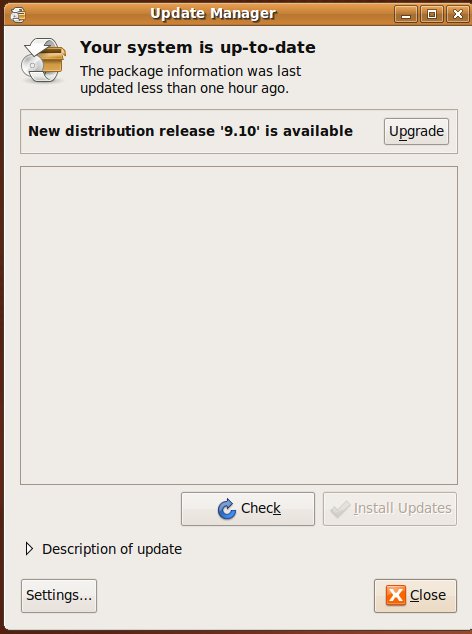
- Once you have all the updates installed. Run the Update Manager again.
- You can see that the new release 9.10 is available. Click on Upgrade and follow the onscreen instructions to start upgrading.
Overall, I am very impressed with the upgrading process. It’s very intuitive even for new Linux users. If you are installing Ubuntu on VirtualBox, remember to install the Guest Additions after upgrading. Please refer to step 30 of this post if you do not know to install the Guest Additions.
Leave a Reply