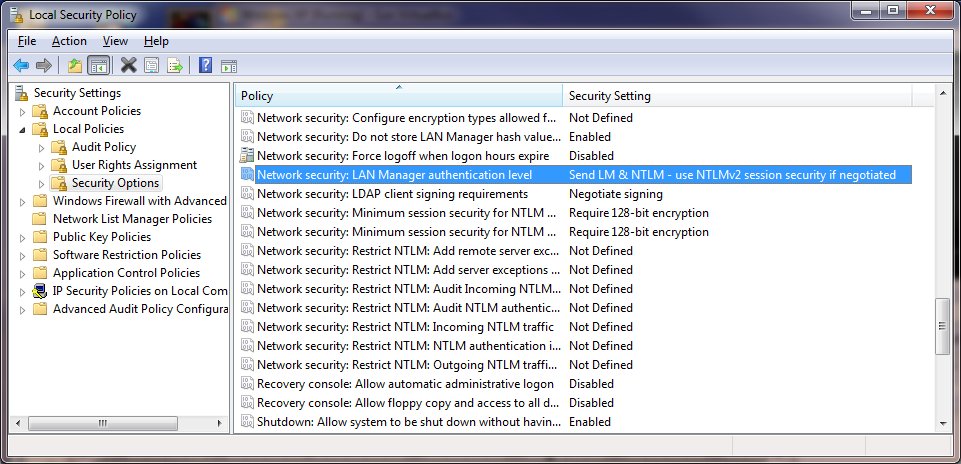
When you try to connect to a workgroup computer from a Windows 7 machine, you might run into problems where your password is not accepted even though you are sure you typed the password correctly. The problem is not that the password is wrong; it has to do with the authentication method. By default, Windows 7 has stricter rules about authentication. You have to configure the authentication level in order for your Windows 7 machine to communicate with computers running earlier version of Windows in a workgroup.
If you’re thinking about purchasing a new GPU, we’d greatly appreciate it if you used our Amazon Associate links. The price you pay will be exactly the same, but Amazon provides us with a small commission for each purchase. It’s a simple way to support our site and helps us keep creating useful content for you. Recommended GPUs: RTX 5090, RTX 5080, and RTX 5070. #ad
Vistax64.com has a detailed post about how to fix this problem in Vista. You can use either the Local Security Policy tool or registry editor to configure the LAN Manager authentication level. The same fix works in Windows 7.
[ via vistax64]
Leave a Reply