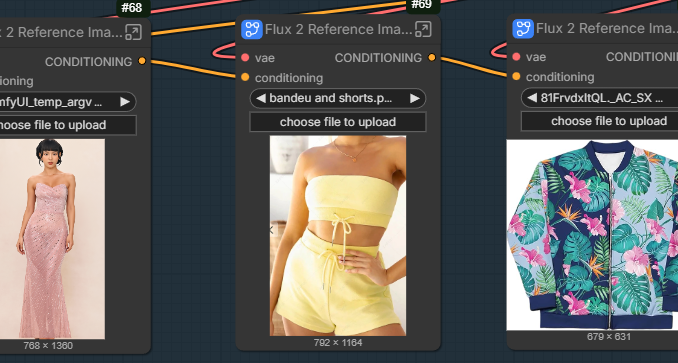
Flux.2-dev has evolved quickly, but the original workflow is very VRAM-intensive. In my case, it often caused out-of-memory errors, even on an RTX 5090 GPU. To solve this, the workflow was updated to use a GGUF text encoder, which greatly reduces memory usage while keeping prompt quality intact.
If you’re thinking about purchasing a new GPU, we’d greatly appreciate it if you used our Amazon Associate links. The price you pay will be exactly the same, but Amazon provides us with a small commission for each purchase. It’s a simple way to support our site and helps us keep creating useful content for you. Recommended GPUs: RTX 5090, RTX 5080, and RTX 5070. #ad
The reference image setup was also redesigned using a subgraph. This makes the workflow more compact and easier to manage, especially when adding multiple reference image nodes.
Flux.2-dev Models
- GGUF Models: You can find the GGUF models here. You only need one model. I have a RTX 5090, and I use the Q6 variant. I downloaded flux2_dev_Q6_K.gguf. If your GPU has less VRAM, consider the Q5 or Q4 variants. Put the GGUF model in ComfyUI\models\unet\ .
- Text Encoder: The GGUF text encoders are here. I downloaded Mistral-Small-3.2-24B-Instruct-2506-UD-Q6_K_XL.gguf. Place the model in ComfyUI\models\text_encoders\ .
- VAE: Download flux2-vae.safetensors and put it in ComfyUI\models\vae\ .
FLUX.2-dev Installation
- Update your ComfyUI to the latest version if you haven’t already. (Run update\update_comfyui.bat for Windows). Depending on which gguf custom node you installed before, you also need to update the ComfyUI-GGUF or gguf custom node to the latest version if you have not updated it recently.
- Download the json file and open it using ComfyUI.
- Use ComfyUI Manager to install missing nodes.
- Restart ComfyUI.
Nodes
Most of the nodes are the same as the original workflow. Please see this article for details.
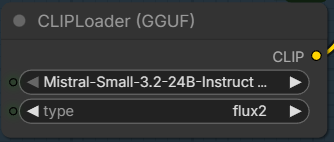
Select the GGUF text encoder here.
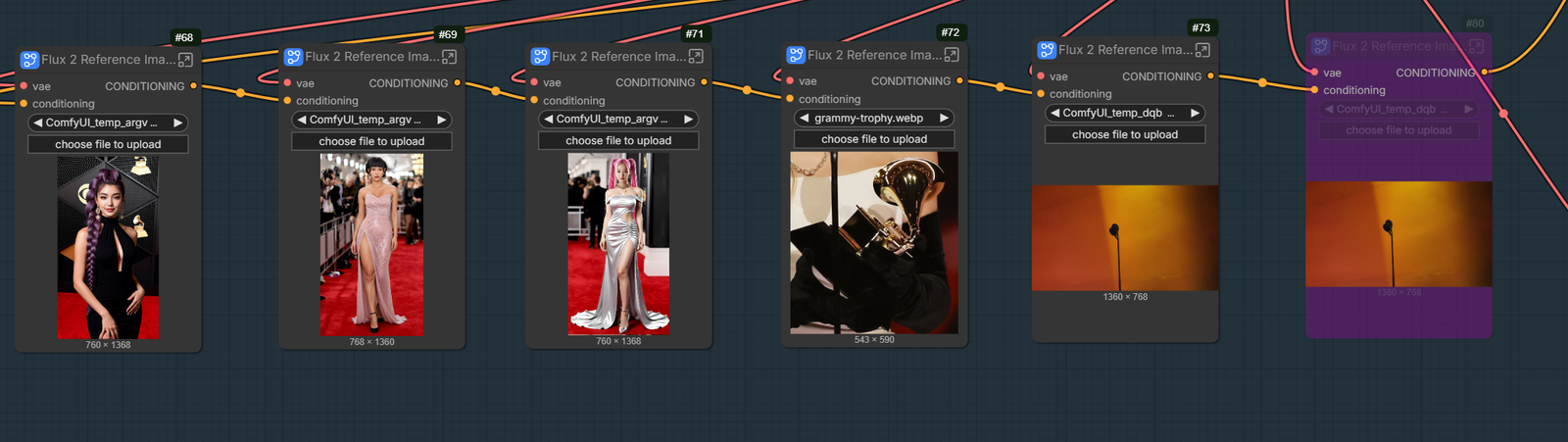
You can select 6 reference images now. If you don’t need this many, just select the ones you don’t want to use, and press Ctrl+B. Originally, you need 4 nodes to add one reference image like in this screenshot.
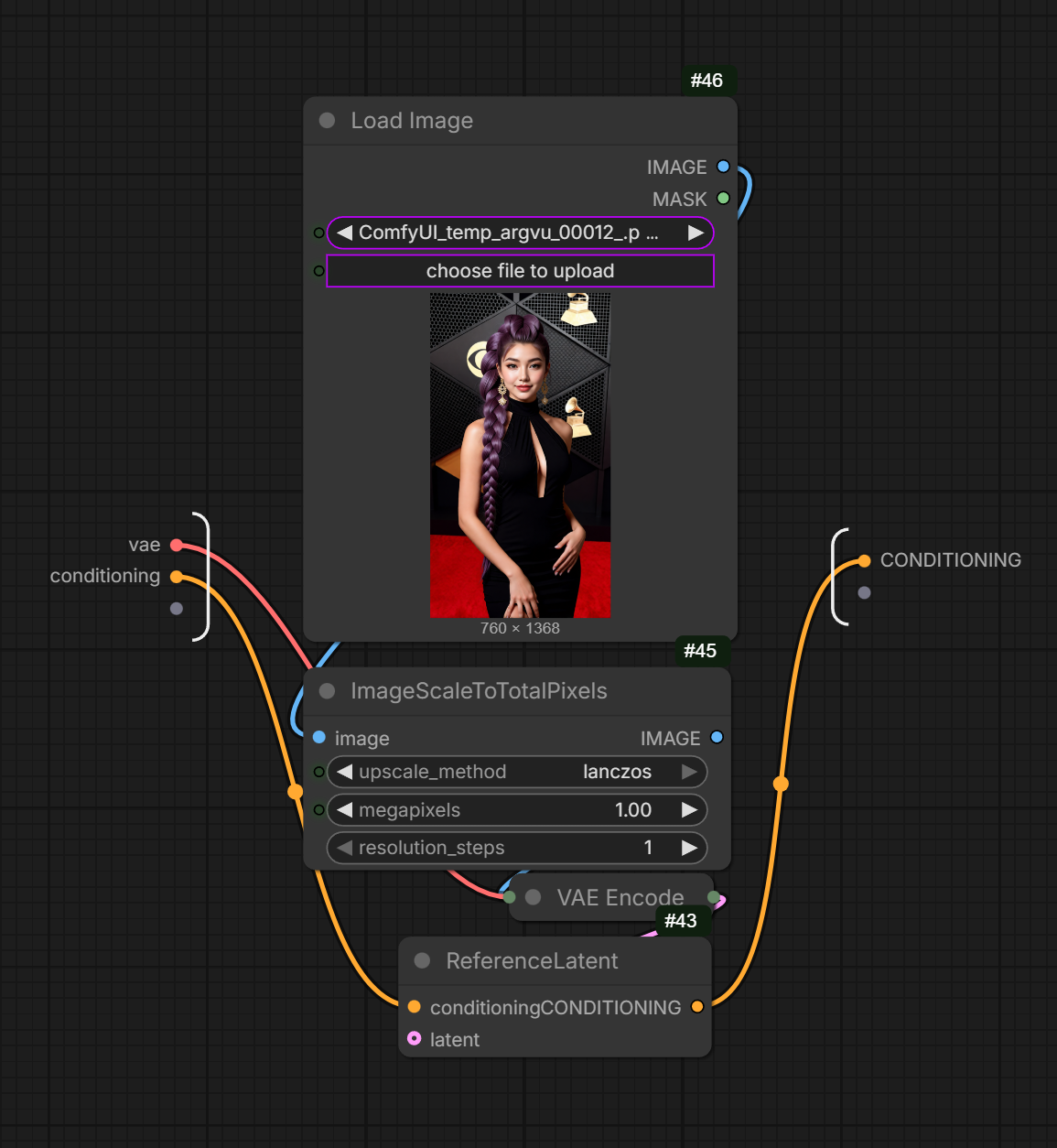
By leveraging the subgraphs, the workflow is neater and easier to modify.
Examples
Input:
Prompt:
three women standing together on the grammy awards stage, matching the reference images for their faces and outfits. rumi with a purple dragon braid. zoey with black hair. mira with pink piggy tails. each of them holding a grammy trophy in front of a microphon, positioned close together at center stage with orange colored background. smiling.
Output:

Input:
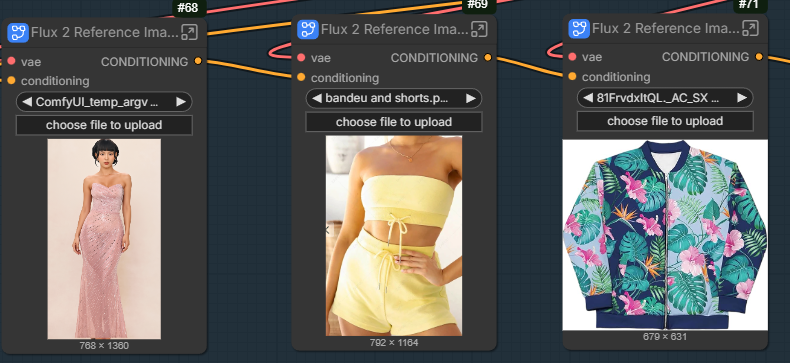
Prompt:
the girl is wearing a yellow bandeau and shorts. she also wears a tropical print jackset unzipped.
Out:

Conclusion
By combining Flux.2-dev with a GGUF text encoder and multiple reference images, you can achieve more consistent and controllable results while significantly reducing resource requirements. This updated workflow strikes a good balance between quality and performance, making Flux.2-dev more accessible on lower-power GPUs without sacrificing visual fidelity.
If you rely on reference images for character identity, pose guidance, or style alignment, this approach is worth adopting. As Flux continues to mature, workflows like this show how much flexibility the ecosystem now offers for practical, real-world image generation.
Further Reading
Leave a Reply