When I first learned that the PwnageTool is available for iPhone firmware 2.2, I cannot wait to get my iPhone jailbroken again for the new firmware. After I successfully did it, I wanted to try out the Goolge Street View, but I could not figure out how to use it. There is no indication on the settings to view the map in Street View. After playing with it for a while, I finally found that if you do a search or drop a pin, you can see a new person icon.
If you’re thinking about purchasing a new GPU, we’d greatly appreciate it if you used our Amazon Associate links. The price you pay will be exactly the same, but Amazon provides us with a small commission for each purchase. It’s a simple way to support our site and helps us keep creating useful content for you. Recommended GPUs: RTX 5090, RTX 5080, and RTX 5070. #ad
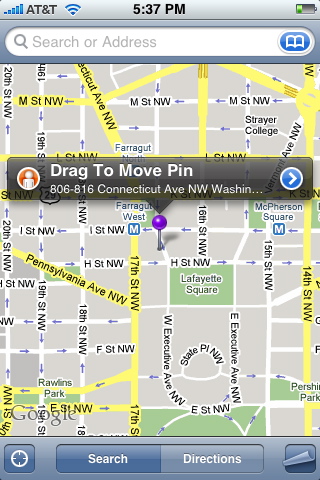
Click on the person icon let you see the new street view.

Leave a Reply