 Adobe published updates for its Acrobat line of products in March. The updates addressed some critical issues. It is highly recommended that you update Acrobat on your machine.
If you’re thinking about purchasing a new GPU, we’d greatly appreciate it if you used our Amazon Associate links. The price you pay will be exactly the same, but Amazon provides us with a small commission for each purchase. It’s a simple way to support our site and helps us keep creating useful content for you. Recommended GPUs: RTX 5090, RTX 5080, and RTX 5070. #ad
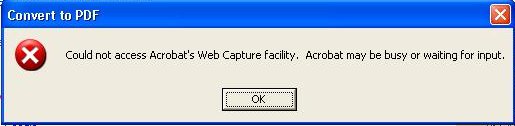
I helped a user update his Acrobat Pro 9 to 9.1. The installation was not successful initially using the Adobe Updater. I then downloaded the update manually from Adobe’s web site and finished the update process. Everything seems to be running fine except the ability to capture web pages as PDF files. Whenever the user click on the Convert or Select button on IE, the dialog “Could not access Acrobat’s Web Capture facility. Acrobat may be busy or waiting for input.” pops up and the PDF file is not generated.
To fix this problem, click on Help -> Repair Acrobat Installation and reboot the machine after the repair process is finished.
great article. I will bookmark this
Thank you for your posting!!