The first time you start up Thunderbird, you notice that it’s indexing your emails and feeds. If you do not think indexing is going to do you any good. You can disable it.
If you’re thinking about purchasing a new GPU, we’d greatly appreciate it if you used our Amazon Associate links. The price you pay will be exactly the same, but Amazon provides us with a small commission for each purchase. It’s a simple way to support our site and helps us keep creating useful content for you. Recommended GPUs: RTX 5090, RTX 5080, and RTX 5070. #ad
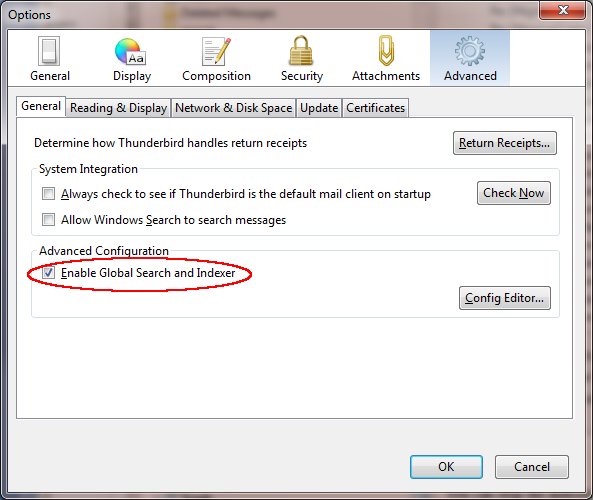
- Click on Tools -> Options….
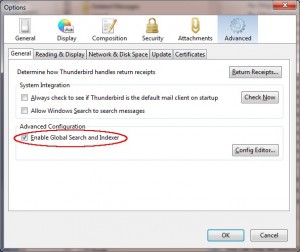
- Click on Advanced and uncheck Enable Global Search and Indexer.
- Click on OK to close the dialog
Thanks, but
what are the goods of indexing in TB 3?
I mean, if i i disable indexing, what will happen?
Javi
If you disable indexing, you cannot search all messages from the search box.
Search will still work just like it used to, except it won’t be as fast because each message will need to be searched one at a time. If I still had a 486, I might leave indexing on. New computers take just a few seconds to search everything, even if you have hundreds of emails.
Thumbs up dude 🙂 Thanks a lot 🙂
> You can disable it.
No you can’t. it keeps using the new (terrible) search. You know how frustrating it is when someone comes over and asks about an email they sent, and you can’t find it? Then, you have to explain that it will take 5 or 15 minutes to find it because Thunderbird’s search doesn’t work? Great selling feature. Forget convincing others to go open source. I keep getting tempted to go back to the ultimate mail bloat client Outlook. Thunderbird 3 is a disgrace. The only improvement I care about from 2 is that you can finally paste an image into an email. Wow, that’s a feature you say. Why can’t the Thunderbird developers get the basics working first?