One major drawback of using Google Map on the iPhone is that it does not offer voice guidance. Therefore, it is not suitable for navigation unless you have someone read the directions for you. However, the newly updated MapQuest 4 Mobile now offers voice guidance at an attractive price: it’s free.
If you’re thinking about purchasing a new GPU, we’d greatly appreciate it if you used our Amazon Associate links. The price you pay will be exactly the same, but Amazon provides us with a small commission for each purchase. It’s a simple way to support our site and helps us keep creating useful content for you. Recommended GPUs: RTX 5090, RTX 5080, and RTX 5070. #ad
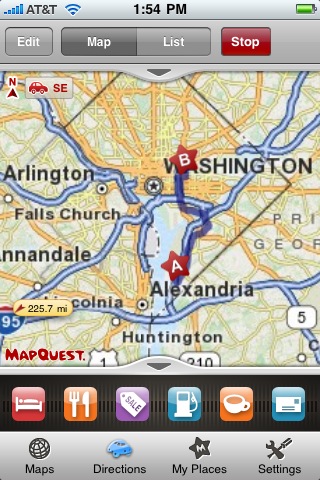
On top of the voice guidance, the other new features for this version include off-route assistance and twin tap to zoom out. Like Google Map, MapQuest 4 Mobile operates in two modes: Map and Directions. If you log on to your AOL or MapQuest account, your saved My Places will be synchronized to the iPhone. This makes it easy to enter multiple places. A row of icons near the bottom lets you turn on POI (Points of Interest) displayed on the map. It provides a visual cue about the nearby POI.
There are some restrictions about the program. There is only one view offered in Directions mode, which is the north up 2D view. It does not speak the street name (text to speech) either. Some online reviews indicate that this application works in the US only.
what the heck kind of voice guided navigation DOESNT SPEAK The street name
That defeats the whole purpose if you have to look at the phone to know what to look for. Every time there are two turns close together, you would be unable to tell which one to turn into. The GPS is sometimes only accurate to about 15 ft, and is always worse when it is cloudy.
Garbage.