We have several Exchange shared mailboxes that we use to get support emails. It’s easy to set them up on Outlook 2007 or 2010. When we got Outlook 2011, however, we were unable to figure out how to open the shared mailboxes because the user interface had been changed again.
If you’re thinking about purchasing a new GPU, we’d greatly appreciate it if you used our Amazon Associate links. The price you pay will be exactly the same, but Amazon provides us with a small commission for each purchase. It’s a simple way to support our site and helps us keep creating useful content for you. Recommended GPUs: RTX 5090, RTX 5080, and RTX 5070. #ad
Here is how to open shared mailboxes on Outlook 2011, in case you have trouble finding the instructions.
- Click on Tools -> Accounts.
- Select your account and click on the Advanced… button on the lower right corner.
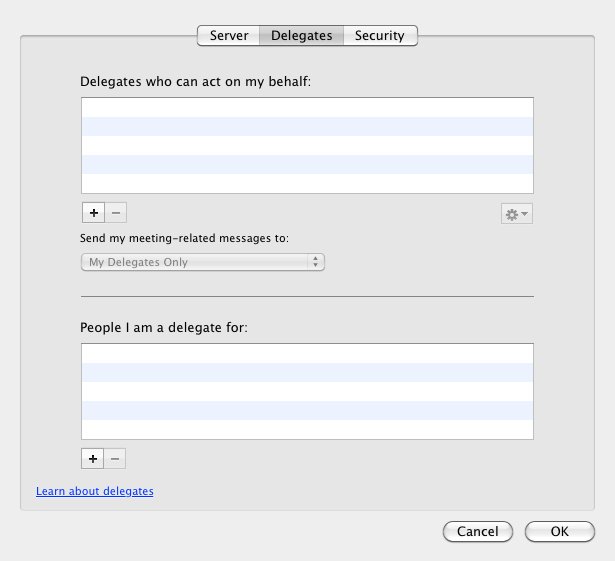
- Click on Delegates on the top.

- Click on the plus sign (+) under People I am a delegate for: list box to add your shared mailboxes.
Leave a Reply