More and more software are being distributed as ISO images now. The ISO images are designed to be burned to a DVD or a CD. It is a good idea to have them on a form of media if you need to use them on a different machine. Unfortunately, it is not very practical if you just need to access some files on the ISO image. I have used a program called MagicISO to mount the ISO images as drives, so that I could extract files. However, it is a resident program, and I would rather have a program that can just open the ISO images and extract files as needed.
If you’re thinking about purchasing a new GPU, we’d greatly appreciate it if you used our Amazon Associate links. The price you pay will be exactly the same, but Amazon provides us with a small commission for each purchase. It’s a simple way to support our site and helps us keep creating useful content for you. Recommended GPUs: RTX 5090, RTX 5080, and RTX 5070. #ad
I found this the other day when I accidentally right-clicked on an ISO image. There are several options under 7-zip menu. If you right-click on an ISO image, click on 7-Zip and Extract files… . This extracts all the files from the ISO image.

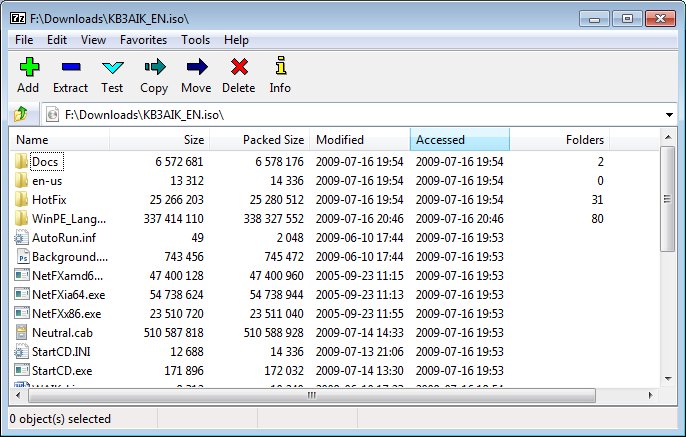
If you just want to browse what is in the ISO image, you can right-click on the image and click on 7-Zip -> Open archive. This allows you to see the file names first, without extracting them.
Leave a Reply