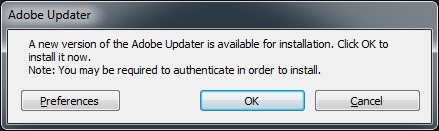
After I installed Acrobat Professional 9 on one computer, I tried to run the updater. I got this message: A new version of the Adobe Updater is available for installation. Click on OK to install it now.
If you’re thinking about purchasing a new GPU, we’d greatly appreciate it if you used our Amazon Associate links. The price you pay will be exactly the same, but Amazon provides us with a small commission for each purchase. It’s a simple way to support our site and helps us keep creating useful content for you. Recommended GPUs: RTX 5090, RTX 5080, and RTX 5070. #ad
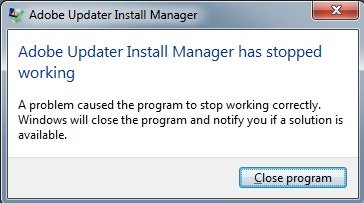
If I clicked on OK, it downloaded the new version and tried to install it. However, the installation of the new updater failed, and I got this message: Adobe Updater Install Manager has stopped working.
This happened on two computers, and both computers were running Windows 7 Enterprise 64bit. I went to Adobe’s web site and found the Adobe Updater 6.2. I downloaded the updater manually and installed it. The new updater fixed the problem. The download link is
http://www.adobe.com/support/downloads/detail.jsp?ftpID=4509
I have the same problem.
Thanks it worked.
Thanks, nice work! Did the trick for me as well.
Thanks a bunch, was struggling with this problem!