I started to have this dialog window on my desktop from a while ago.
If you’re thinking about purchasing a new GPU, we’d greatly appreciate it if you used our Amazon Associate links. The price you pay will be exactly the same, but Amazon provides us with a small commission for each purchase. It’s a simple way to support our site and helps us keep creating useful content for you. Recommended GPUs: RTX 5090, RTX 5080, and RTX 5070. #ad
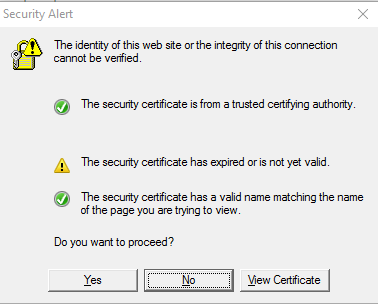
If I click on View Certificate, I can see that it’s a certificate from PhishTank. Sometimes, I have about a dozen of these windows at once. It’s quite annoying. I tried to find the program which generates this window, but I could not find it.
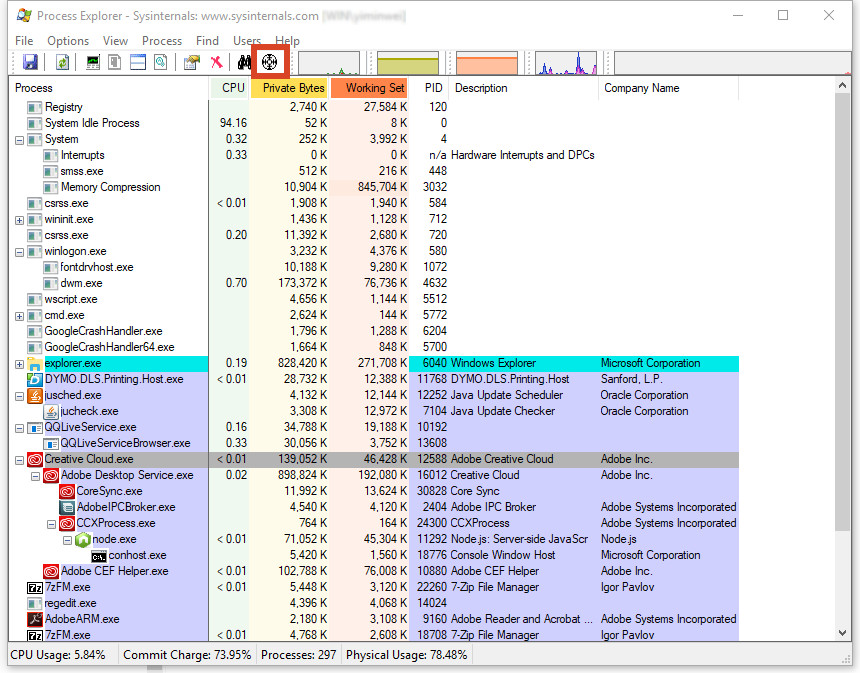
I was using Process Explorer the other day and found a function of it which solves the mystery for me. To find a Windows process, click on the icon and drag it to the target window and the process will be highlighted in the panel.

For my case, the culprit was Creative Cloud client. After I closed the Creative Cloud client, the annoying windows are gone!
Here is the link to download Process Explorer.
Leave a Reply