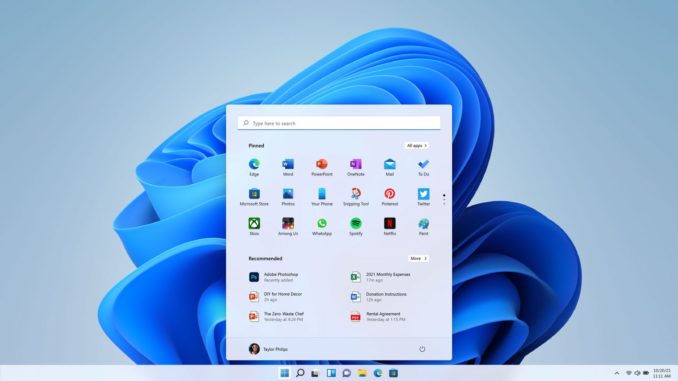
When I tried to install Windows 11 on a spare computer for test, I used media creation tool to prepare a USB key for installation. After installation, I found that the installed Windows 11 is Home edition. On Windows 10 machines, I could just change the product key to either Professinal or Enterprise edition KMS key and I could change the edititon without re-installation. There is a nice page with the KMS keys for Windows 10 listed.
If you’re thinking about purchasing a new GPU, we’d greatly appreciate it if you used our Amazon Associate links. The price you pay will be exactly the same, but Amazon provides us with a small commission for each purchase. It’s a simple way to support our site and helps us keep creating useful content for you. Recommended GPUs: RTX 5090, RTX 5080, and RTX 5070. #ad
I tried to find equivalent KMS keys for Windows 11, but I could not find any. I then tried the Windows 10 Enterprise KMS key, and it worked for me. Note that when I fist tried to change the product key, I got a message saying something went wrong and it was not successful. However, after I restarted the machine and checked the edition and it did change to the Enterprise edition.
Here is a list of the Windows 10 KMS Client Setup Keys, please try them on your Windows 11 machines and let me know if they work for you.
| Operating system edition | KMS Client Setup Key |
|---|---|
| Windows 10 Professional | W269N-WFGWX-YVC9B-4J6C9-T83GX |
| Windows 10 Professional N | MH37W-N47XK-V7XM9-C7227-GCQG9 |
| Windows 10 Enterprise | NPPR9-FWDCX-D2C8J-H872K-2YT43 |
| Windows 10 Enterprise N | DPH2V-TTNVB-4X9Q3-TJR4H-KHJW4 |
| Windows 10 Education | NW6C2-QMPVW-D7KKK-3GKT6-VCFB2 |
| Windows 10 Education N | 2WH4N-8QGBV-H22JP-CT43Q-MDWWJ |
Leave a Reply