
RC4 (Rivest Cipher 4) is a stream cipher that has long been considered insecure due to various cryptographic weaknesses. Though deprecated in modern Windows versions, RC4-based cipher suites can still remain enabled on some systems, especially for backward compatibility.
If you’re thinking about purchasing a new GPU, we’d greatly appreciate it if you used our Amazon Associate links. The price you pay will be exactly the same, but Amazon provides us with a small commission for each purchase. It’s a simple way to support our site and helps us keep creating useful content for you. Recommended GPUs: RTX 5090, RTX 5080, and RTX 5070. #ad
Disabling RC4 improves your security posture and ensures compliance with industry standards like PCI DSS, HIPAA, and NIST SP 800-52r2.
Why Disable RC4?
RC4 is vulnerable to several attacks including:
-
Bar Mitzvah attack
-
Bias-based attacks on the keystream
-
BEAST and Lucky13 (when paired with older TLS versions)
Microsoft and other major vendors have deprecated RC4 for use in TLS. Continuing to use it could expose systems to serious security risks.
Recommended Method: PowerShell
Starting with Windows 10 and Windows Server 2016, the best way to disable RC4 cipher suites is using the built-in Disable-TlsCipherSuite PowerShell cmdlet.
Run the following commands in an elevated PowerShell session:
These commands will:
-
Remove the RC4 cipher suites from the system cipher list
-
Take effect after a reboot or service restart
You can verify the change using:
If no results return, RC4 has been successfully disabled.
Alternate Method: Registry Editor (Legacy Approach)
This method is for older systems (Windows 7/8.1/Server 2012 R2) where the PowerShell cmdlet may not be available.
-
Open Registry Editor (
regedit) -
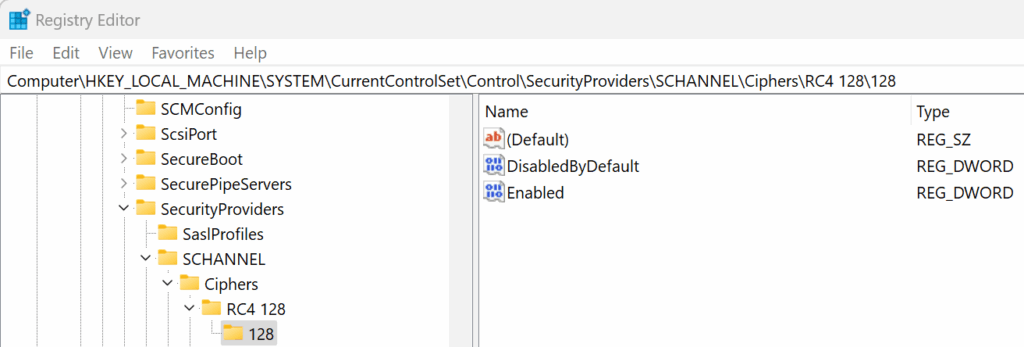
Navigate to:
-
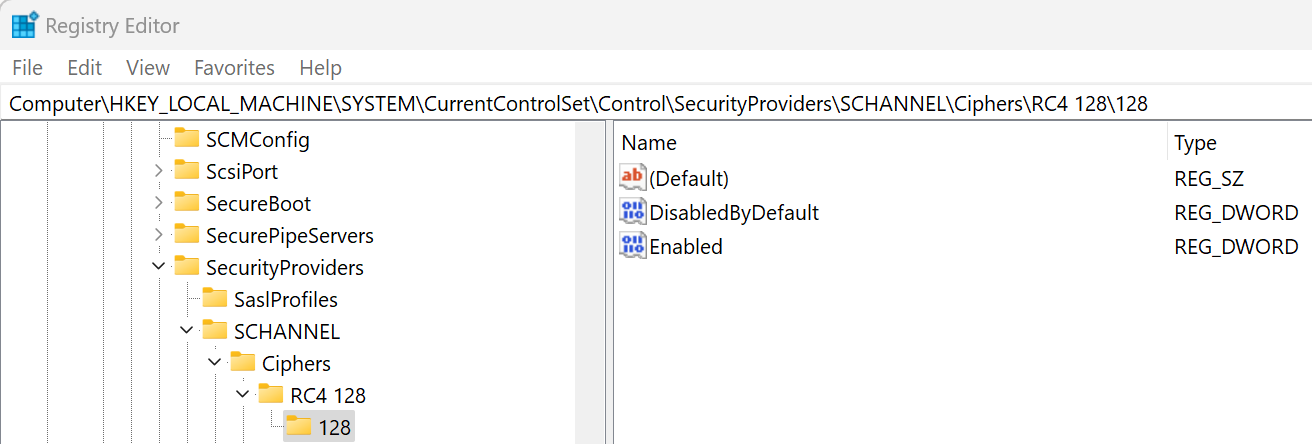
Add the following keys (if they don’t exist), and set the value
Enabled = 0(DWORD):-
RC4 128/128 -
RC4 40/128 -
RC4 56/128 -
RC4 64/128
-
-
Restart the system to apply the settings.
Note: This method is not always reliable on newer systems and may be overridden by cipher suite order policies.
Deployment at Scale (Optional)
For enterprise environments, use:
-
Group Policy Preferences to deploy registry changes
-
PowerShell remoting or Desired State Configuration (DSC) to disable ciphers on multiple hosts
Testing and Verification
Use the following tools to verify that RC4 is no longer offered by your server:
-
Wireshark – inspect TLS handshake cipher offerings
References
Final Thoughts
Disabling RC4 cipher suites is a necessary step for securing your Windows environment. The PowerShell method is the most effective and preferred approach on modern systems.
Always test changes in a staging environment before applying them to production systems, especially if older clients may still require RC4.
Leave a Reply