
LTX-2 has generated a lot of interest as an open video model, especially for image-to-video workflows inside ComfyUI. On paper, it promises better motion, stronger temporal coherence, and more natural results compared to earlier releases. In practice, getting LTX-2 to work reliably—especially when using GGUF models—is not as straightforward as it looks.
If you’re thinking about purchasing a new GPU, we’d greatly appreciate it if you used our Amazon Associate links. The price you pay will be exactly the same, but Amazon provides us with a small commission for each purchase. It’s a simple way to support our site and helps us keep creating useful content for you. Recommended GPUs: RTX 5090, RTX 5080, and RTX 5070. #ad
While preparing this article, I tested a wide range of ComfyUI workflows, node combinations, and settings. Many of them technically ran, but produced unstable motion, identity drift, or inconsistent results. After a lot of trial and error, I eventually landed on a workflow that is both stable and repeatable for LTX-2 image-to-video generation using GGUF. This article focuses on that working setup, explains why it behaves better than others, and highlights the key details that actually matter when running LTX-2 in ComfyUI. If you are looking for text-to-video workflow, please check out this post.
LTX-2 Models
- GGUF Model: The GGUF models can be found here. I have a RTX 5090, and I used the Q8 variant. I downloaded ltx-2-19b-dev_Q8_0.gguf. If you have less VRAM, use other variants like Q6 or Q4. Put the GGUF models in ComfyUI\models\unet\ .
- Text Encoder: Download gemma_3_12B_it.safetensors and ltx-2-19b-embeddings_connector_dev_bf16.safetensors ; put them in ComfyUI\models\text_encoders\ .
- VAE: Download LTX2_video_vae_bf16.safetensors and LTX2_audio_vae_bf16.safetensors , put them in ComfyUI\models\vae\ .
- Latent Upscale Mode: Download ltx-2-spatial-upscaler-x2-1.0.safetensors , and put it under ComfyUI\models\latent_upscale_models\ .
- LoRA: Download ltx-2-19b-distilled-lora-384.safetensors and ltx-2-19b-ic-lora-detailer.safetensors . Place them in ComfyUI\models\loras\ .
LTX-2 Image-to-Video GGUF Installation
- Update your ComfyUI to the latest version if you haven’t already. (Run update\update_comfyui.bat for Windows). You also need to update ComfyUI-GGUF and ComfyUI-KJNodes to the latest versions.
- Download the json file, and open it using ComfyUI.
- Use ComfyUI Manager to install missing nodes.
- Restart ComfyUI.
Nodes
Step 1 nodes:
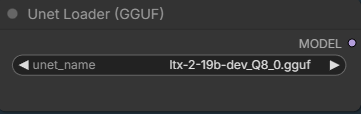
Select the GGUF model you downloaded.
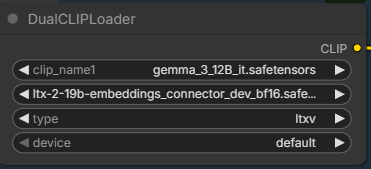
Pick the two text encoders.
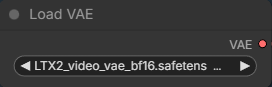
Load the video VAE.
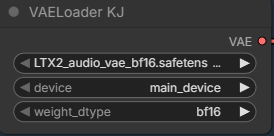
You need this new node to load audio VAE. In the future, you might be able to use the regular Load VAE node to load the audio VAE.
Step 2 nodes:
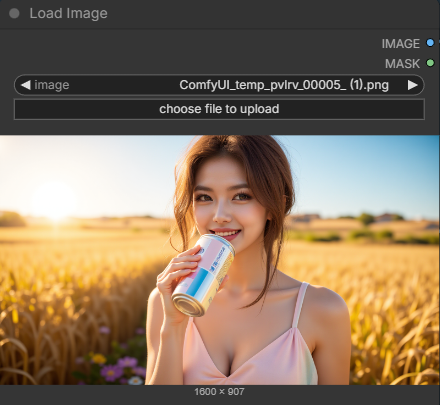
Choose an input image here.
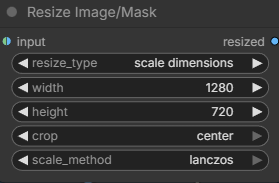
Specify the size of the image, this affects the out video.
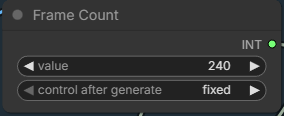
Enter the number of frames you want to generate. The default frame per second is 24. 240 frames is about 10 seconds.
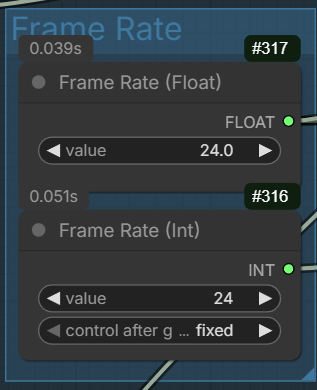
Enter the frame rate here if you want to experiment different frame rate. Note that there are two fields to change. One float and one int. Someone on reddit suggested that using 48 fps renders better results. Of course, you’ll need more VRAM if you want to try 48 fps for the same duration.
Step 3 node:
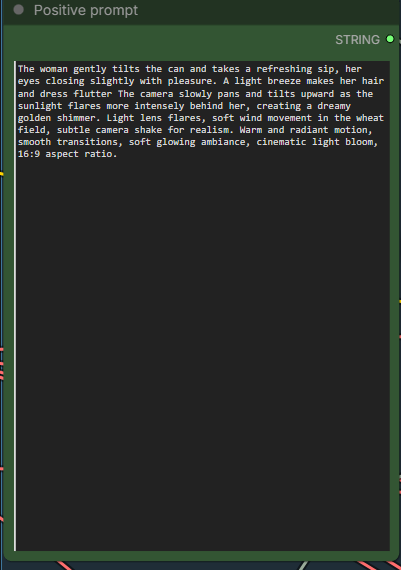
Enter positive prompt here. This workflow uses the distilled LoRA and the cfg is set to 1. Therefore, negative prompt won’t have affect on the generation.
LoRA nodes:

The first LoRA is for making the model more efficient to run. The second LoRA is a detailer. Both are optional and they are not related to camera. There are also a lot of different camera LoRAs that you can try.
Sampler stage node:
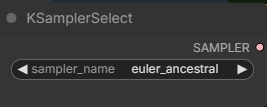
I used this sampler with good results. The official workflows use res_2s sampler. You can try it if you have RES4LYF installed.
LTX-2 Image-to-Video Examples
Input image:
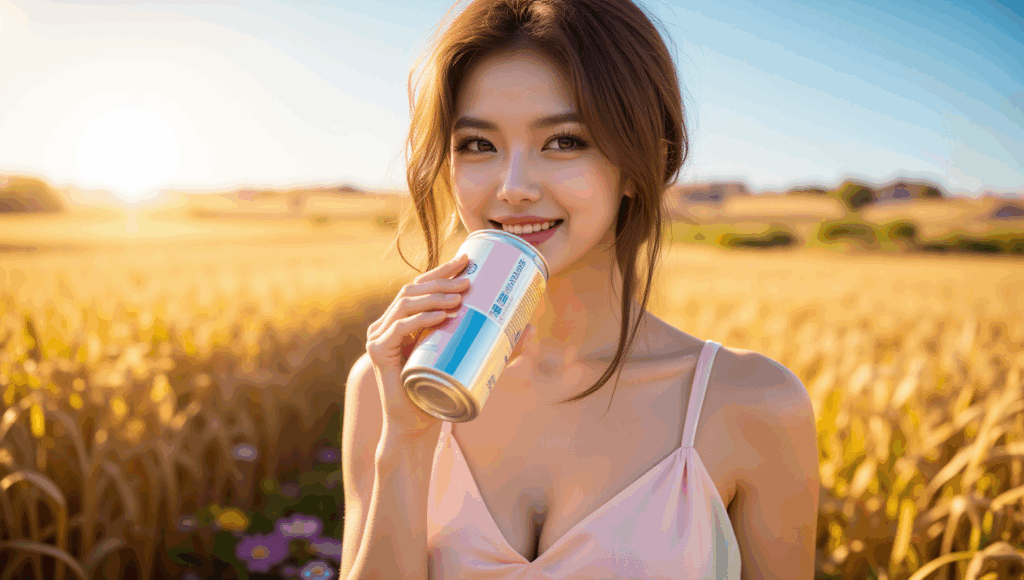
Prompt:
The woman gently tilts the can and takes a refreshing sip, her eyes closing slightly with pleasure. A light breeze makes her hair and dress flutter The camera slowly pans and tilts upward as the sunlight flares more intensely behind her, creating a dreamy golden shimmer. Light lens flares, soft wind movement in the wheat field, subtle camera shake for realism. Warm and radiant motion, smooth transitions, soft glowing ambiance, cinematic light bloom, 16:9 aspect ratio.
LTX-2:
Wan 2.2:
Input image:
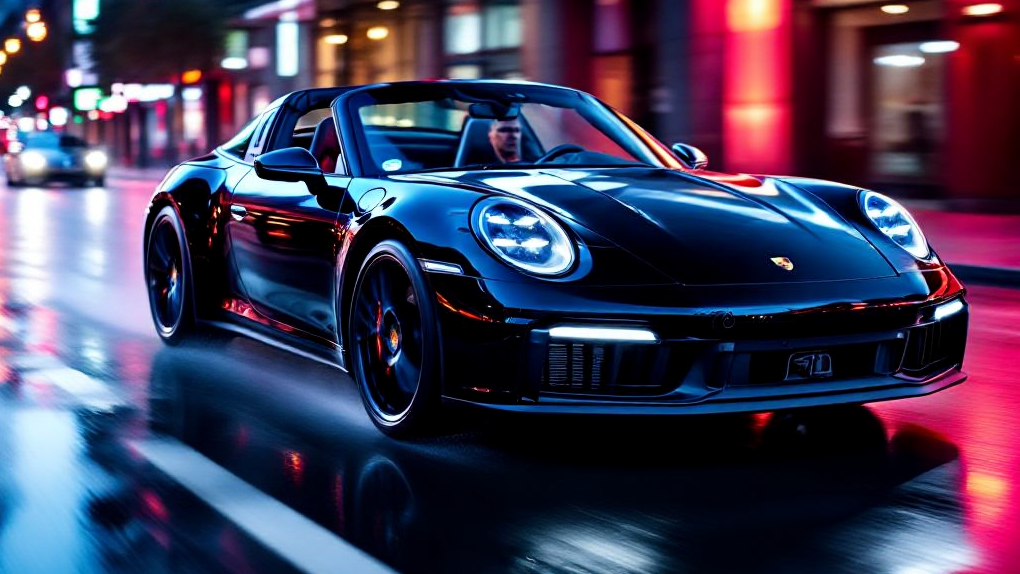
Prompt:
The camera tracks the sleek black sports car as it races down a wet, neon-lit city street at night. Reflections of magenta, cyan, and red lights shimmer on the car’s glossy surface and the wet asphalt. The car accelerates slightly as the lights streak past in the background, with a subtle motion blur and tire spray. Its headlights flare and cast sharp beams forward, illuminating the wet road ahead. The camera rotates around the front-left side of the car, highlighting its curves and aggressive stance. Soft raindrops hit the windshield in slow motion. Soundless, but with cinematic tension. High contrast lighting, futuristic tone, slow motion elements, hyper-realistic motion, 16:9 aspect ratio
LTX-2:
Wan 2.2:
Input image:
Prompt:
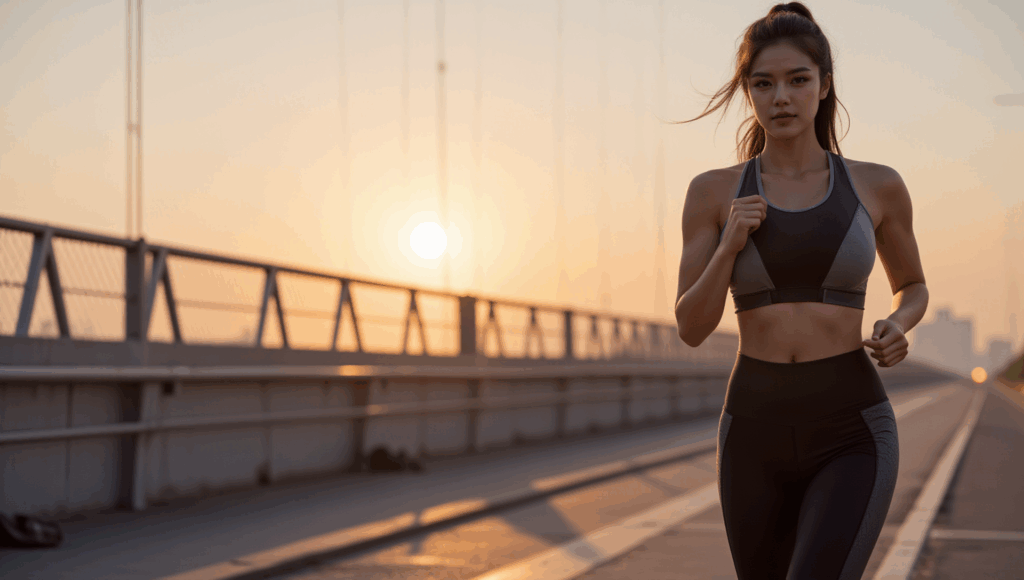
The woman runs steadily forward, her steps rhythmic and powerful. Her ponytail bounces with each stride as warm morning light ripples across her body and the bridge. Subtle camera shake adds realism as the scene follows her from a side angle. A light breeze moves her clothing naturally. The sun rises behind her, casting golden flares through the bridge cables. Drops of sweat glisten and roll down her skin in slow motion. The video closes with her stopping to catch her breath, turning toward the camera with a confident smile. Realistic motion, slow-to-normal pacing blend, dynamic light transitions, motivational mood, cinematic tone, 16:9 format
LTX-2:
Wan 2.2:
Input image:
Prompt:
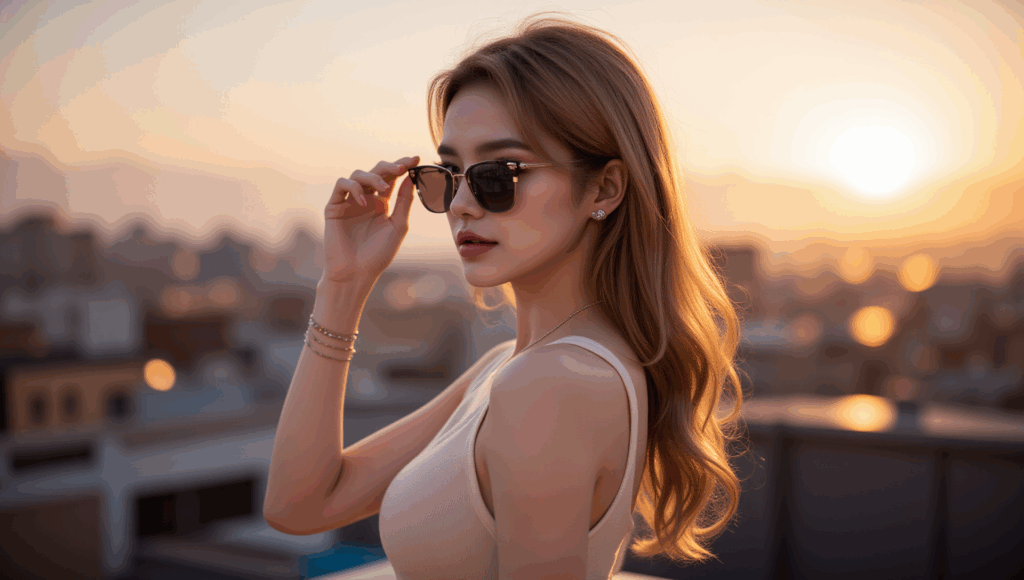
The woman slowly lifts and puts on her sunglasses as the golden sun sets behind her. Her hair moves gently in the wind, and the reflection in the lenses captures the glowing city skyline. As the glasses settle on her face, the light subtly shifts, casting a cinematic flare across the lens. The camera slowly pushes in toward her face, enhancing the cool, composed mood. Lens flares, soft camera movement, golden hour light, confident tone, 16:9 aspect ratio
LTX-2:
Wan 2.2:
Input image:

Prompt:
A young woman sits in a cozy modern café, facing the camera at eye level. She smiles gently and speaks directly to the viewer in a calm, friendly tone. Her lips sync naturally as she says: “It’s kind of amazing… with the release of LTX-2, I can finally talk to you like this. It feels more real, more alive. If you want to see what I create next, follow me and stay with me.” Her facial expressions are subtle and natural, with soft eye contact, slight head movements, and small hand gestures near a coffee cup on the table. The motion is smooth and coherent, with stable facial structure and consistent identity throughout the clip. The café background remains steady and realistic, with minimal camera movement, no exaggerated motion, and no stylization. Natural daylight illuminates her face evenly, maintaining photorealistic skin texture, realistic lip movement, and believable human timing. The overall mood is warm, intimate, and conversational, as if she is casually talking to the viewer in real life.
LTX-2:
No equivalent Wan 2.2 output with dialog.
Conclusion
Using LTX-2 image-to-video with GGUF in ComfyUI is absolutely possible, but it requires the right workflow and realistic expectations. Not all examples shared online translate well to GGUF setups, and small differences in node order or settings can have a big impact on consistency and motion quality.
After testing many different approaches, the workflow covered in this article proved to be the most reliable in my experience. It doesn’t try to push LTX-2 beyond its current strengths, and that restraint is exactly why it works well. If you’re looking for a practical way to run LTX-2 image-to-video with GGUF—without constant trial and error—this setup should give you a solid foundation.
As LTX-2 and its ComfyUI integrations continue to evolve, workflows will improve. For now, sticking to a proven, stable pipeline is the best way to get usable results and spend more time creating instead of debugging.
References
- https://huggingface.co/Lightricks/LTX-2/tree/main
- https://ltx.io/model/model-blog/prompting-guide-for-ltx-2
Further Reading
LTX-2 in ComfyUI-Workflows, Resources & Community References
Leave a Reply