
Editing images with AI inside ComfyUI has come a long way, and models like Flux.2 Klein 9B KV (GGUF) are pushing that workflow even further. Instead of relying on traditional diffusion-based inpainting, this setup allows for more precise, instruction-based edits with better consistency and detail preservation.
If you’re thinking about purchasing a new GPU, we’d greatly appreciate it if you used our Amazon Associate links. The price you pay will be exactly the same, but Amazon provides us with a small commission for each purchase. It’s a simple way to support our site and helps us keep creating useful content for you. Recommended GPUs: RTX 5090, RTX 5080, and RTX 5070. #ad
If you’ve already been using ComfyUI for Stable Diffusion or video workflows, integrating a GGUF-based image editing model might feel unfamiliar at first. The pipeline, node structure, and performance behavior are different—but once set up correctly, it becomes a powerful tool for tasks like object replacement, style adjustments, and fine-grained visual edits.
In this guide, you’ll learn how to set up and use Flux.2 Klein 9B KV in ComfyUI for image editing, including the required nodes, workflow structure, and practical tips to get stable, high-quality results.
Flux.2 Klein 9B KV GGUF Models
- GGUF Models: You can find the GGUF models here. You only need one model. I have a RTX 5090, and I use the Q8 variant. I downloaded Flux-2-Klein-9B-KV-Q8_0.gguf. If your GPU has less VRAM, consider the Q5 or Q4 variants. Put the GGUF model in ComfyUI\models\unet\ .
- Text Encoder: Download qwen_3_8b_fp8mixed.safetensors and put it in ComfyUI\models\text_encoders\ .
- VAE: Download flux2-vae.safetensors and put it in ComfyUI\models\vae\ .
Flux.2 Klein 9B KV GGUF Workflow Installation
- Update your ComfyUI to the latest version if you haven’t already. (Run update\update_comfyui.bat for Windows).
- Download the json file, and open it using ComfyUI.
- Use ComfyUI Manager to install missing nodes.
- Restart ComfyUI.
Nodes
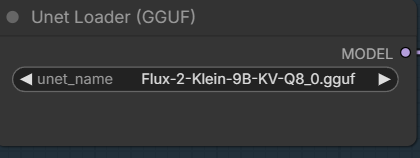
Select the GGUF model you downloaded.
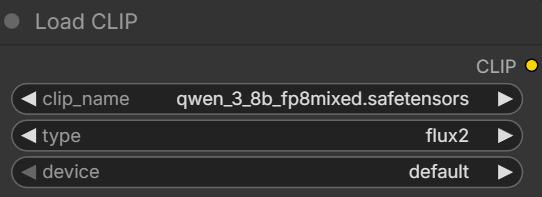
Pick the text encoder.
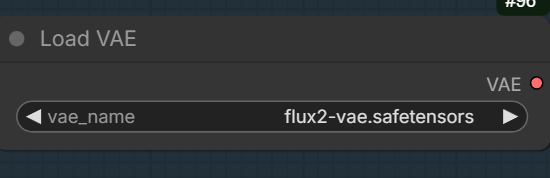
Set the VAE.
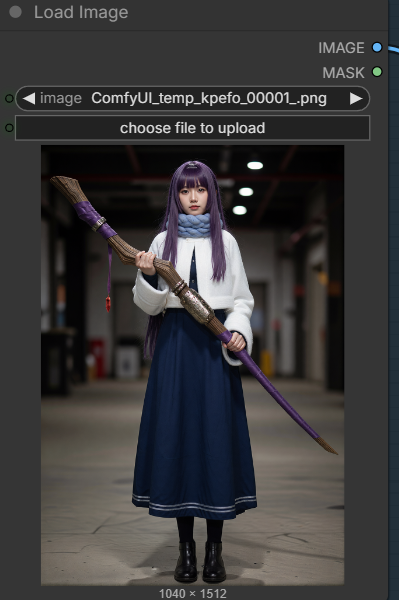
Upload a reference image. This workflow allows two reference images. If you want to upload a second one, remember to enable the nodes.
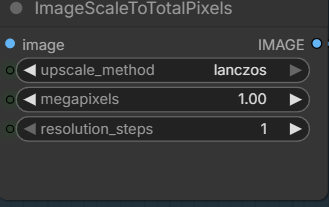
The output image is controlled by this node. If you have more RAM, you can consider increasing the megapixels to a bigger value.
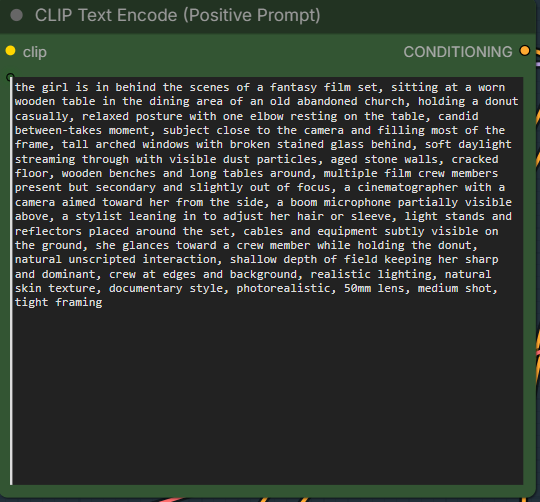
Enter the positive prompt. For this workflow, the cfg is set to 1, so that the negative prompt is not used.
Flux.2 Klein 9B KV GGUF Examples
Reference image:
Prompt:
the girl is in behind the scenes of a fantasy film set, sitting at a worn wooden table in the dining area of an old abandoned church, holding a donut casually, relaxed posture with one elbow resting on the table, candid between-takes moment, subject close to the camera and filling most of the frame, tall arched windows with broken stained glass behind, soft daylight streaming through with visible dust particles, aged stone walls, cracked floor, wooden benches and long tables around, multiple film crew members present but secondary and slightly out of focus, a cinematographer with a camera aimed toward her from the side, a boom microphone partially visible above, a stylist leaning in to adjust her hair or sleeve, light stands and reflectors placed around the set, cables and equipment subtly visible on the ground, she glances toward a crew member while holding the donut, natural unscripted interaction, shallow depth of field keeping her sharp and dominant, crew at edges and background, realistic lighting, natural skin texture, documentary style, photorealistic, 50mm lens, medium shot, tight framing
Output:
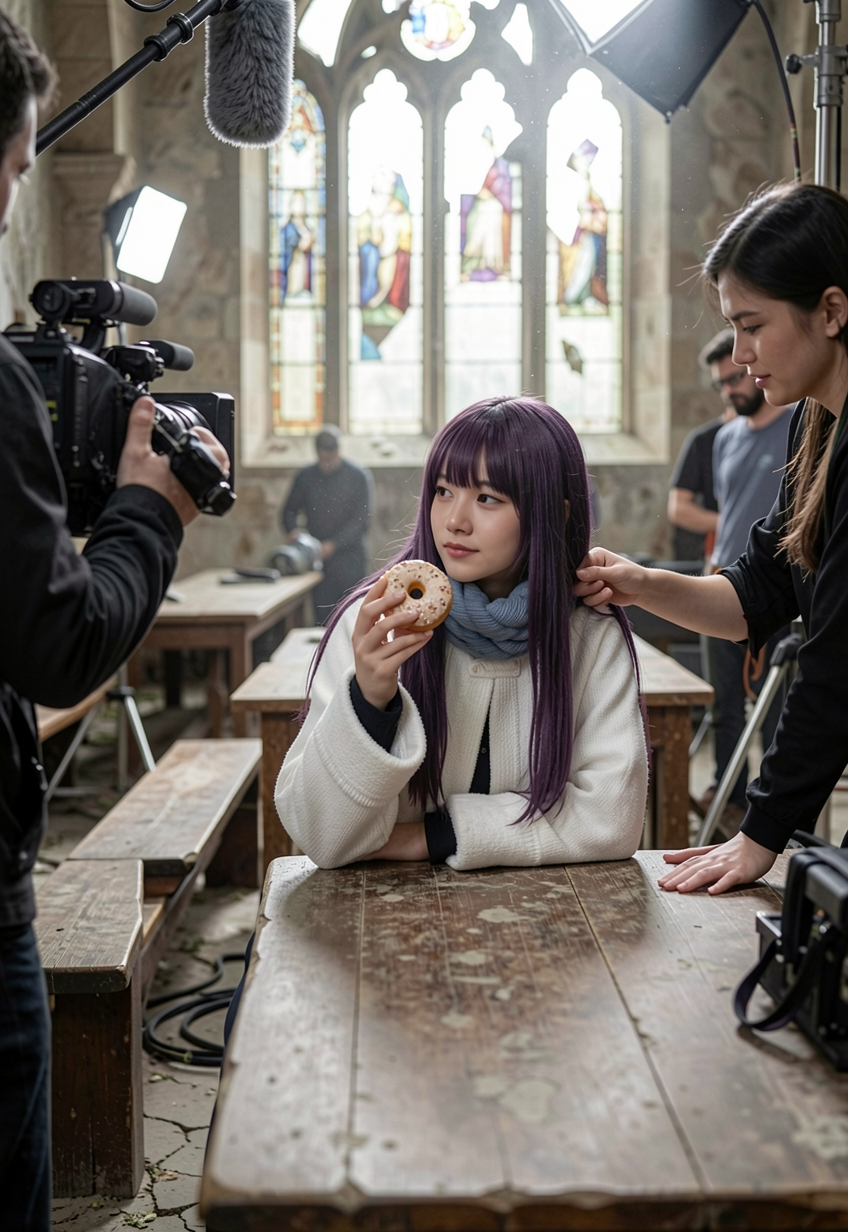
Reference image:

Prompt:
Change the lighting to night.
Output:

Reference image:

Prompt:
Change the car color to white.
Output:

Note: I tried quite a few examples with two reference images, but they are not good. I am omitting those for now.
Conclusion
Flux.2 Klein 9B KV (GGUF) brings a different approach to image editing in ComfyUI—one that focuses more on guided transformation than traditional denoising. While the setup may take a bit more effort compared to standard Stable Diffusion workflows, the payoff is greater control, sharper edits, and more predictable results.
Once you get comfortable with the node flow and prompt structure, this model can become a key part of your creative pipeline—especially for targeted edits that would normally require multiple passes or external tools.
If you’re already experimenting with GGUF-based models or planning to expand beyond diffusion-only workflows, Flux.2 Klein is definitely worth adding to your toolkit.
Leave a Reply