When you run a Java application on Snow Leopard, the 64-bit Java is used by default. This might be problematic when you run some older applications. We ran to this problem earlier when a user tried to activate his Matlab license. The message he got is
If you’re thinking about purchasing a new GPU, we’d greatly appreciate it if you used our Amazon Associate links. The price you pay will be exactly the same, but Amazon provides us with a small commission for each purchase. It’s a simple way to support our site and helps us keep creating useful content for you. Recommended GPUs: RTX 5090, RTX 5080, and RTX 5070. #ad
There was an unexpected exception: Can’t load library: / Applications/ MATLAB_R2009aSV.app/ / bin/ maci64/ libactivation.jnilib See the log file (/ var/ folders/ Mp/ Mp0PQFo9GbKznsjhgBiZf++++TI/ -Tmp-/ TMW_svact_christophergiuliano.log) for more details.
The solution is to set the 32-bit Java as default. Here are the steps:
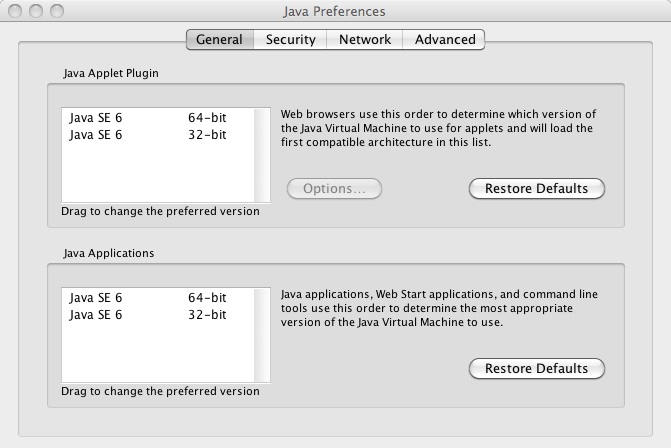
- Invoke Java Preferences in Applications -> Utilities.
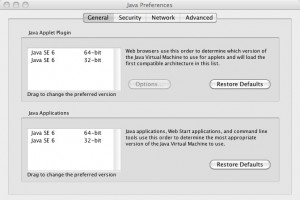
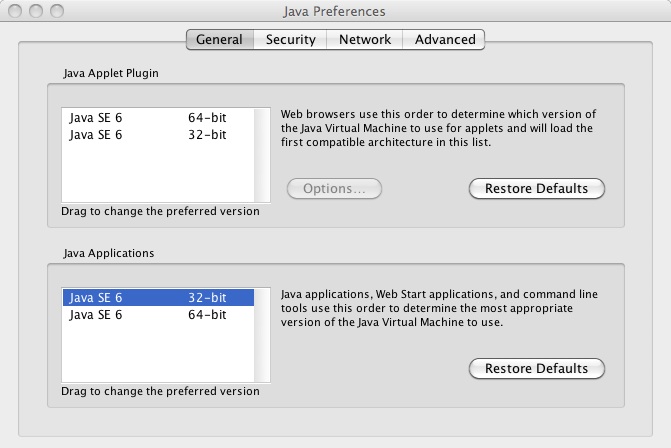
- Click on the entry of Java SE 6Â 32-bit and drag it before Java SE 6Â 64-bit in the Java Applications section.
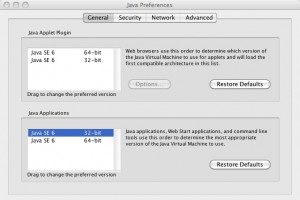
- Close Java Preferences. The 32-bit Java will be used next time you run a Java application.
Leave a Reply