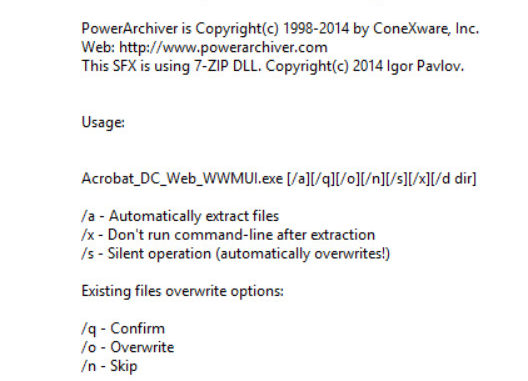
To extract an Acrobat MSI file from the executable file, follow these steps.
If you’re thinking about purchasing a new GPU, we’d greatly appreciate it if you used our Amazon Associate links. The price you pay will be exactly the same, but Amazon provides us with a small commission for each purchase. It’s a simple way to support our site and helps us keep creating useful content for you. Recommended GPUs: RTX 5090, RTX 5080, and RTX 5070. #ad
- Open a Command Prompt and change the directory to where the executable is.
- Type the following command
Acrobat_DC_Web_WWMUI.exe /a /x /d c:\extracted_directory
Note that you have to replace the executable name to the name of the file you downloaded from Adobe. You also have to change the path to the directory you want.
Leave a Reply