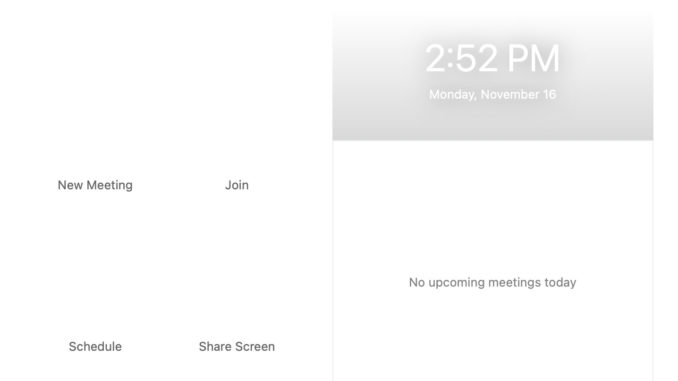
I upgraded my laptop to Big Sur last week. The first problem I ran to is Zoom did not run properly after OS upgrade. If you open up Zoom, you see the graphic elements are missing from the main windows as in the featured image. Also, when you start or join a meeting, you don’t see the participants’ video.
If you’re thinking about purchasing a new GPU, we’d greatly appreciate it if you used our Amazon Associate links. The price you pay will be exactly the same, but Amazon provides us with a small commission for each purchase. It’s a simple way to support our site and helps us keep creating useful content for you. Recommended GPUs: RTX 5090, RTX 5080, and RTX 5070. #ad
The fix of this problem is quite easy. Just upgrade your Zoom client to the latest version. If your Zoom client is already the latest version, download the Zoom client installer and the problem should be fixed.
To update:
Click on your avatar on the upper right corner and select Check for Updates.
To reinstall:
Download the latest client here.
Update 12/22/2020:
Zoom has released 5.4.7 version which supports Apple Silicon Processors (M1). Please see this post if you have the latest Macs with M1 chip.
Leave a Reply