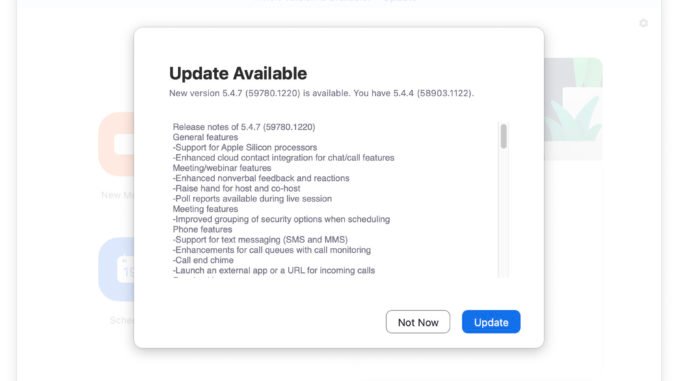
Zoom just release version 5.4.7 client. The biggest feature is the support for Apple Silicon Processors(M1). Here are the release notes:
If you’re thinking about purchasing a new GPU, we’d greatly appreciate it if you used our Amazon Associate links. The price you pay will be exactly the same, but Amazon provides us with a small commission for each purchase. It’s a simple way to support our site and helps us keep creating useful content for you. Recommended GPUs: RTX 5090, RTX 5080, and RTX 5070. #ad
New and enhanced features
- General features
- Support for Apple Silicon processors – macOS
Zoom desktop client will better support computers with ARM CPUs. A separate installer is available for download in the Zoom Download Center. - Enhanced cloud contact integration for chat/call features – Windows, macOS, Linux, Android, iOS
Contacts imported through the contact integration can now be easily added as a Zoom contact. Once approved as a Zoom contact, you will have the ability to call or meet with them and see their Zoom status.
- Support for Apple Silicon processors – macOS
- Meeting/webinar features
- Enhanced nonverbal feedback and reactions – Windows, macOS, Linux, Android, iOS
Nonverbal feedback options are moved to the Reactions button, and all reactions will be shown in the corner of the participants’ video. The host will see each participant’s reactions in the participant list, as well as the aggregate numbers of each reaction at the bottom of the list. - Raise hand for host and co-host – Windows, macOS, Linux, Android, iOS
Hosts and co-hosts can utilize the raise hand feature along with meeting participants and webinar attendees. - Poll reports available during live session – Windows, macOS, Linux
The meeting or webinar host will now have the option to download the full poll results when the poll has ended during the live session, rather than waiting until the meeting or webinar has ended. This will launch their browser and begin the download of the CSV poll report.
- Enhanced nonverbal feedback and reactions – Windows, macOS, Linux, Android, iOS
- Meeting features
- Improved grouping of security options when scheduling – Windows, macOS, Linux, Android, iOS
The “Only authenticated users can join†option is now located in the Security section of the scheduling window, grouping it with Passcode and Waiting Room options to allow for easier selection and use of security features.
- Improved grouping of security options when scheduling – Windows, macOS, Linux, Android, iOS
- Phone features
- Support for text messaging (SMS and MMS) – Windows, macOS, Linux, Android, iOSUsers with Zoom Phone Pro licenses can use their assigned direct phone numbers to send or receive text messages (SMS and MMS).
- Enhancements for call queues with call monitoring – Windows, macOS, Linux, Android, iOS
If call monitoring is enabled for a call queue, members and supervisors can easily monitor their queues and use call monitoring features. - Call end chime – Windows, macOS, Linux, Android, iOS
Users will hear a chime and see a notification when a call ends abruptly, typically from poor network connection or the other caller ending the call. - Launch an external app or a URL for incoming calls – Windows, macOS, Linux
Users can configure Zoom Phone to launch a specific app or URL when receiving a call. They can pass additional parameters to the app or website with % arguments; for example, name and caller ID.
Download link for M1 Mac client:
Leave a Reply