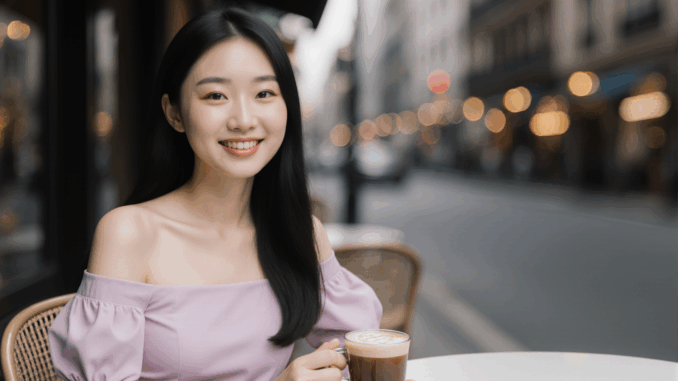
The FLUX 1 Krea Dev GGUF model brings photorealism and stylistic flair to the open-source AI image generation space, making it one of the most exciting recent releases from Black Forest Labs in collaboration with Krea AI. Unlike many models that either focus solely on realism or lean heavily into stylization, FLUX 1 Krea strikes a balance—producing lifelike textures, natural lighting, and expressive compositions without losing creative personality.
If you’re thinking about purchasing a new GPU, we’d greatly appreciate it if you used our Amazon Associate links. The price you pay will be exactly the same, but Amazon provides us with a small commission for each purchase. It’s a simple way to support our site and helps us keep creating useful content for you. Recommended GPUs: RTX 5090, RTX 5080, and RTX 5070. #ad
In this guide, we’ll walk through how to set up and run the GGUF version of FLUX 1 Krea Dev inside ComfyUI, a visual node-based interface perfect for building and customizing Stable Diffusion workflows. You’ll learn how to load the model, set your preferred resolution and sampler, and tweak settings to bring out its unique rendering qualities. Whether you want editorial portraits, cinematic scenes, or vibrant lifestyle shots, this workflow will help you get the most out of FLUX 1 Krea’s capabilities.
Flux 1 Krea Dev GGUF Models
- GGUF Model: The GGUF models can be found here. I have a RTX 5090, and I used the Q8 variant. I downloaded flux1-krea-dev-Q8_0.gguf. If you have less VRAM, use other variants like Q5 or Q4. Put the GGUF models in ComfyUI\models\unet\ .
- Text Encoder: If you have used Flux 1 Dev before, the text encoders and the VAE are the same. You can skip these. Download clip_l.safetensors and t5xxl_fp8_e4m3fn.safetensors put them in ComfyUI\models\text_encoders\ .
- VAE: Download ae.safetensors and put it in ComfyUI\models\vae\ .
Flux 1 Krea Dev GGUF Workflow Installation
- Update your ComfyUI to the latest version if you haven’t already. (Run update\update_comfyui.bat for Windows). Depending on which gguf custom node you installed before, you also need to update the ComfyUI-GGUF or gguf custom node to the latest version if you have not updated it recently.
- Download the json file, and open it using ComfyUI.
- Use ComfyUI Manager to install missing nodes.
- Restart ComfyUI.
Nodes

Specify the GGUF model here.

Select the two text encoders here.
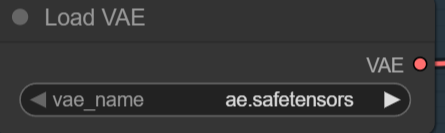
Specify the VAE here.

Choose the size here.
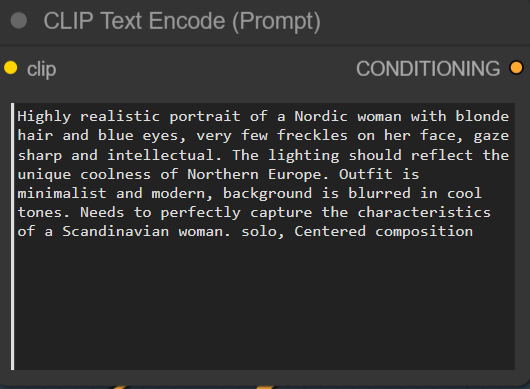
Input positive prompt here. Negative prompt is not used in this workflow.
Flux 1 Krea Dev GGUF Examples
Prompt:
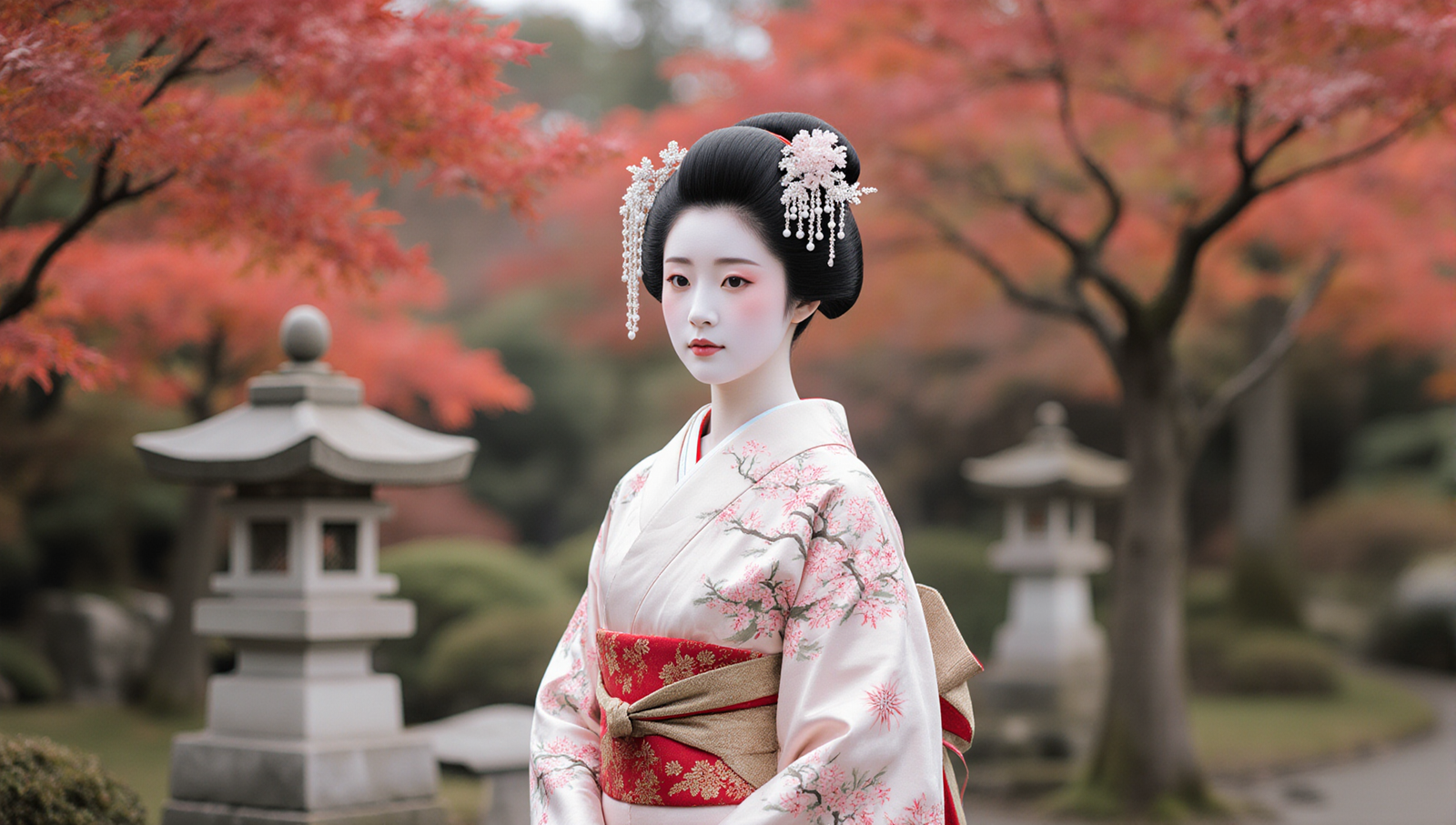
A photorealistic portrait of a beautiful young Japanese woman wearing an elegant silk kimono with intricate cherry blossom patterns and a wide obi sash tied in a decorative knot. Her black hair is styled in a traditional updo adorned with delicate kanzashi hair ornaments. She stands in soft afternoon light with a blurred background of a tranquil Japanese garden featuring red maple trees and stone lanterns. Gentle expression, natural makeup, cinematic depth of field, 16:9 composition.
Output:
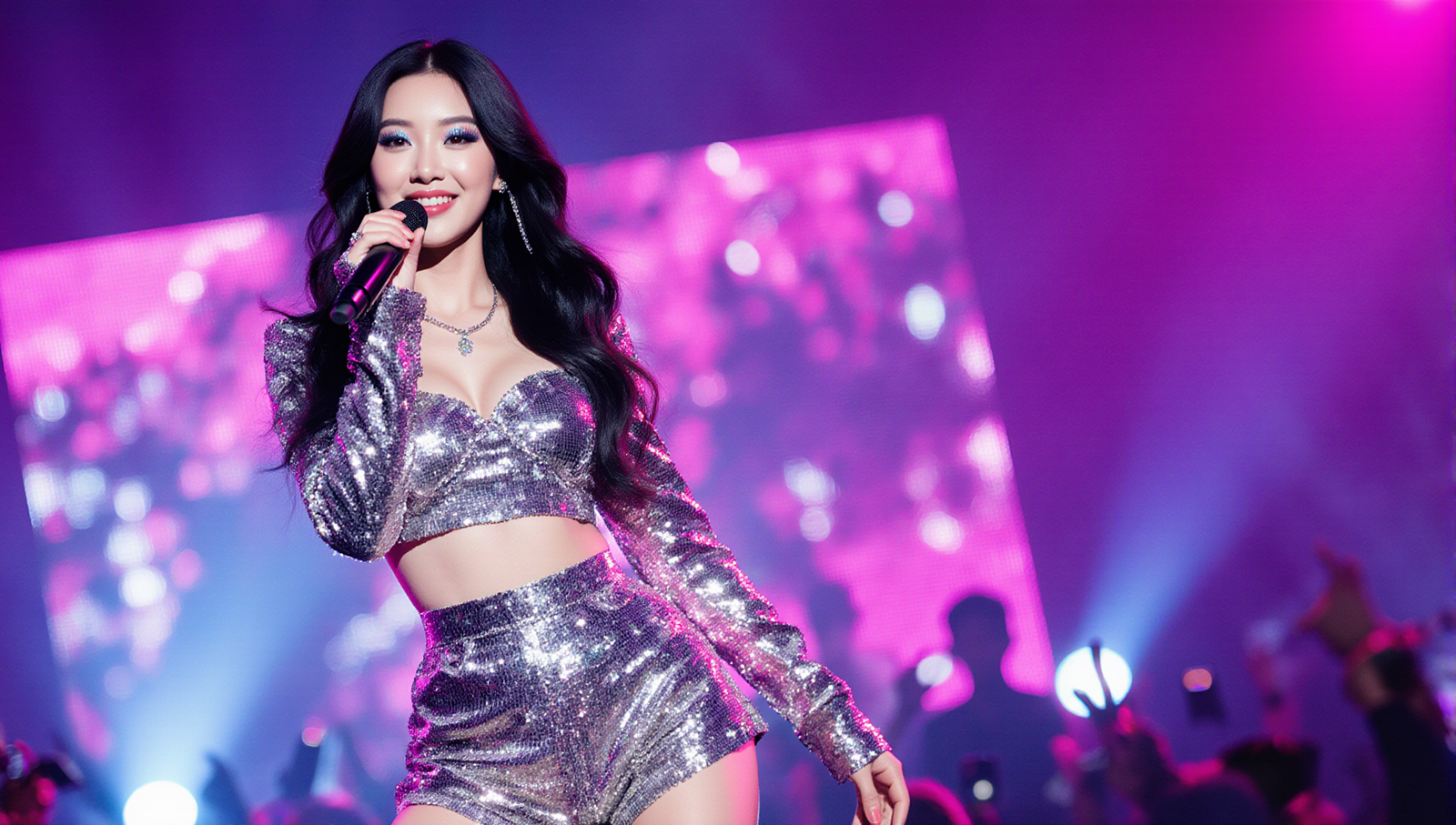
Prompt:
Ultra-realistic cinematic portrait of a glamorous Korean K-pop star performing live on stage, wearing a sparkling silver crop top and matching high-waisted shorts covered in sequins, shimmering under vibrant magenta and blue stage lights. Long wavy black hair catching the light, subtle glitter eye makeup, soft glossy lips, holding a sleek wireless microphone mid-song with an expressive smile. Blurred LED screens and concert crowd in the background with bokeh effects, shallow depth of field, dramatic backlighting, 16:9 wide composition.
Output:
Prompt:
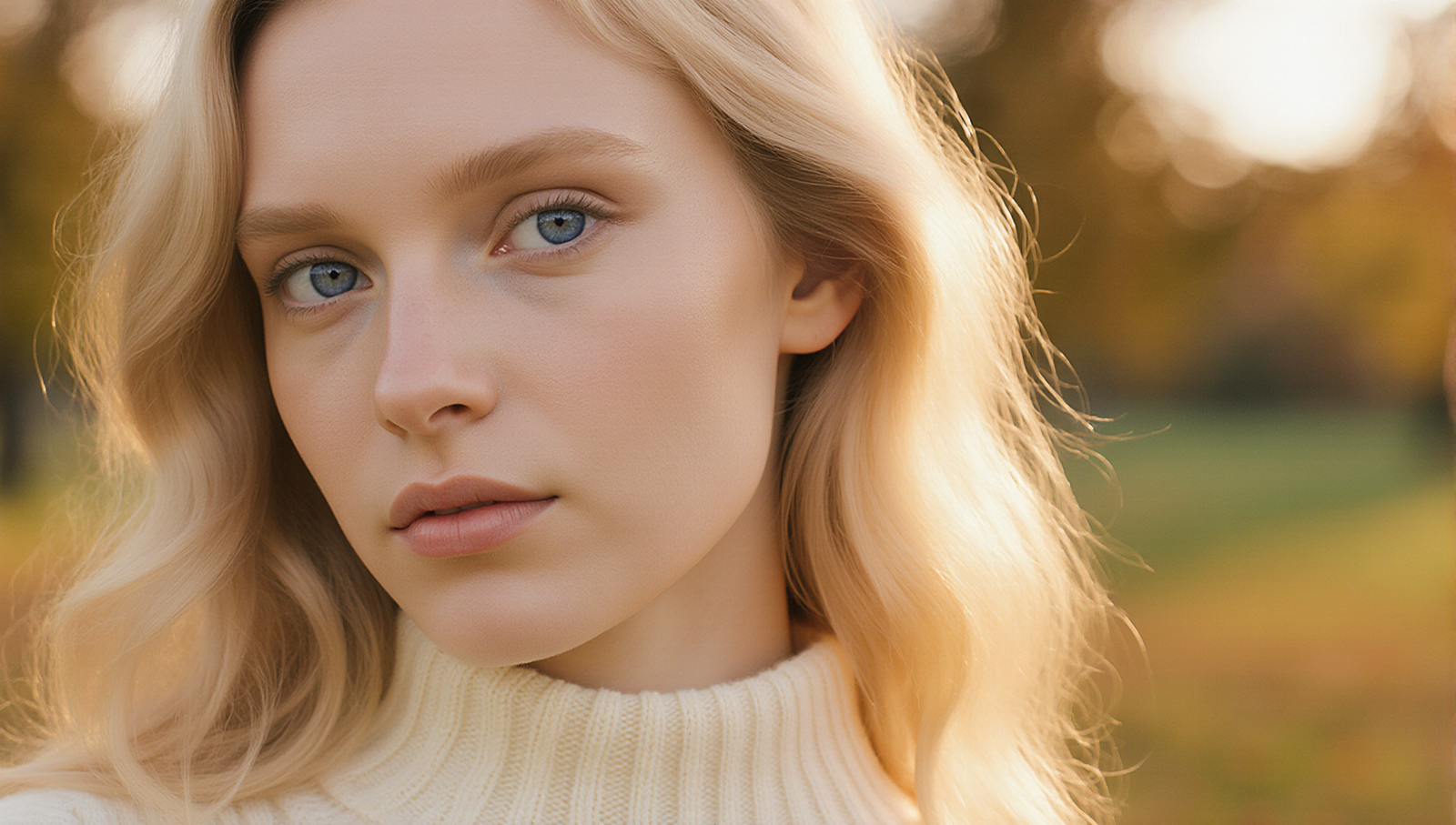
Ultra-realistic close-up portrait of a beautiful young white woman with fair, flawless skin and bright blue eyes, wearing a soft cream-colored sweater. Long wavy blonde hair gently tousled by the breeze, warm golden-hour sunlight casting a soft glow on her face. Shallow depth of field with a blurred autumn park in the background, cinematic color grading, natural expression, 16:9 wide composition.
Output:
Prompt:
Ultra-realistic close-up portrait of a handsome young Black man with smooth dark skin and deep brown eyes, wearing a tailored charcoal suit jacket over a crisp white shirt. Short, well-groomed hair, confident and relaxed expression. Warm golden-hour sunlight highlights the contours of his face, with a softly blurred urban skyline in the background. Cinematic color grading, shallow depth of field, 16:9 wide composition.
Output:

Prompt:
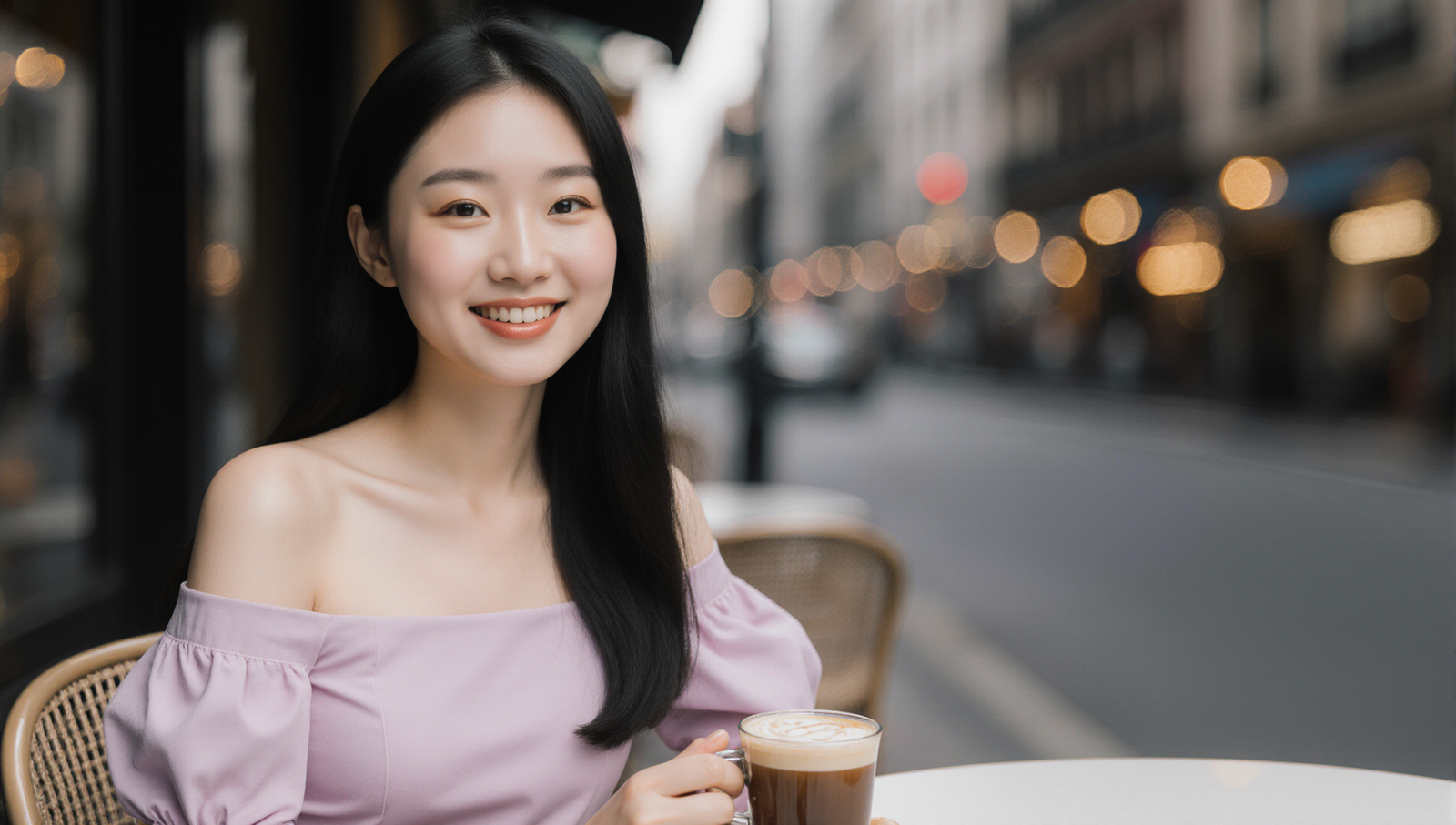
Ultra-realistic lifestyle portrait of a beautiful young Chinese woman with flawless fair skin and long silky black hair, wearing a stylish off-shoulder pastel dress. She is seated at a chic outdoor café table with a latte in hand, soft natural daylight illuminating her face. Warm, inviting smile, subtle makeup with glossy lips, blurred city street in the background with bokeh lights. Cinematic color grading, shallow depth of field, 16:9 wide composition.
Output:
Conclusion
The FLUX 1 Krea Dev GGUF model in ComfyUI is a powerful combination—efficient to run, highly customizable, and capable of generating striking, high-fidelity images. Its outputs feel more natural than typical AI renders, avoiding oversaturation and plastic-like textures while still delivering visually captivating results.
By running it in ComfyUI, you get full control over the creative process, from prompt engineering to post-processing, with the flexibility to chain multiple models, add ControlNet guidance, or even integrate upscalers for higher resolutions. Whether you’re experimenting for fun or creating professional-quality content, this setup gives you the freedom to push your ideas further while keeping generation smooth and efficient.
Leave a Reply