As multimodal AI continues to evolve, the demand for high-fidelity image generation with embedded text support has never been greater. Whether you’re designing posters, creating infographics, or generating multilingual visuals, the ability to render text natively inside images is a game-changer.
Enter Qwen-Image — Alibaba’s open-source, GGUF-compatible diffusion model designed specifically for text-aware image generation and editing. Built with a powerful transformer-based architecture, Qwen-Image stands out for its ability to generate rich visual compositions with crisp, in-image typography in multiple languages.
If you’re thinking about purchasing a new GPU, we’d greatly appreciate it if you used our Amazon Associate links. The price you pay will be exactly the same, but Amazon provides us with a small commission for each purchase. It’s a simple way to support our site and helps us keep creating useful content for you. Recommended GPUs: RTX 5090, RTX 5080, and RTX 5070. #ad
In this post, I’ll walk you through how to set up and use the Qwen-Image GGUF model inside ComfyUI, a popular node-based interface for Stable Diffusion and diffusion-compatible models. From downloading the model to testing prompts that showcase its strengths, we’ll cover everything you need to get started.
Models
- GGUF Model: The GGUF models can be found here. I have a RTX 5090, and I used the Q8 variant. I downloaded qwen-image-Q8_0.gguf. If you have less VRAM, use other variants like Q5 or Q4. Put the GGUF models in ComfyUI\models\unet\ .
- Text Encoder: Download qwen_2.5_vl_7b_fp8_scaled.safetensors and put it in ComfyUI\models\text_encoders\ .
- VAE: Download qwen_image_vae.safetensors and put it in ComfyUI\models\vae\ .
Installation
- Update your ComfyUI to the latest version if you haven’t already. (Run update\update_comfyui.bat for Windows). Depending on which gguf custom node you installed before, you also need to update the ComfyUI-GGUF or gguf custom node to the latest version if you have not updated it recently.
- Download the json file, and open it using ComfyUI.
- Use ComfyUI Manager to install missing nodes.
- Restart ComfyUI.
Nodes
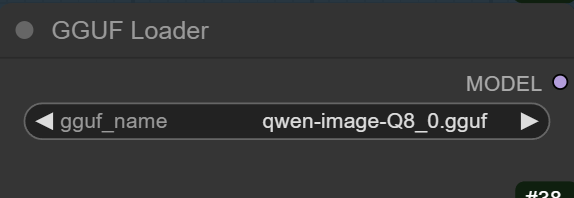
Select the GGUF model here.
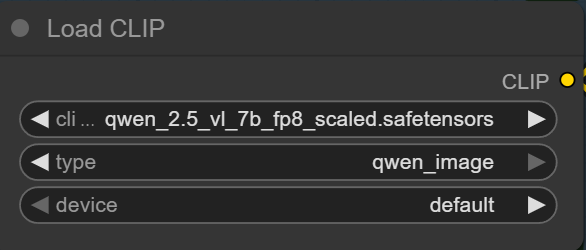
Select the text encoder here.
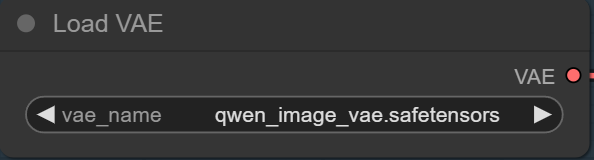
Select the VAE here.
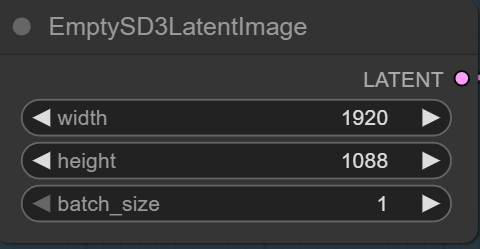
Specify the size here.

Specify the positive prompt and negative prompt here.
Examples
Prompt:
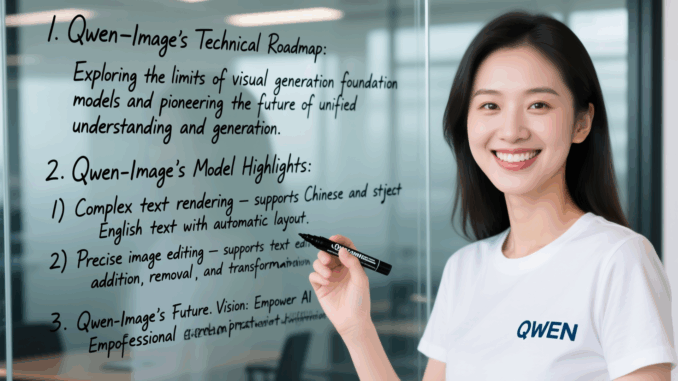
A beautiful Chinese woman wearing a T-shirt with the “QWEN” logo is holding a black marker and smiling at the camera. On the glass panel behind her, handwritten in cursive are the following words:
1. Qwen-Image’s Technical Roadmap: Exploring the limits of visual generation foundation models and pioneering the future of unified understanding and generation.
2. Qwen-Image’s Model Highlights:
1) Complex text rendering — supports Chinese and English text with automatic layout.
2) Precise image editing — supports text editing, object addition/removal, and style transformation.
3. Qwen-Image’s Future Vision: Empower professional content creation and drive the development of generative AI.
Output:
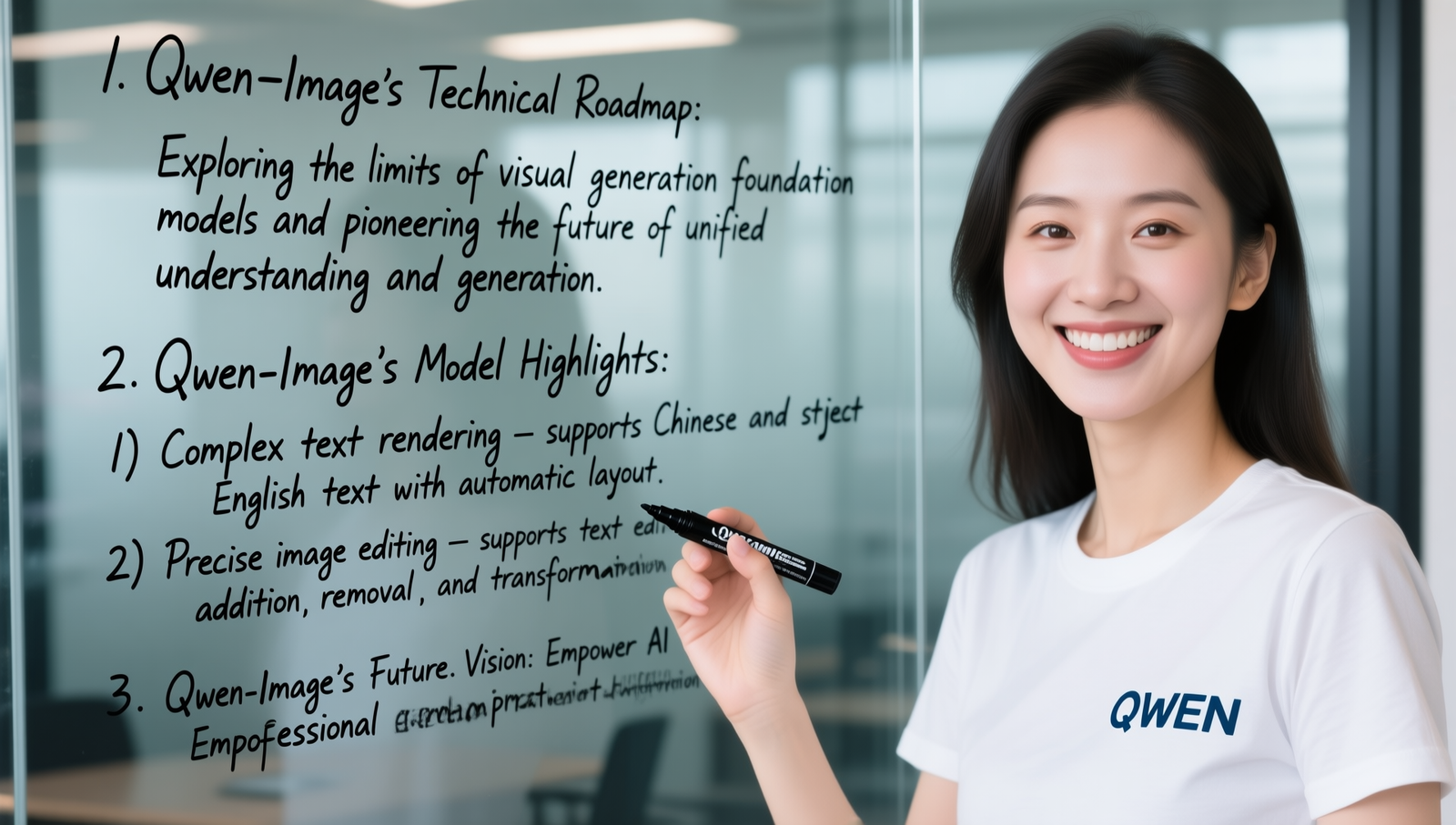
Prompt:
A beautifully designed slide that combines elegant infographic structure with artistic visual elements. The center of the image features the title “Digital Wellness Tips” in graceful serif font, framed by abstract, tech-inspired geometric lines and soft gradients. At the top-left, the phrase “Set Screen Time Limits” appears next to an hourglass icon, accompanied by the sentence: “Protect your time by defining boundaries for device use.” Below it, “Curate Your Feed” is written near an eye icon, followed by: “Follow accounts that uplift and inspire; mute those that don’t.” At the bottom-left corner, “Take Tech Breaks” is displayed next to a leaf symbol, alongside the quote: “Step away to refresh your mind and reconnect with the present.”
Output:

Prompt:
A minimalist poster with the text “SUMMER VIBES” in bold yellow letters at the top, “July 2025” in white in the center, and “Live. Love. Laugh.” in cursive at the bottom. Pink and orange gradient background.
Output:

Prompt:
A bilingual event flyer with “TECH FORUM 2025” in large black letters at the top, and “技术论坛” (Tech Forum in Chinese) below it in bold red characters. The bottom text says “Shenzhen · November 10” in grey. White background with subtle circuit patterns.
Output:

Prompt:
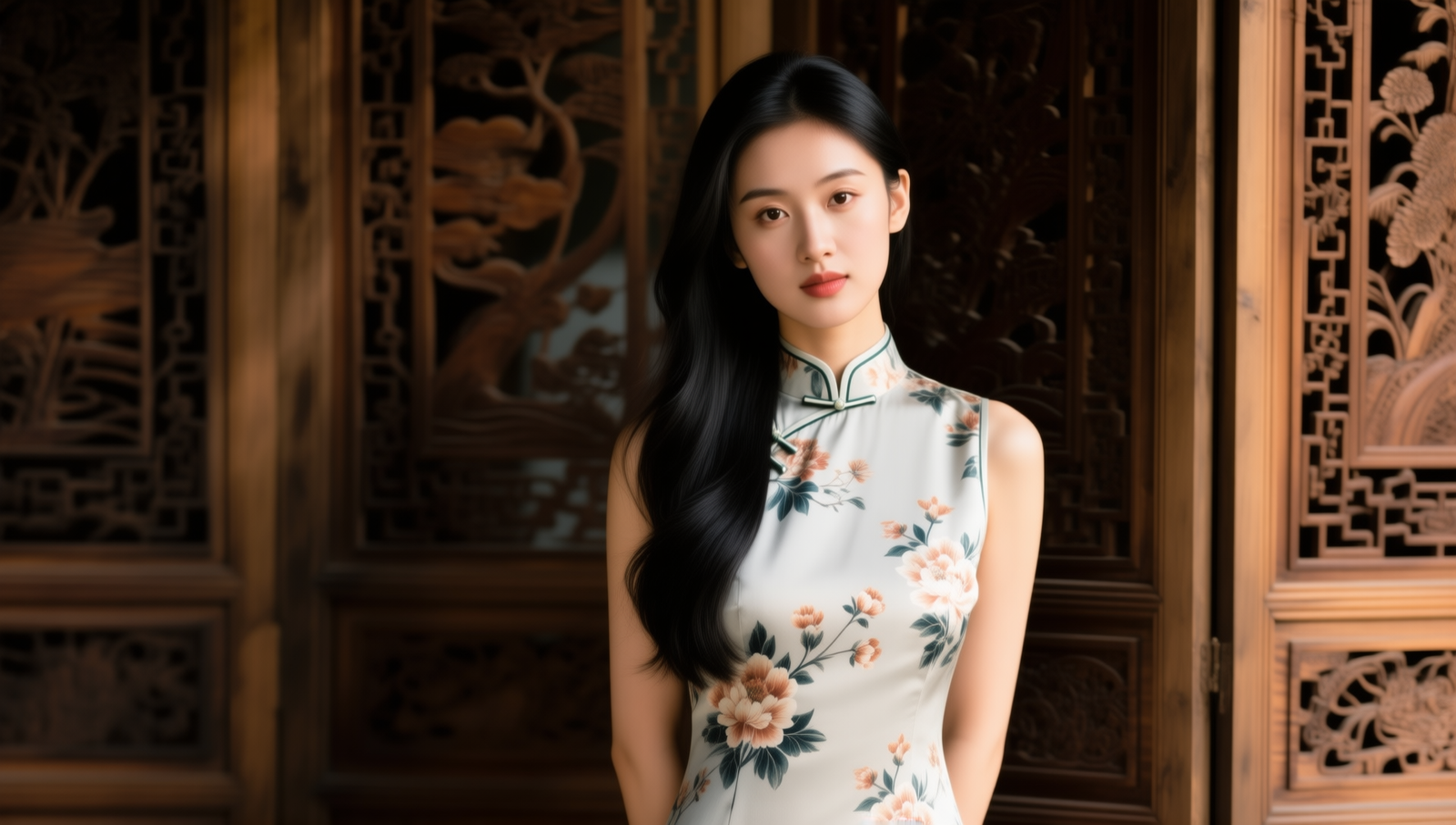
A portrait of a beautiful young Chinese woman wearing a modern qipao dress with floral patterns. Soft natural lighting, long black hair flowing over one shoulder, standing in front of a traditional wooden screen with carved details. Cinematic depth of field, warm tone. 16:9 composition.
Output:
Prompt:
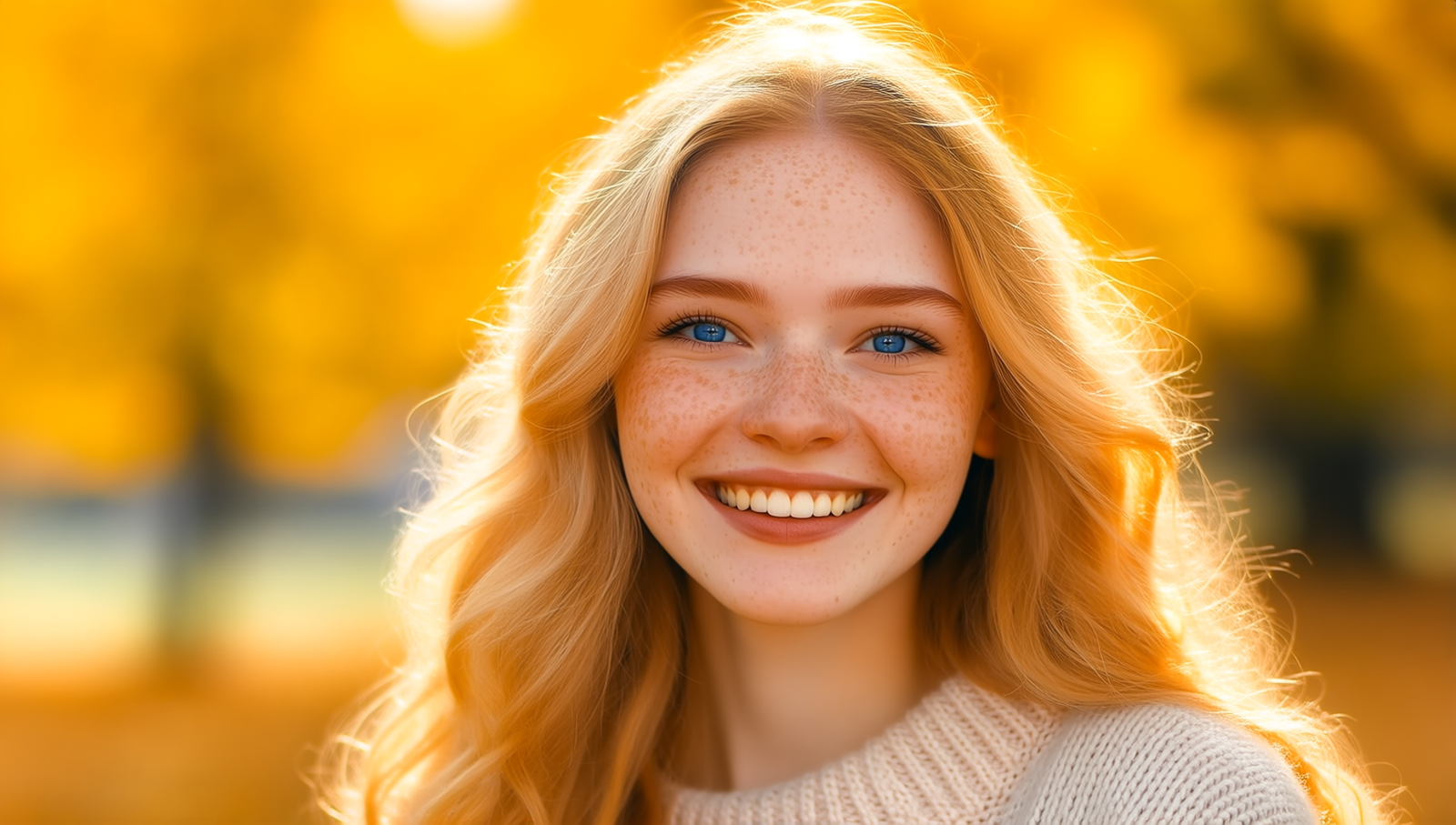
A close-up portrait of a smiling young white woman with freckles, blue eyes, and long wavy blonde hair. She’s wearing a light sweater, standing against a softly blurred autumn park background with golden leaves. Warm lighting, photorealistic style, 16:9 framing.
Output:
Prompt:
A photorealistic portrait of an American cheerleader in a vibrant red, white, and blue uniform with pleated skirt and matching top that has the bold text “EAGLES” across the chest. She is standing on a sunny football field, holding metallic red and silver pom-poms, her blonde hair in a high ponytail tied with a ribbon. Bright, energetic smile, dynamic pose with one knee slightly bent, sun flares in the background, shallow depth of field, 16:9 wide composition.
Output:

Prompt:
A peaceful lakeside landscape at sunrise, with mist floating over calm water, pine trees reflecting on the surface, and a wooden dock stretching into the lake. Mountains in the distance, golden sunlight breaking through the clouds. Ultra-realistic, wide-angle 16:9 view.
Output:

Prompt:
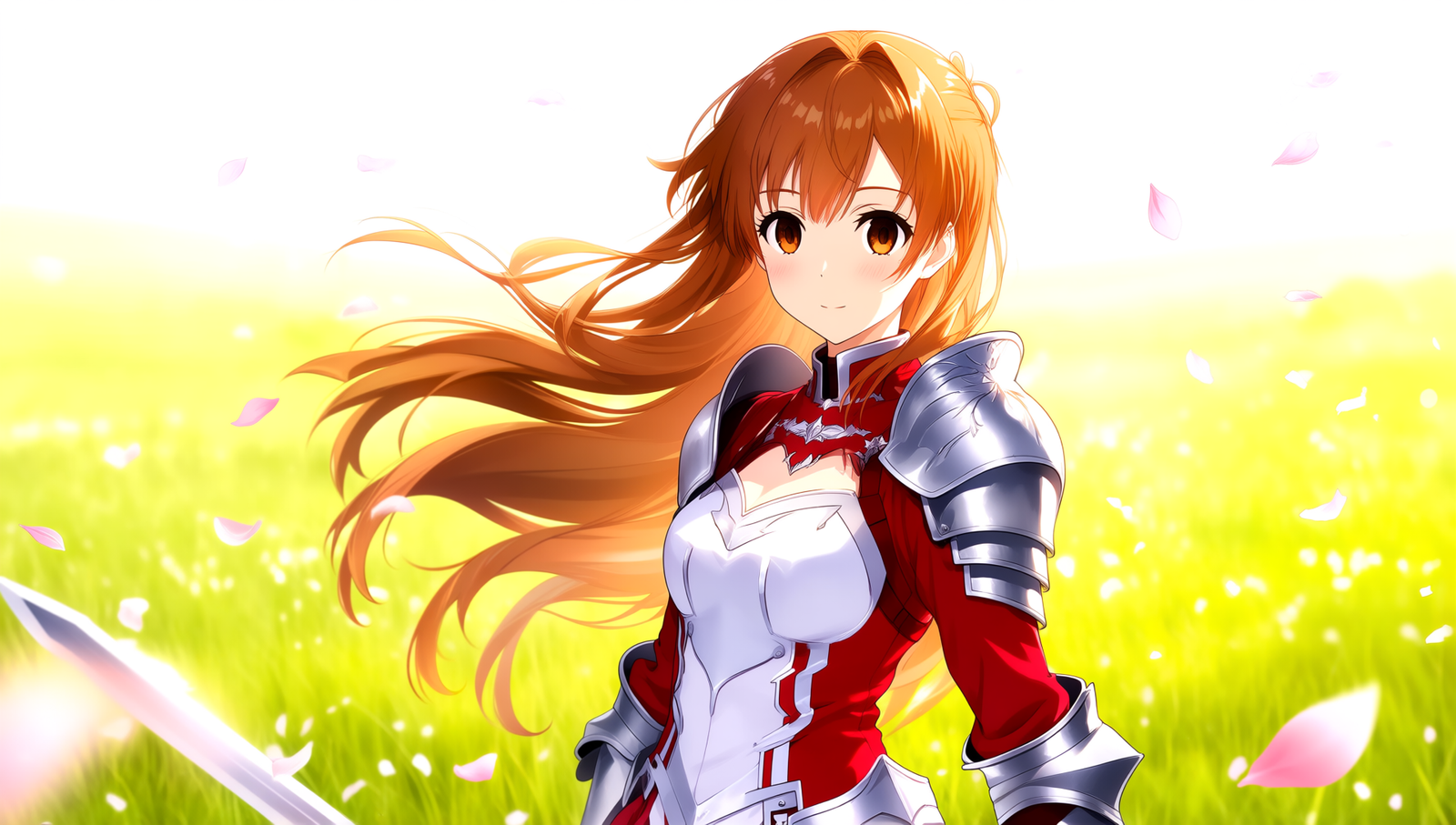
A highly detailed anime-style portrait of Asuna Yuuki from Sword Art Online, wearing her iconic red and white Knights of the Blood uniform with silver armor accents. Long chestnut hair flowing in the wind, warm brown eyes, standing in a sunlit meadow with petals drifting in the breeze. Soft pastel color palette, sharp linework, vibrant shading, 16:9 composition.
Output:
Conclusion
One of Qwen-Image’s standout strengths is its text rendering—it’s noticeably cleaner, more accurate, and better aligned than most other open-source image models I’ve tested. It handles multiple words, consistent fonts, and even multilingual text with impressive accuracy.
That said, it’s still not flawless. In some outputs, you’ll notice occasional misspellings or character substitutions. For example, in the image below, “Set Screen Time Limits” became “Set Sren Time Limits,” and “Secure Your Data” was rendered as “Secure Yota.” While these mistakes are minor, they remind us that even leading-edge models still have room for improvement in complex, multi-word layouts.

Running the GGUF version in ComfyUI gives you the best of both worlds: a high-performance model and a modular, visual workflow that’s easy to experiment with. Whether you’re a designer, researcher, or AI hobbyist, Qwen-Image is definitely worth adding to your toolkit.
Ready to generate stunning visuals with perfect text? Try it out and let your creativity flow.
Leave a Reply