The release of Qwen-Image-Edit-2509 brings major improvements to image editing workflows, and the GGUF version makes it easier to integrate into local setups such as ComfyUI. This update enhances both single-image and multi-image editing, improves identity consistency for people and products, and introduces native ControlNet support. For ComfyUI users, this means faster, more reliable edits with better preservation of key details—whether you are refining portraits, designing product visuals, or experimenting with creative compositions. [Update 10/3/2025: Learn how to use ControlNet with Qwen-Image-Edit-2509 in my follow-up post.]
If you’re thinking about purchasing a new GPU, we’d greatly appreciate it if you used our Amazon Associate links. The price you pay will be exactly the same, but Amazon provides us with a small commission for each purchase. It’s a simple way to support our site and helps us keep creating useful content for you. Recommended GPUs: RTX 5090, RTX 5080, and RTX 5070. #ad
Qwen-Image-Edit-2509 Models
- GGUF Models: You can find the GGUF models here. You only need one model. I have a RTX 5090, and I use the Q8 variant. I downloaded
Qwen-Image-Edit-2509-Q8_0.gguf. If your GPU has less VRAM, consider the Q5 or Q4 variants. Put the GGUF model in ComfyUI\models\unet\ . - Text Encoder: Download qwen_2.5_vl_7b_fp8_scaled.safetensors and put it in ComfyUI\models\text_encoders\ .
- VAE: Download qwen_image_vae.safetensors and put it in ComfyUI\models\vae\ .
- LoRA: If you want to try the 4 steps LoRA, download Qwen-Image-Lightning-4steps-V1.0.safetensors and put it in ComfyUI\models\loras\ .
Qwen-Image-Edit-2509 GGUF Workflow Installation
- Update your ComfyUI to the latest version if you haven’t already. (Run update\update_comfyui.bat for Windows). Depending on which gguf custom node you installed before, you also need to update the ComfyUI-GGUF or gguf custom node to the latest version if you have not updated it recently.
- Download the json file and open it using ComfyUI.
- Use ComfyUI Manager to install missing nodes.
- Restart ComfyUI.
Nodes

Select the Qwen-Image-Edit-2509 GGUF model here.
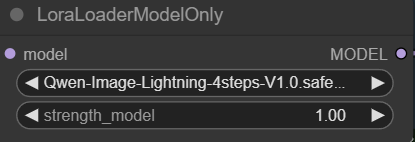
Specify the 4 steps lightning LoRA here. After using this LoRA for over a month since the Qwen-Image-Edit, I think it does not degrade the quality much, therefore I almost always enable it.
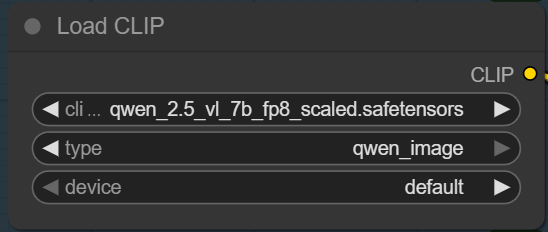
Specify the text encoder here.
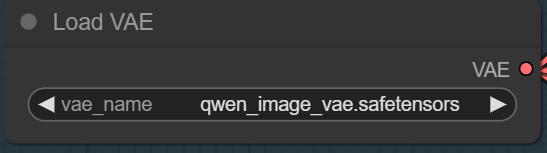
Select the VAE here.

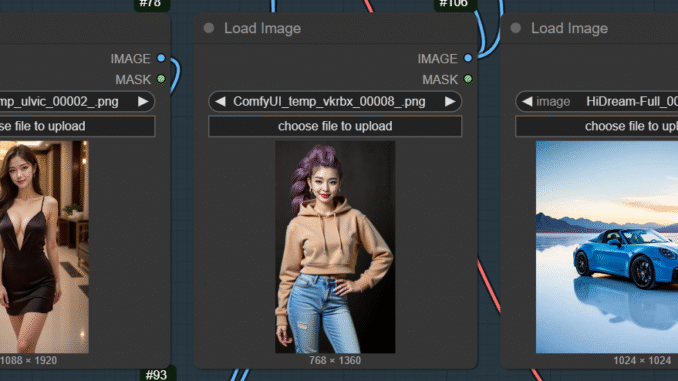
Upload the images here. Qwen-Image-Edit-2509 now supports 3 images input. By default, the aspect ratio of the output image is the aspect ratio of the image1.
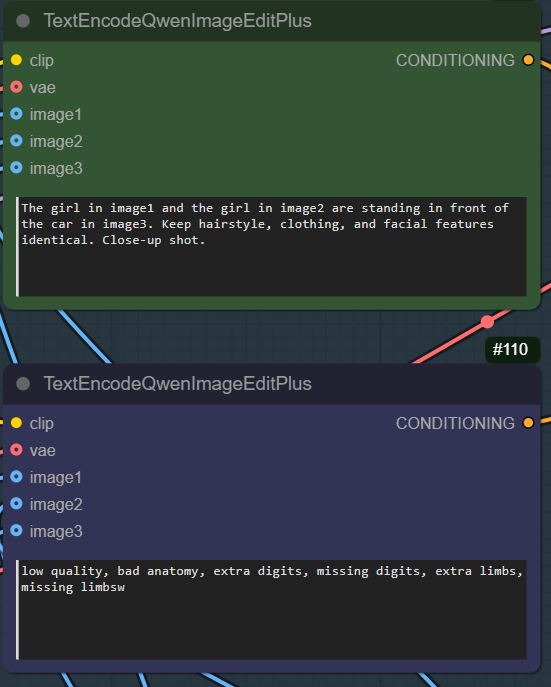
Enter positive prompt on the top and enter negative prompt on the bottom.
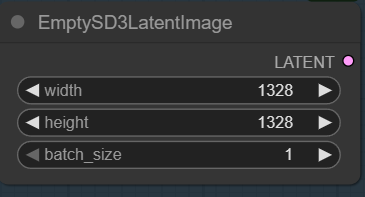
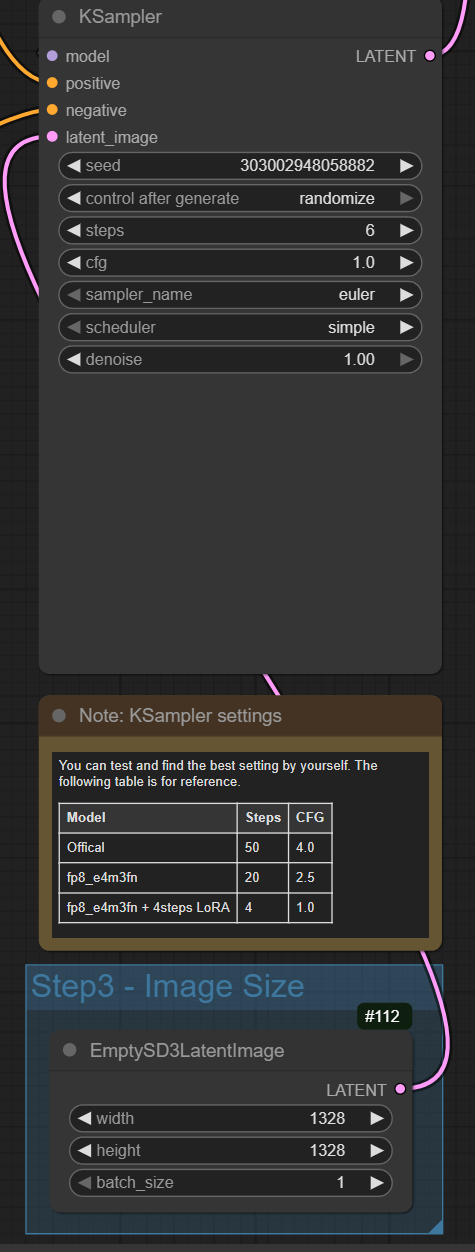
If you want to specify custom output size, connect the LATENT of this node to the latent_image of the KSampler, like this screenshot.
Qwen-Image-Edit-2509 Examples
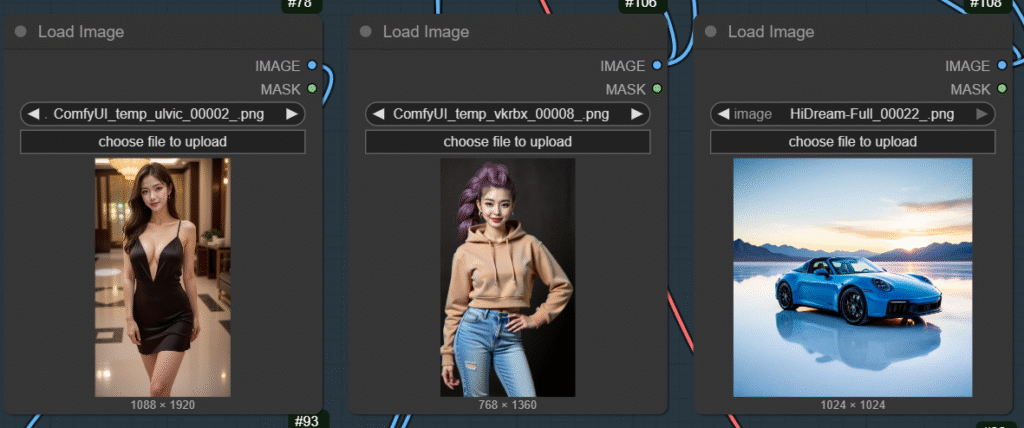
These are the 3 images I used.
Prompt:
The girl in image1 wears the outfit of the girl in image2. Retain the body shape of the girl in image1.
Output:

Prompt:
The girl in image2 wears the outfit of the girl in image1. Retain the body shape of the girl in image2.
Output:
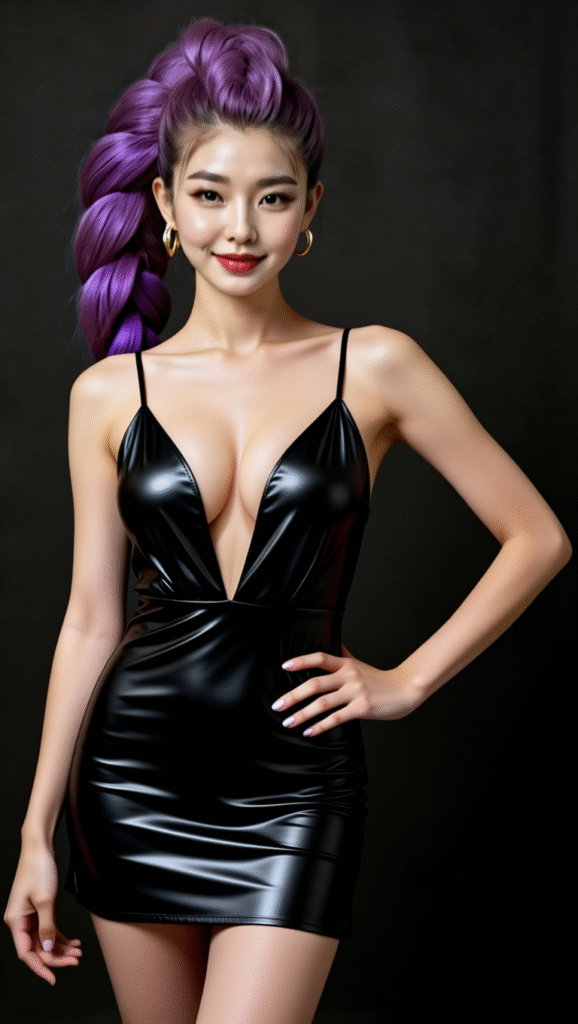
Prompt:
The girl in image1 and the girl in image2 are standing in front of the car in image3. Keep hairstyle, clothing, and facial features identical. Close-up shot.
Output:

The last example was cherry picked. I generated about 20 images until I got one that I am satisfied with.
Conclusion
Running Qwen-Image-Edit-2509 GGUF inside ComfyUI combines the model’s advanced editing capabilities with the flexibility of a node-based workflow. The result is a powerful, locally controlled environment for iterative editing, experimentation, and automation. With its stronger consistency, support for multiple input images, and ControlNet integration, this version offers one of the most robust solutions yet for creators who want professional-grade image editing powered by AI—directly within ComfyUI.
Leave a Reply