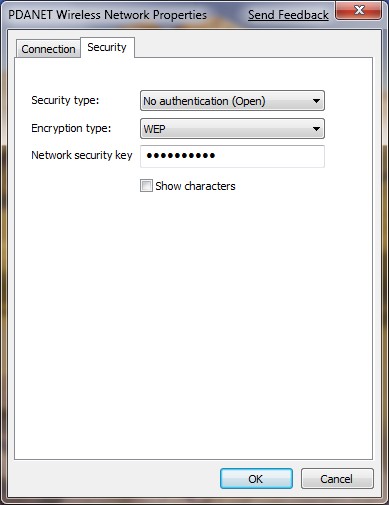
When I tested creating an ad hoc network on Windows 7, I could not figure out how to enable encryption. I tried a different combinations of passwords in ASCII or Hex formats and they did not work. It was not until I tried to create an ad hoc network on Leopard that I learned what should I put in as the password for the network. On Leopard, the program clears states that the password has to be 5 characters long.
If you’re thinking about purchasing a new GPU, we’d greatly appreciate it if you used our Amazon Associate links. The price you pay will be exactly the same, but Amazon provides us with a small commission for each purchase. It’s a simple way to support our site and helps us keep creating useful content for you. Recommended GPUs: RTX 5090, RTX 5080, and RTX 5070. #ad
I decided to try it again on Windows 7. I created an ad hoc network using WEP encryption and I gave it a 5 characters long password. It works flawlessly for this configuration.
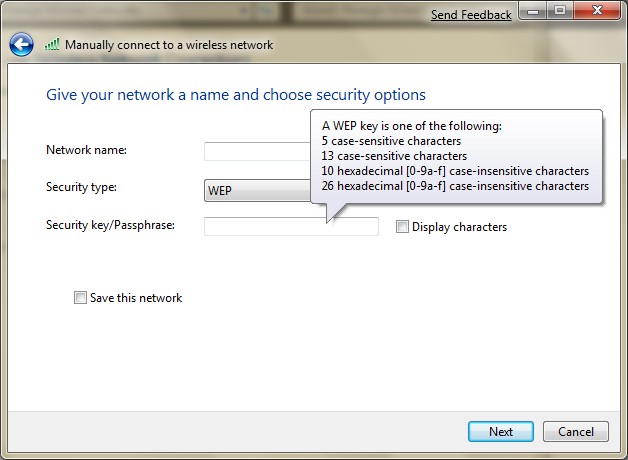
I then revisited the process of creating an ad hoc network on Winodws 7 and found that the GUI actually gives you hints about the password. Please see the screenshots for WEP and WPA configurations.

Why use wep, its like leaving the network open.
Very Gooddddddddddddddd Information
it is very helpful to me……
Thanks…..
can i ask a question .. how does the 3 laptops or more laptops can access an internet . the internet is a home network?
Yes. Please see this post.
https://www.kombitz.com/2010/08/16/how-to-share-internet-connection-with-ad-hoc-network-on-windows-7/