After installing Windows 7 x64 RC on my Core i7 workstation, I got to try it on my MacBook (early 2008) today. The installation procedure is similar to the procedure of installing Windows 7 Beta. Here is my notes about the process. The only thing different is the installation of drivers.
If you’re thinking about purchasing a new GPU, we’d greatly appreciate it if you used our Amazon Associate links. The price you pay will be exactly the same, but Amazon provides us with a small commission for each purchase. It’s a simple way to support our site and helps us keep creating useful content for you. Recommended GPUs: RTX 5090, RTX 5080, and RTX 5070. #ad
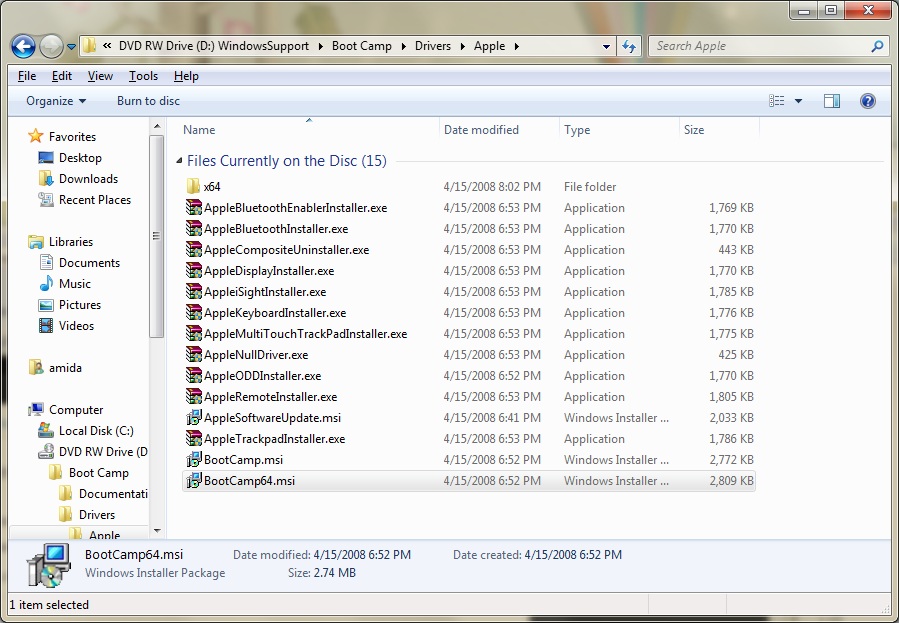
When I inserted the Leopard installation DVD, the setup.exe on the root of DVD automatically ran and notified me my MacBook is not supported for the 64bit installation. The installer did not continue. To force it to run, browse to the folder D:\Boot Camp\Drivers\Apple (D drive is the DVD drive for my system) and double click on BootCamp64.msi to install the drivers.
After the installation, reboot the machine. The microphone still doesn’t work after driver installation. You have to enable the microphone boost to use it properly. Please see this post for details.

Leave a Reply