After I got my new M1 MacBook Pro, Outlook has been giving me problems. One problem I have is Outlook stuck on connecting and it won’t connect. I tried re-install Office and I even tried the beta version of Outlook, but neither solves the problem.
If you’re thinking about purchasing a new GPU, we’d greatly appreciate it if you used our Amazon Associate links. The price you pay will be exactly the same, but Amazon provides us with a small commission for each purchase. It’s a simple way to support our site and helps us keep creating useful content for you. Recommended GPUs: RTX 5090, RTX 5080, and RTX 5070. #ad
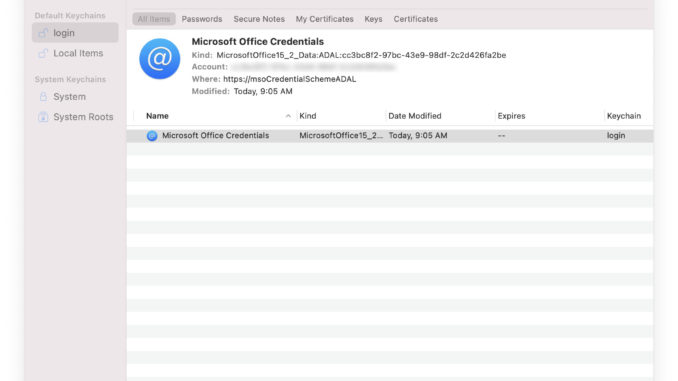
I then tried to delete the Microsoft Office Credentials from Keychain Access and reboot the computer. This did the trick and I am able to use Outlook again.
- Open Keychain Access
- Search for Microsoft Office Credentials

- Right click on Microsoft Office Credentials and delete it
- Reboot your computer and try Open Outlook again
Let us know if this solves your Outlook problem in the comment section.
Leave a Reply