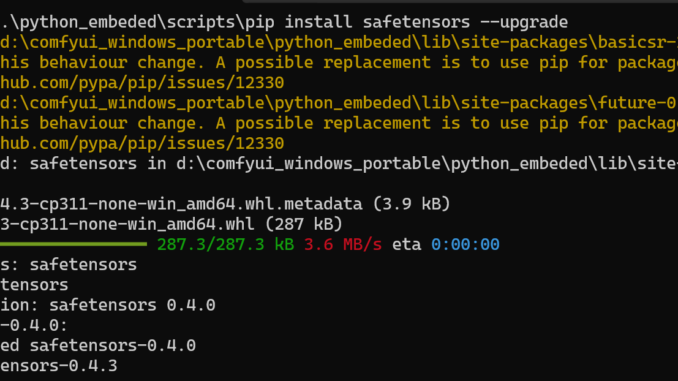
Stability AI has just made Stable Diffusion 3 available for download today. When I tried to run it using ComfyUI, I encountered this error: “Error while deserializing header: InvalidHeaderDeserialization.” After some investigation, I discovered that the issue can be resolved by upgrading the safetensors Python package. Here’s a step-by-step guide on how to fix it.
If you’re thinking about purchasing a new GPU, we’d greatly appreciate it if you used our Amazon Associate links. The price you pay will be exactly the same, but Amazon provides us with a small commission for each purchase. It’s a simple way to support our site and helps us keep creating useful content for you. Recommended GPUs: RTX 5090, RTX 5080, and RTX 5070. #ad
- Open a command prompt and navigate to your ComfyUI installation directory.For Windows users, you can use the following command:
.\python_embeded\scripts\pip install safetensors --upgrade
- After the upgrade is complete, restart ComfyUI.
By following these steps, you should be able to run Stable Diffusion 3 without any issues. Happy creating!

image credit: https://www.instagram.com/ai.melina.b
Leave a Reply