When I installed Windows 7 Beta on my Acer Ferrari 3400, the Synaptics Touchpad was recognized as a PS/2 compatible mouse. I missed the scroll function of the touchpad driver. Since the Windows 7 is just beta, there is no dedicated driver for it.
However, I found that the driver for Vista is working just fine. You can download Synaptics drivers from the company’s web site.
If you’re thinking about purchasing a new GPU, we’d greatly appreciate it if you used our Amazon Associate links. The price you pay will be exactly the same, but Amazon provides us with a small commission for each purchase. It’s a simple way to support our site and helps us keep creating useful content for you. Recommended GPUs: RTX 5090, RTX 5080, and RTX 5070. #ad
http://www.synaptics.com/support/drivers
A tip for downloading drivers from the web: always download the driver from the official site or the manufacturer’s web site. There are a lot of other sites that offer drivers downloads. Those downloads may be infected by spyware, so be careful when using those drivers.
[Update: 6/1/2009]
I just installed the Vista 64 bit driver on my Windows 7 RC 64 bit machine. The version I downloaded is v10.1.8. After installation, all the settings are available. Here are some screenshots:
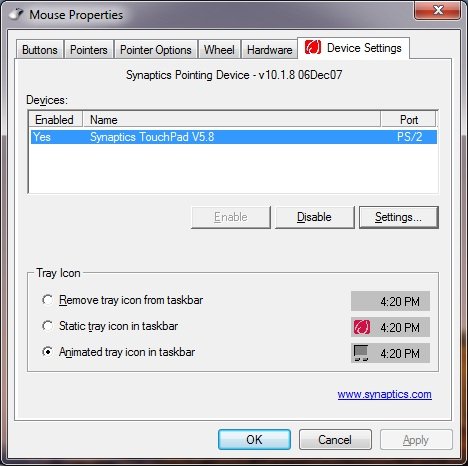
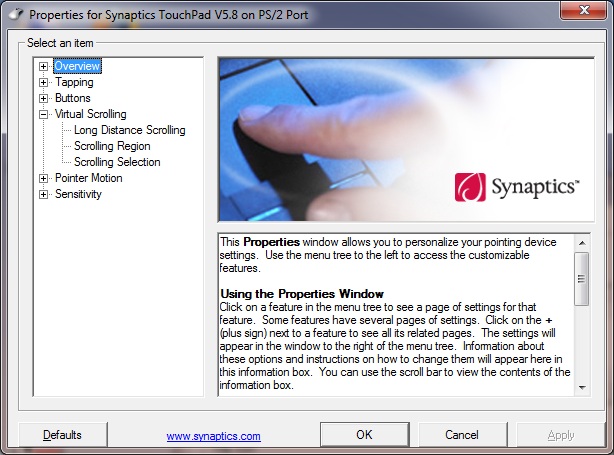
[Update: 9/9/2009]
I tried this on Windows 7 RTM, and it works, too. The version is the same: 10.1.8. Here is a screenshot:
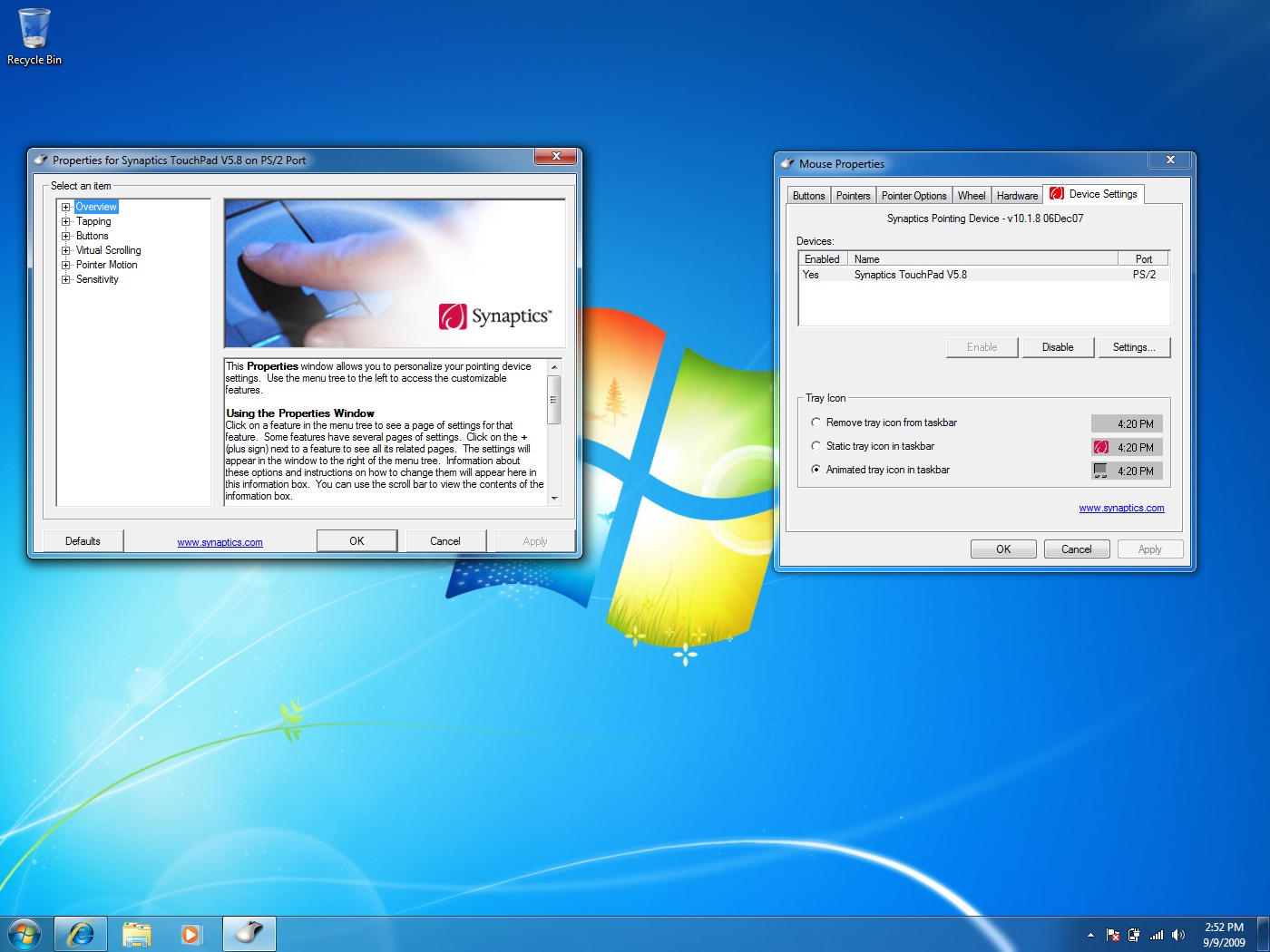
[Update: 10/22/2009]
Synaptics now has the driver certified for Windows 7. The version is v14.0.3
[Update: 10/27/2009]
If the driver does not work for you, you can try to uninstall the device first, reboot, and try the installation again. Here is my post about how to uninstall a device on Windows 7.
[Update: 1/28/2010]
Not all touchpads are made by Synaptics. Please see this post about identifying your touchpad. I also have a post about the Alps touchpad, which is being used on a lot of Dell laptops.
I’ve just installed the synaptics driver for vista/7 and now my touchpad’s scroll works perfectly : )
Thank you!
Hi,
Just installed Win7 and mousepad didnt work, now it does thanks to this article! Thank you!
If doesn’t work for you, defaults with driver for wista 64, worked perfect for me on windows 7 64 😉
THANX !
THANK YOU!!!!!! I’ve been fighting with an oversensitive touchpad for about a year – you have solved my problem! You are my hero!!
thanks for your services
Muchas gracias por su ayuda!!!!
I installed synaptics driver v14.3 for windows 7and works perfectly at home, but at the office, when I connect my laptop to a docking station, if I disable the touch pad, does not recognize the mouse that is connected to the docking station. I had to connect the mouse directly to the laptop usb port in order to be able to use the mouse and disable the touch pad.
thanks alot for this.works a treat on my samsung r410 notebook.your a legend.couldn’t find a fix anywhere.kudos
ty teÅŸekkurler sil vous plate
THANKS! This article is on the money. I first tried Gateway directly and they wanted to charge me $129 for a support contract before giving out this driver. Thieves!! Thanks to your article I got it for free from synaptics.
Que buen dato…….muchas gracias realmente fue difÃcil encontrar respuesta
thx!!!
Dell Inspiron 1501, Win7 x64, Touchpad stuck from time to time with default win7 driver. ( MS-Inteli Mouse driver ). Downloaded this one here will leave one more message if it does not fix the problem.
Thanks
thanks.. but, …… not to be
THXX
touchpad não funciona
give me a touch pad driver for dell inspiron15 windows7
I have windows 7 64, but i cant ran Synaptics, Error((( what I can do?
Make sure you get the 64bit version of the driver. BTW, if your touchpad is not made by Synaptics, it’s not gonna work.
is it works on win7 32 ?
Yes.
tengo instalado windows 7 ultimate beta este controlador sirve para una macbook a1181 el touchpad no funciona el click derecho y no funciona el click en la superficie del touchpad no da el click pronta respuesta
I just updated the driver for the mouse and restarted my machine and windows 7 works perfectly now with the trackpad driver
thank you very very much, i hope you be glad for every time
Hello!
Thank you so much for writing this article. Looking forward for new posts
Alex Smith
hi….
Hi, I managed to get to the point where the system tells me my driver is up to da te. My touchpad is functioning… except the scroll. After I installed the driver suggested by Acer for my model, I see the touchpad in the Mouse section of ControlPanel. But when I click on settings, it only shows me Overvew, and Buttons (Left and Right) and what I can assign to them. Where are the scrolling options and how can I enable them? (Acer e1-521, Windows 7).
thanks