If you run into a problem with Automatic1111’s Stable Diffusion Web UI(webui) with this error “AssertionError: Could Not Find Upscaler named []”, you can try this fix.
If you’re thinking about purchasing a new GPU, we’d greatly appreciate it if you used our Amazon Associate links. The price you pay will be exactly the same, but Amazon provides us with a small commission for each purchase. It’s a simple way to support our site and helps us keep creating useful content for you. Recommended GPUs: RTX 5090, RTX 5080, and RTX 5070. #ad
I updated my webui directory very often and run into a lot of problems every time I updated it. The most recent problem I had is this error.
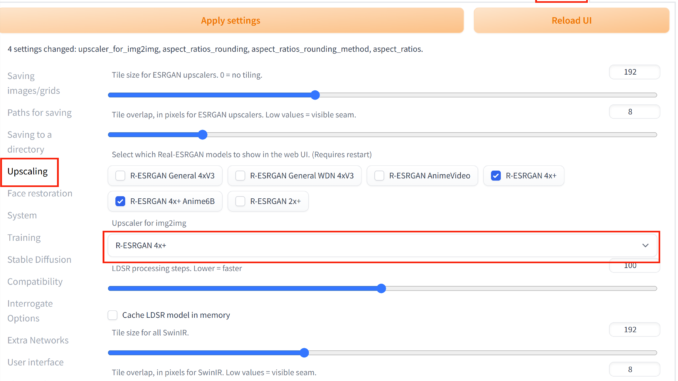
When I googled the solution for this problem, I saw someone suggested reinstall webui. It took me a while to reinstall everything. However, it did not work after reinstallation of webui. I still got this upscaler named [] not found error. Then I checked the settings and found that the upscaler for img2img is not selected. I selected an upscaler and apply settings and I am back to business.
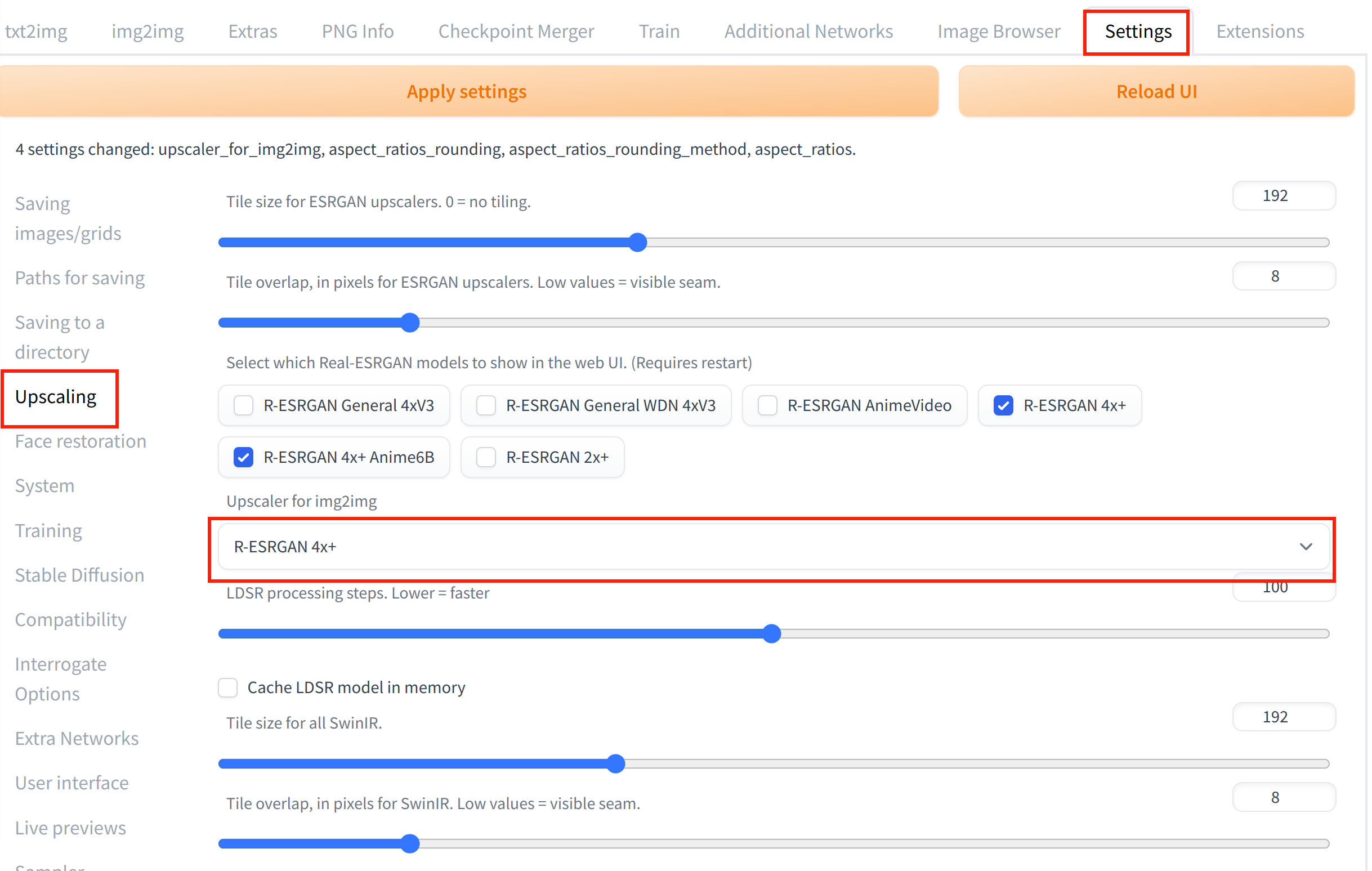
- Click on Settings on the top.
- Clcik on Upscaling on the left hand side.
- Select an upscaler from the Upscaler for img2img drop down.
- Click on Apply Settings.
If you want to add a new Upscaler,what should I do?
Put the .pth file in: stable-diffusion-webui\models\ESRGAN