
With the rapid progress of AI image generation, it’s now possible to reproduce the distinct look of mobile phone photography — crisp lighting, vivid tones, and everyday realism. In ComfyUI, combining Qwen-Image with mobile-style LoRAs brings this aesthetic to life effortlessly. This article explores how to create authentic, smartphone-like visuals using three LoRAs: SamsungCam UltraReal, Lenovo UltraReal, and Qwen-Image-Boreal. Each model simulates the image tone and dynamic range of flagship phone cameras, from Samsung’s high-contrast vibrancy to Lenovo’s balanced realism and Boreal’s lighting and small details. Whether you’re aiming for lifestyle photos, portraits, or outdoor scenes, these LoRAs deliver that familiar “taken on phone” look with remarkable accuracy.
If you’re thinking about purchasing a new GPU, we’d greatly appreciate it if you used our Amazon Associate links. The price you pay will be exactly the same, but Amazon provides us with a small commission for each purchase. It’s a simple way to support our site and helps us keep creating useful content for you. Recommended GPUs: RTX 5090, RTX 5080, and RTX 5070. #ad
Qwen-Image with LoRAs Models
Most of the models are the same as the base Qwen-Image base workflow. Please refer to this post for the models. Here is a list of the extra models used in this workflow. Put the LoRAs in ComfyUI\models\loras folder.
- Lightning 4steps LoRA: This LoRA allows you to run the inference at 4 steps. I used V1 model for the examples. V2 model is out too, which can produce more neutral images.
- Qwen-Image-Boreal LoRA: Download this LoRA here. I will just refer to this LoRA as Boreal LoRA from now on.
- Lenovo UltraReal LoRA: Download this LoRA here. I will refer to this LoRA as Lenovo LoRA.
- Samsung UltraReal LoRA: Download this LoRA here. I will refer to this LoRA as Samsung LoRA.
Installation
- Update your ComfyUI to the latest version if you haven’t already. (Run update\update_comfyui.bat for Windows). Depending on which gguf custom node you installed before, you also need to update the ComfyUI-GGUF or gguf custom node to the latest version if you have not updated it recently.
- Download the json file, and open it using ComfyUI.
- Use ComfyUI Manager to install missing nodes.
- Restart ComfyUI.
Nodes
Please refer to this post for the notes about the nodes. The only new node is this Power Lora Loader.
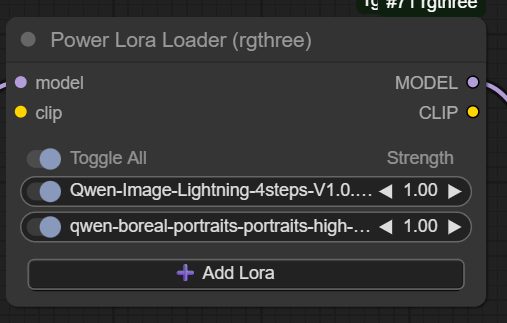
I really like this node, because you only need one node for multiple LoRAs. In this screenshot, the top one is the Qwen-Image Lightning LoRA, and the second one is the Boreal LoRA.
Qwen-Image Realistic LoRAs Examples
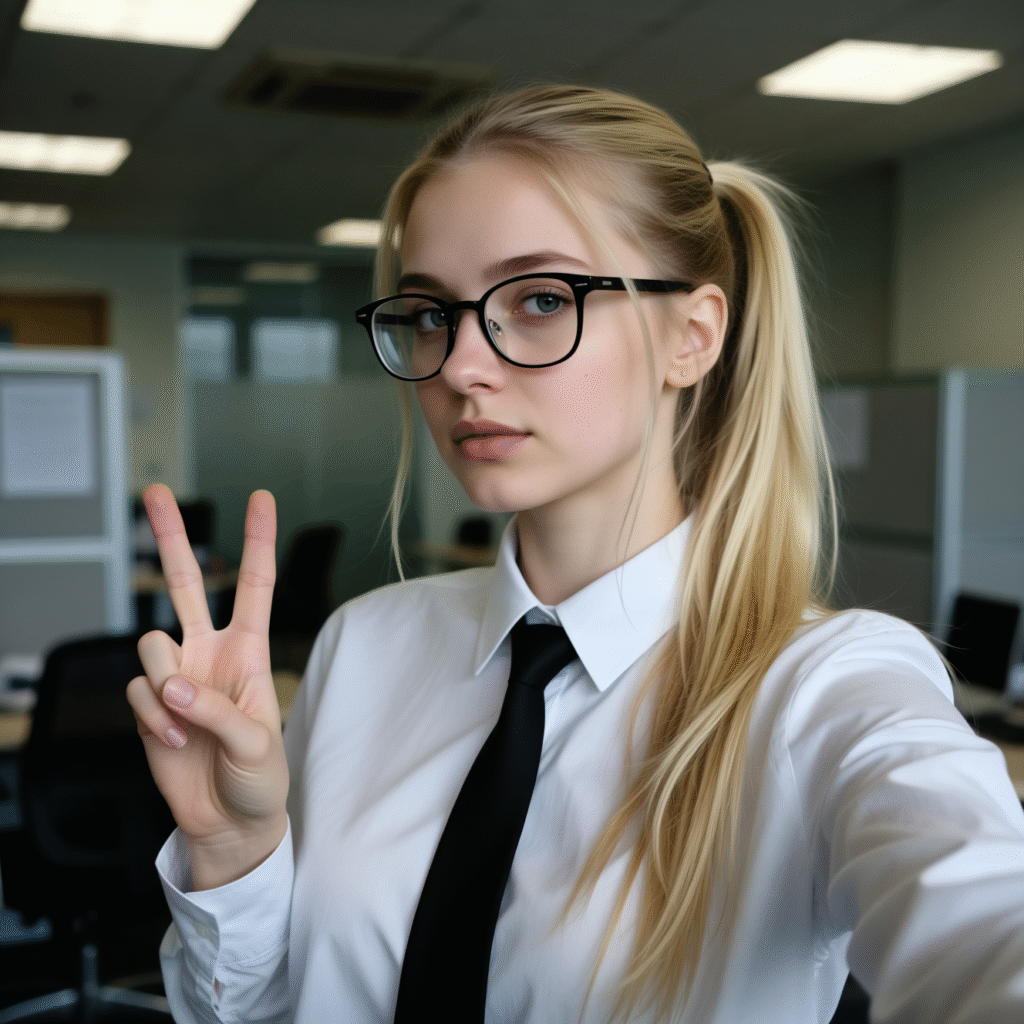
The following examples use the 4steps LoRA, but I set the steps to 6. CFG is set to 1. Seed is set to 531952225495575 and fixed.
Prompt:
l3n0v0, A low-quality, high-drama selfie of eastern european girl, white office shirt with black tie, early 20s, wearing narrow glasses and making a peace sign with both hands, blonde hair in ponytail with long fringes that frames her face. The image has a slight blur and noise, giving it a grainy. slightly melancholic. The background is office. The woman’s expression is neutral, and her gaze seems to be looking slightly off to the side, adding to the introspective feel of the image.
Without LoRA
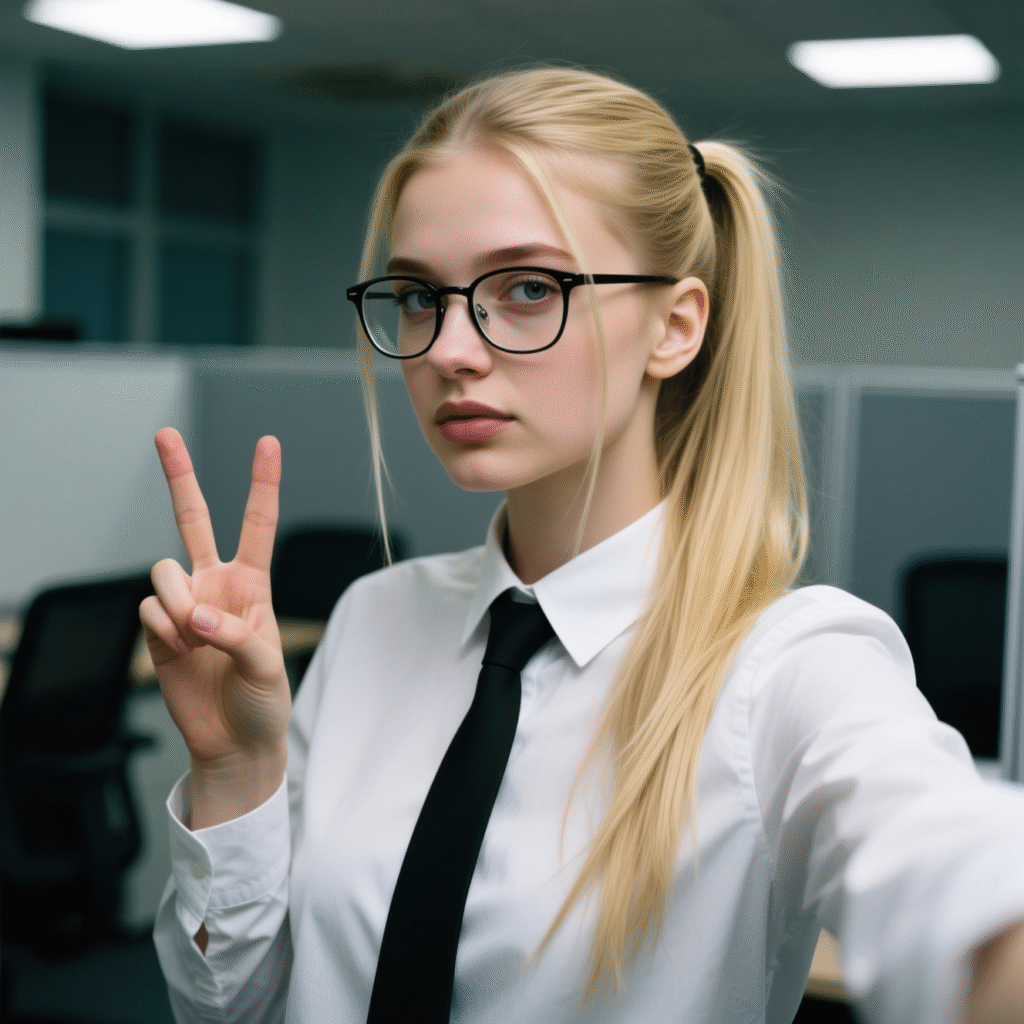
Boreal:
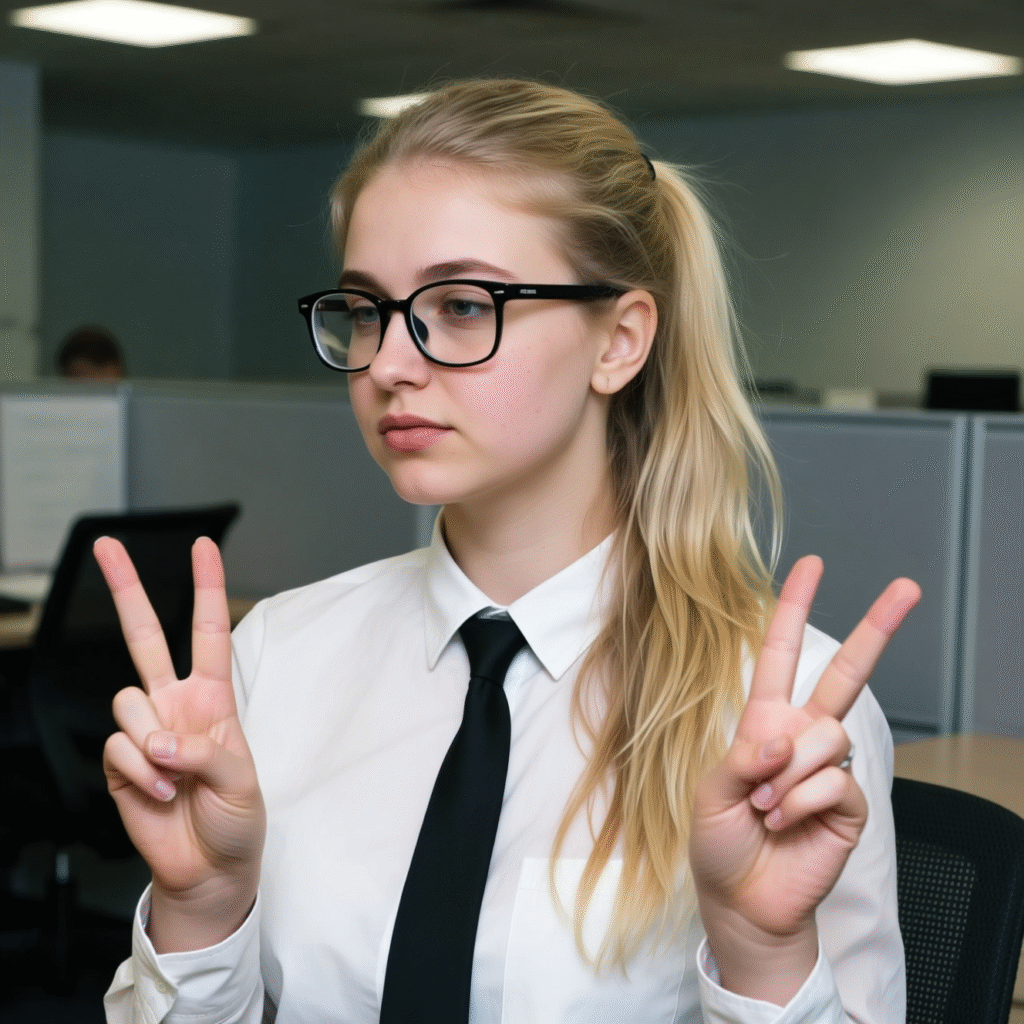
Lenovo:
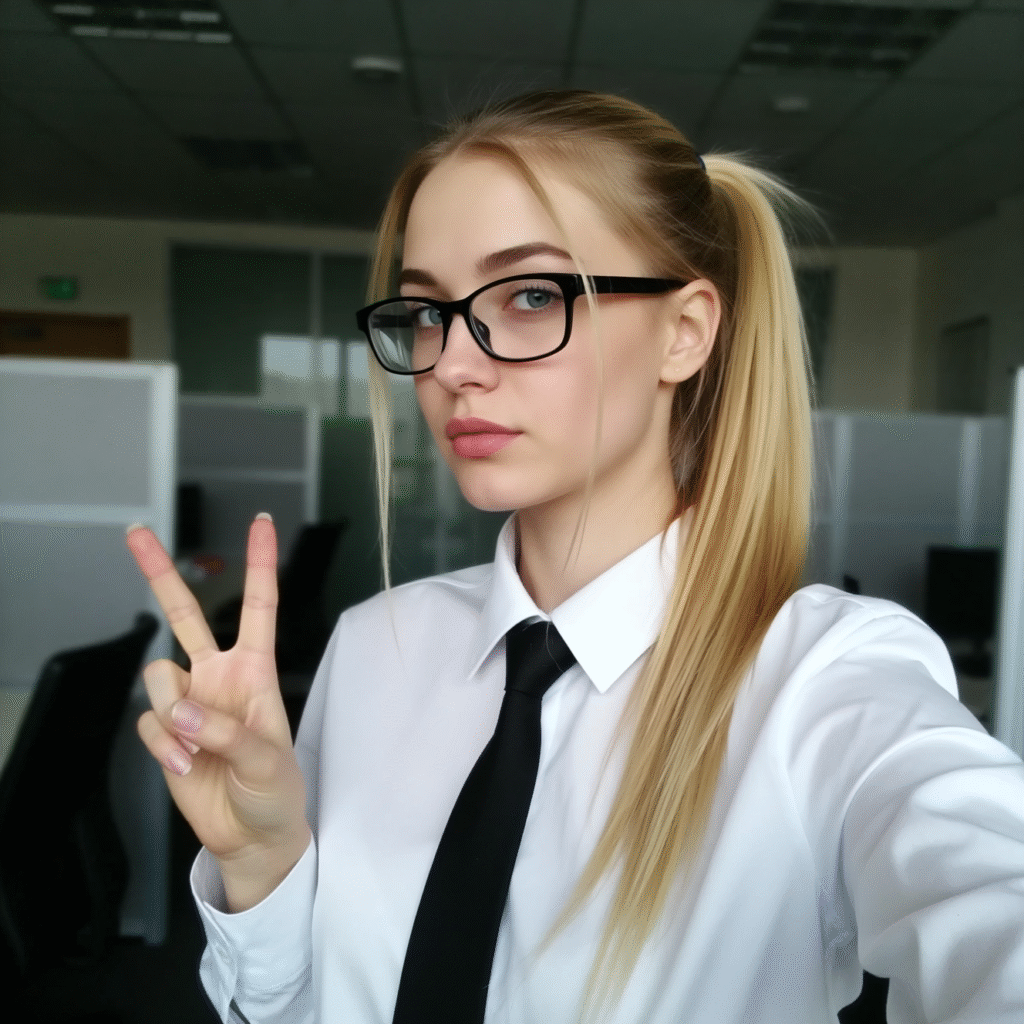
Samsung:
Prompt:
l3n0v0, 2014 photo of a smiling 25 year old Korean woman swinging a tennis racket against a ball during a tennis match.
Without LoRA:
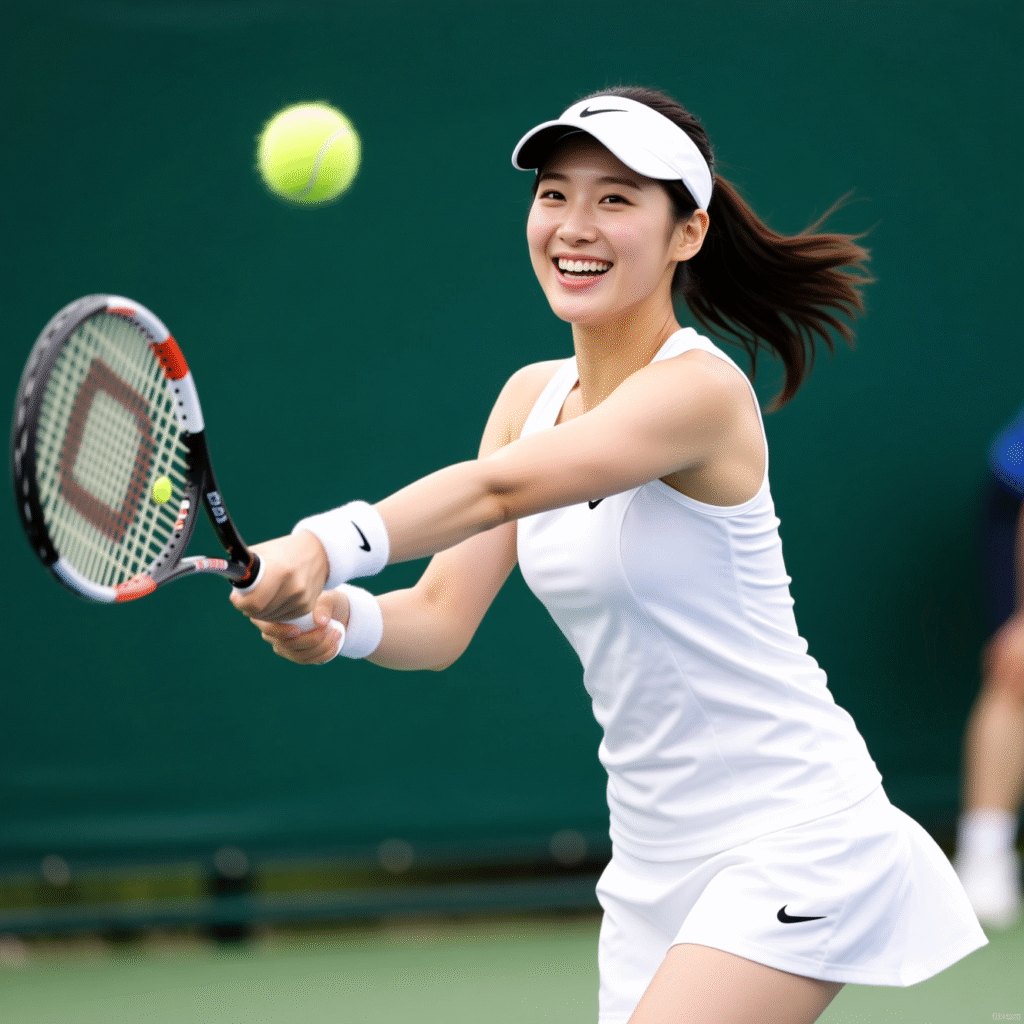
Boreal:
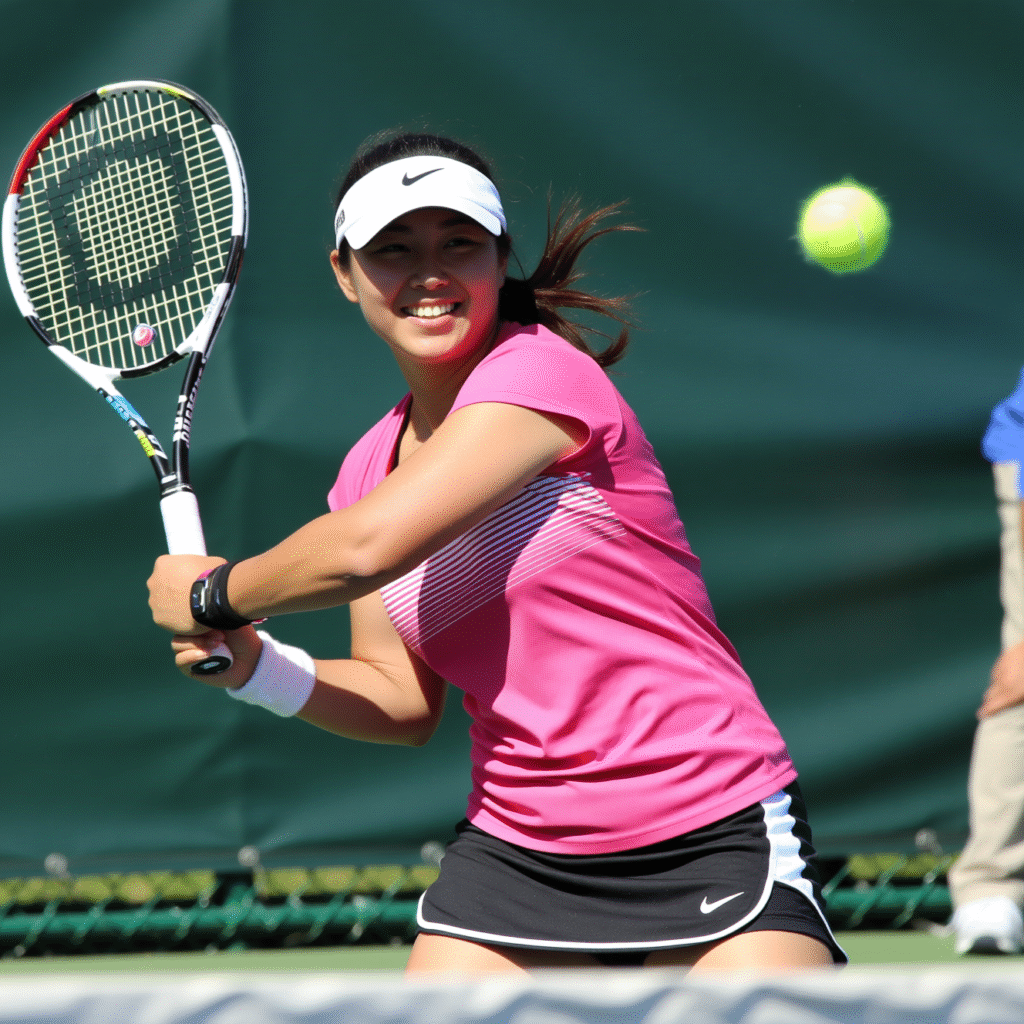
Lenovo:

Samsung:
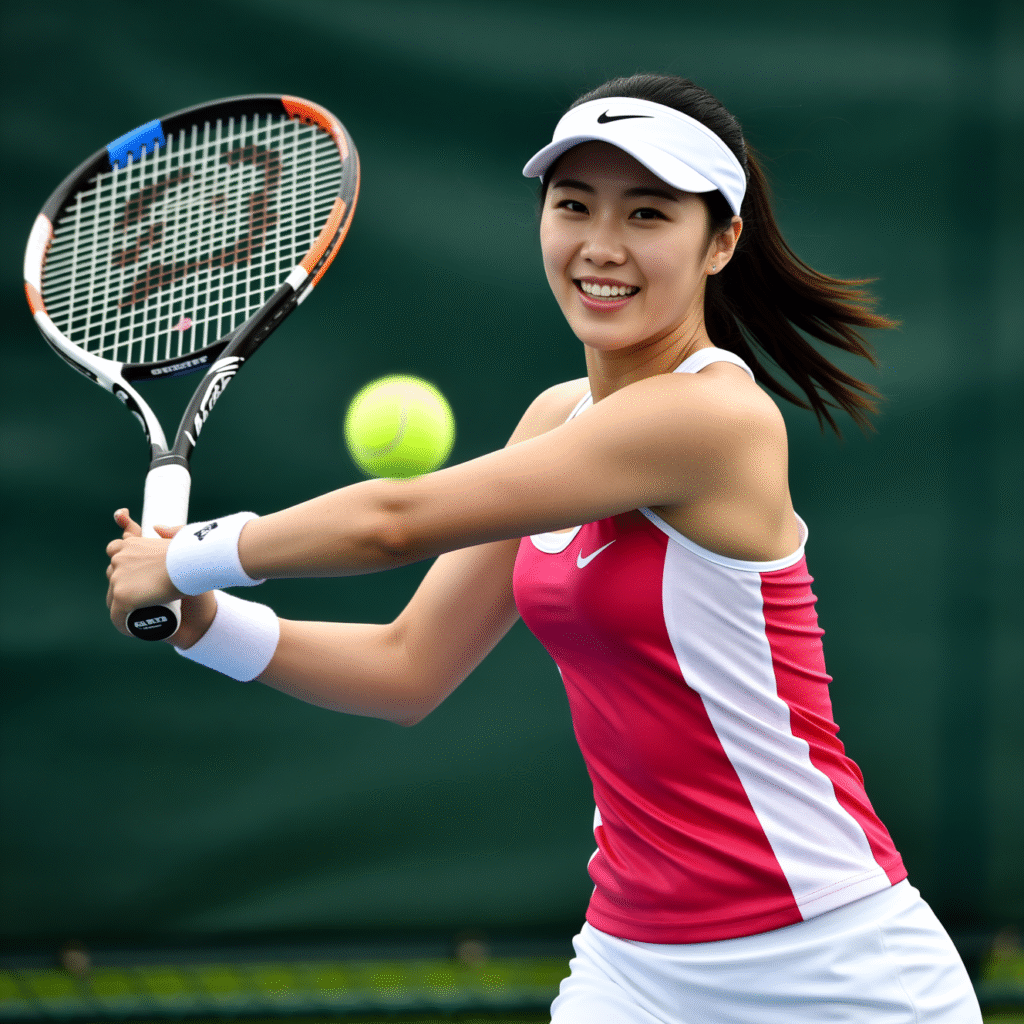
Prompt:
l3n0v0, high quality raw candid photo. eastern european young woman, late teens, adorable, pinterest style.
outdoor scene. she dressed in an oversized pink T-shirt with text “I love all my fans” with cute font, her gaze directed to the side, thinking expression, hold cup of coffee, her blonde hair loosely tied back + long fringe that frames her face. Her face partially shadowed, minimal makeup visible. she is standing on the back alley somewhere in New York city. Dull, overcast lighting.
Without LoRA:
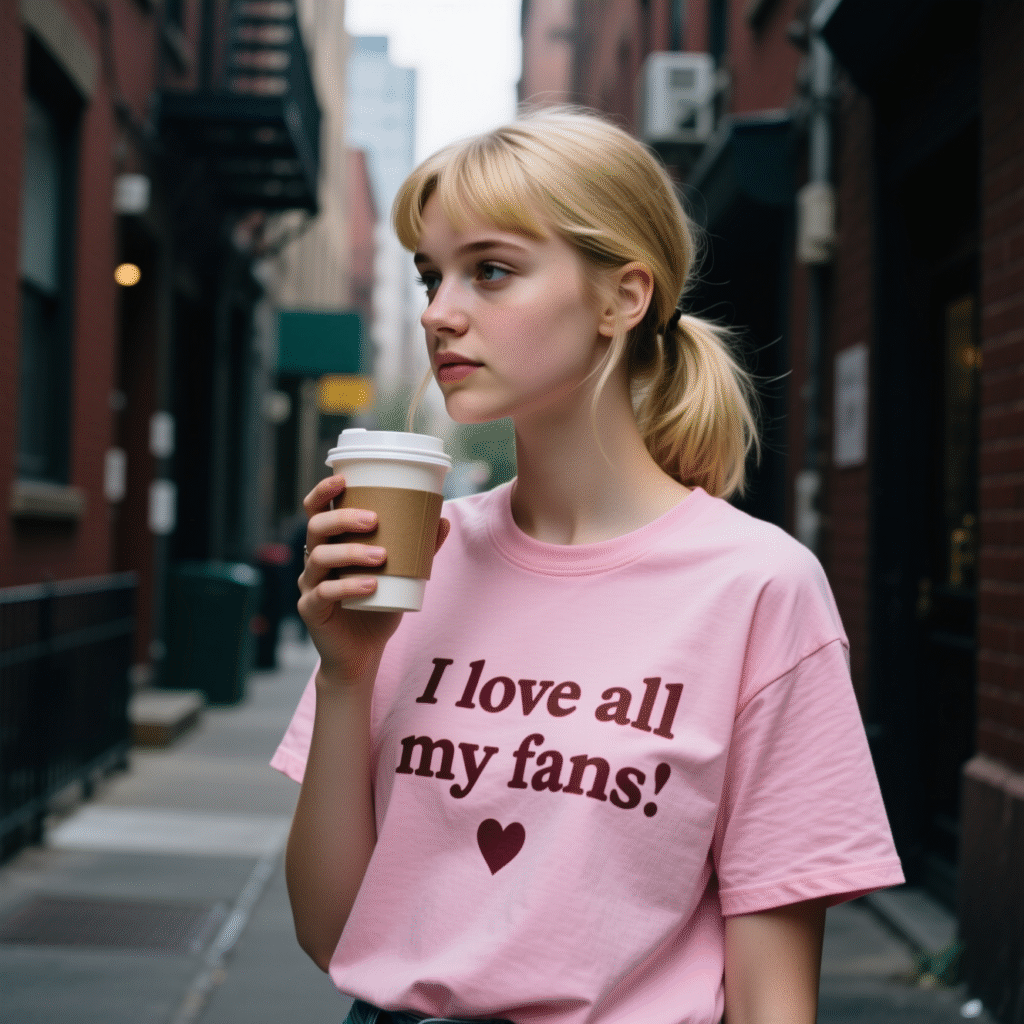
Boreal:
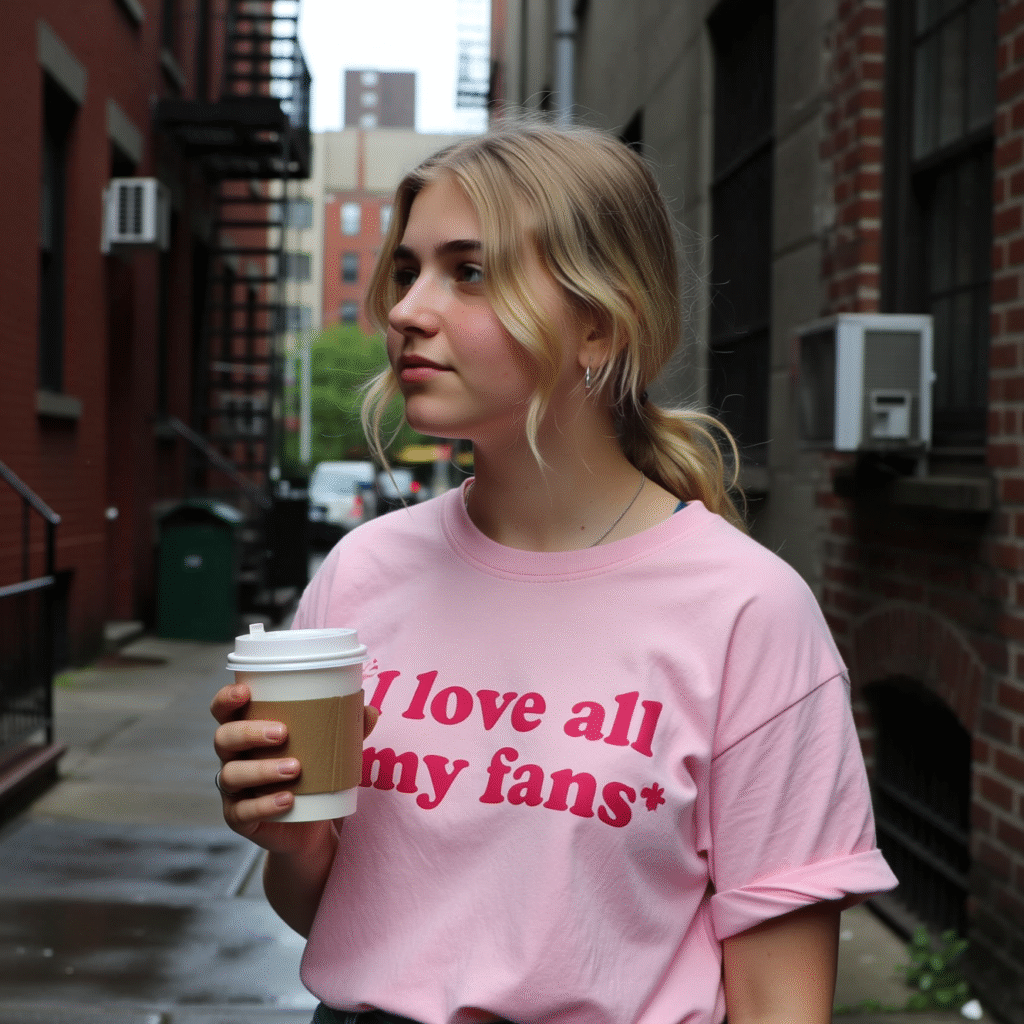
Lenovo:
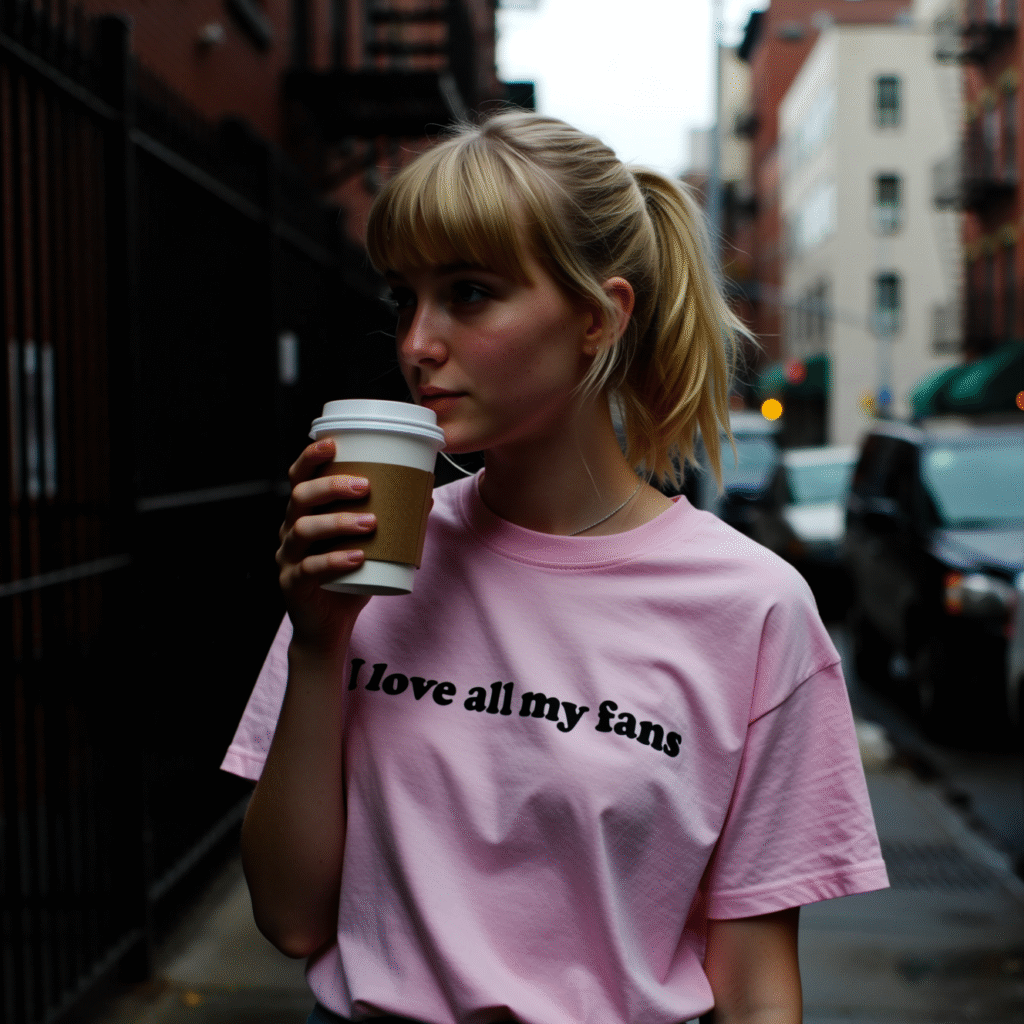
Samsung:
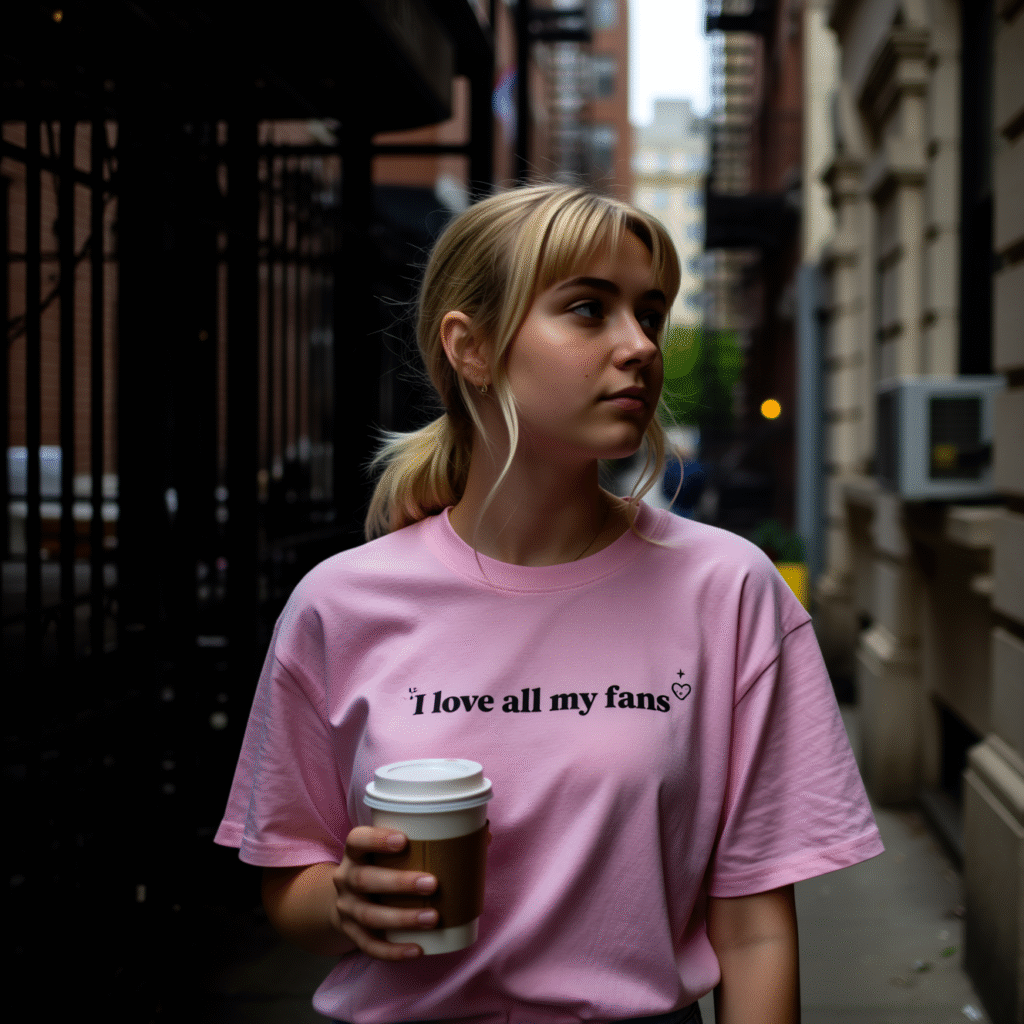
Prompt:
l3n0v0, high quality raw candid photo. eastern european young woman, late teens, slim. detailed skin texture, detailed blue eyes. pinterest style.
natural late afternoon sunlight, on an outdoor rooftop bar patio, thick eyebrows, long wavy dark brown hair, wearing a pink pvc crop top, a black skirt with a white floral pattern, visible makeup, black sunglasses on her head, a silver moon pendant on a black cord, a silver chain-link bracelet, sitting at a wooden table and holding cup of coffee in her right hand, her body angled towards the camera while her head is turned to her right, with a thinking expression with left hand near chin, gazing off-camera towards the city view in the background where a bar area is also visible, neon sign “DRUNKARD” on bar with retrowave font. big breasts, long pink nailpolish
Without LoRA:
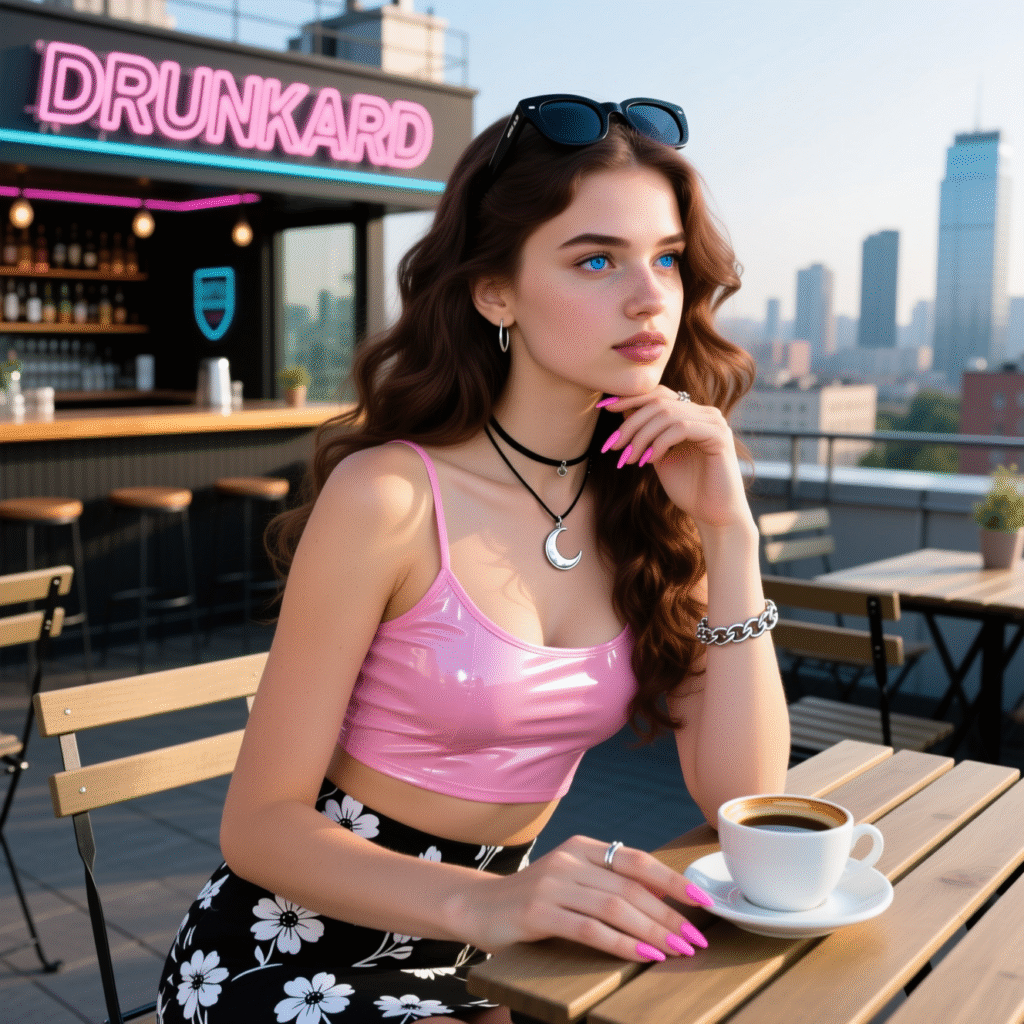
Boreal:
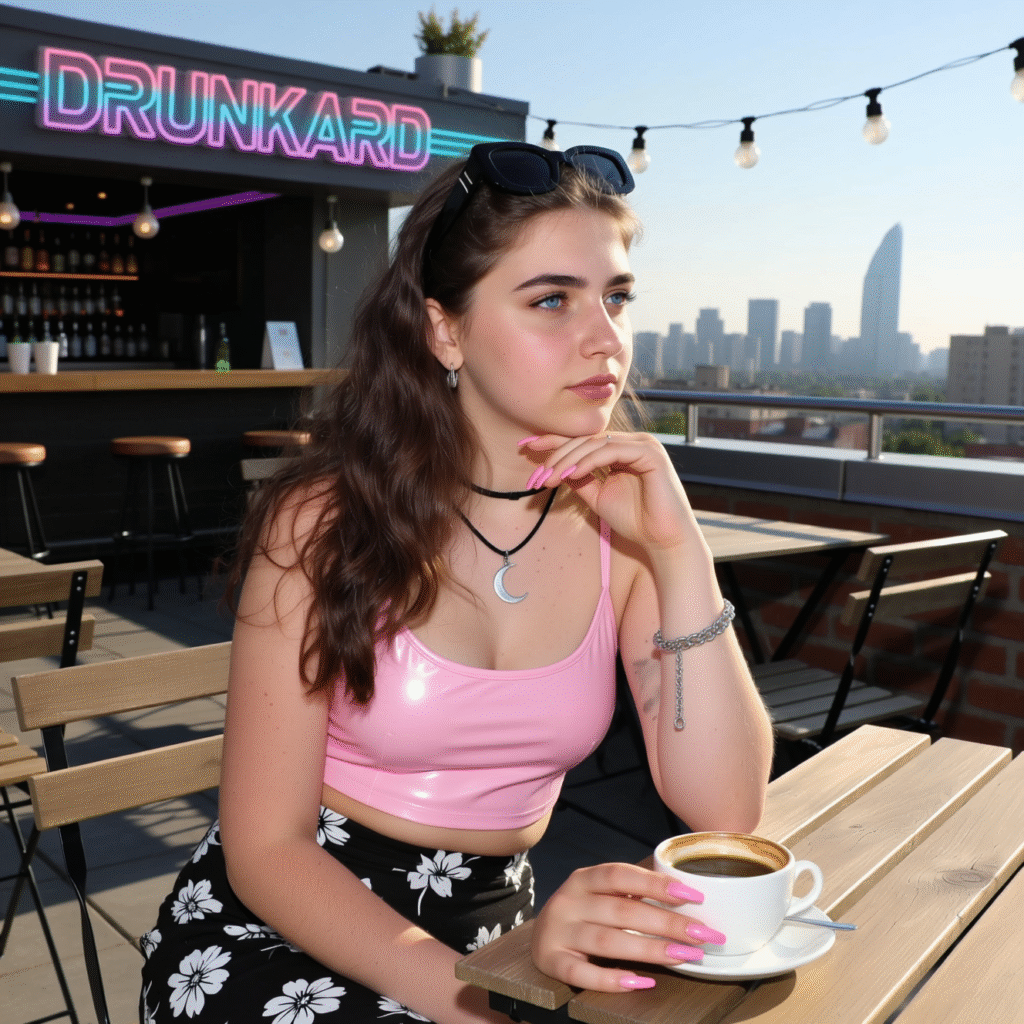
Lenovo:
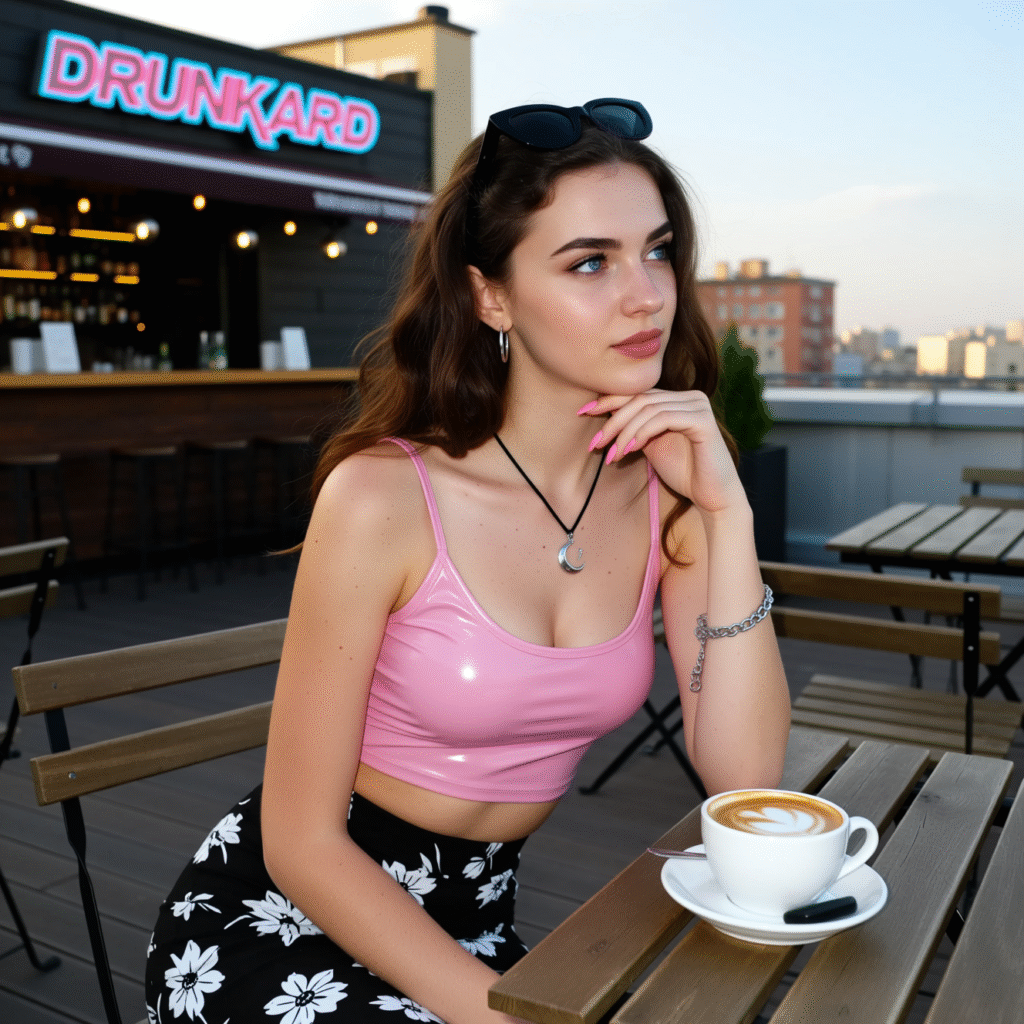
Samsung:
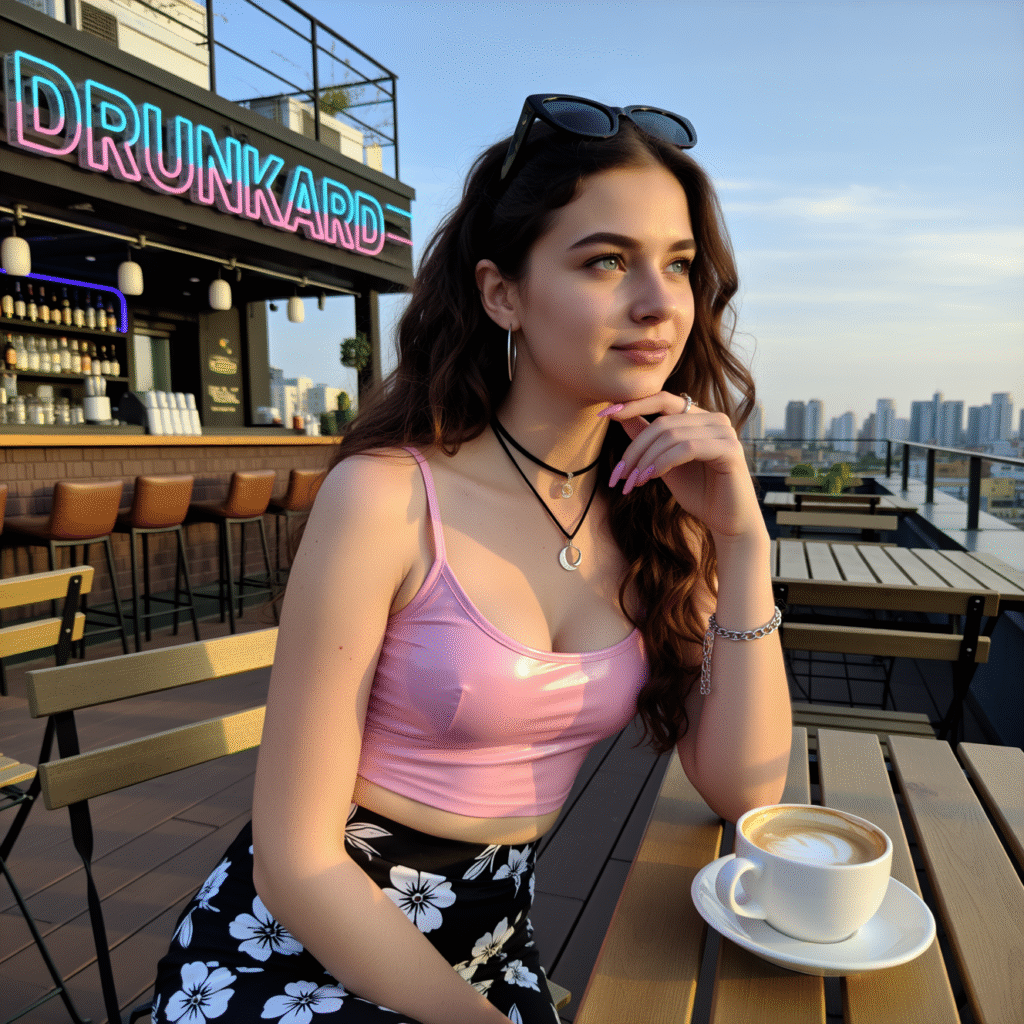
Conclusion
When used with Qwen-Image in ComfyUI, mobile realism LoRAs like SamsungCam UltraReal, Lenovo UltraReal, and Qwen-Image-Boreal can transform AI generations into believable phone captures. Instead of overly polished, studio-style outputs, you get textures, lighting, and depth that feel spontaneous and natural — like something straight from a premium smartphone camera. For creators who want realistic AI images with the warmth and imperfection of real-life photos, this setup offers the perfect balance between fidelity and authenticity. With the right prompts and LoRA blending, Qwen-Image can mimic nearly any mobile camera style you want — all within your ComfyUI workflow.
Leave a Reply