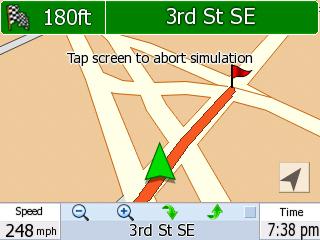
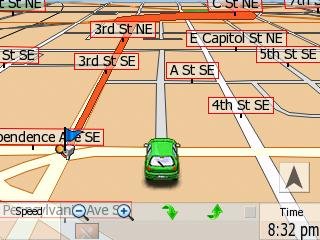
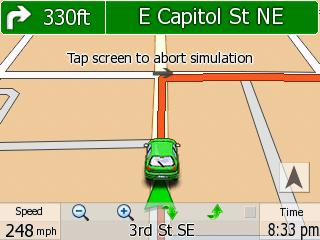
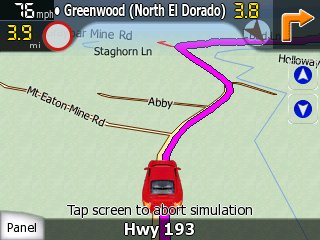
MioMap 3.3 Skins for Mio C230

Posted on January 9th, 2008 in mio c230 by amida168


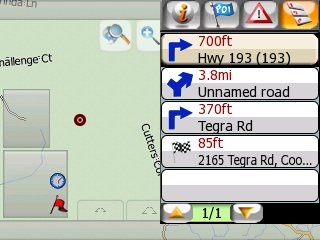
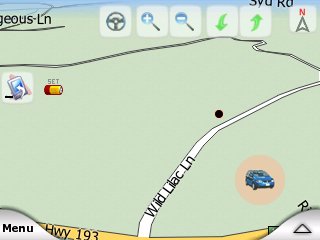
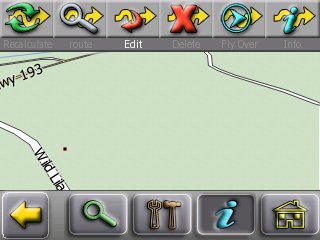
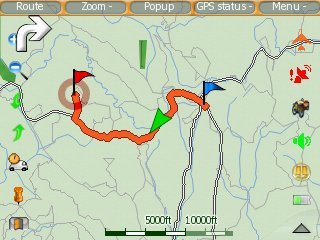
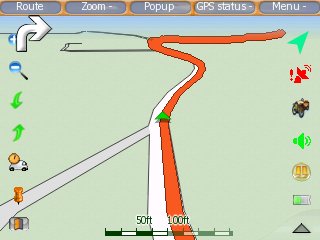
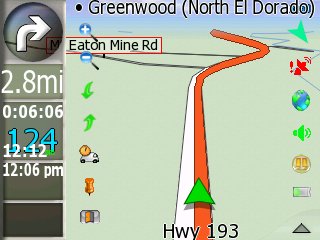
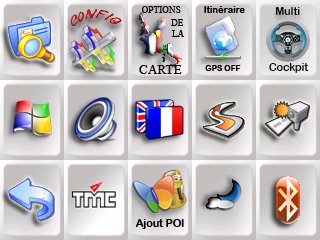
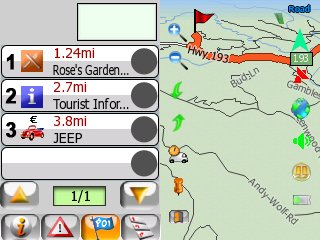
There are a lot of MioMap v3.2 skins out there, but there are not a lot of MioMap v3.3 skins. There is also no skin tested for C230 either at the time of this writing. With help from MoonBear at GpsPassion.com, I was able to modify a split screen skin for use in C230.

The reason that some of the MioMap v3.3 skins do not work with C230 is that there is no machine specific information regarding C230 in the configuration file. The configuration file is config\pocket_pc.ini in the DATA.ZIP file. If you are not familiar with editing files inside DATA.ZIP , please check my post regarding DATA.ZIP tweaks. Add the following to the pocket_pc.ini file.

[MIOC230]
gps_port = 2

gps_baud = 4800

tmc_port = 1

tmc_baud = 38400

gx_width=240

gx_height=320

gx_format=160

gx_xpitch=2

gx_ypitch=640

gx_orientation=0

blight_min = 1

blight_max = 8

blight_reverse = 0

blight_smart = 4

blight_key_BatteryTimeoutBA = "BatteryTimeout"

blight_key_BatteryTimeoutAC = "ACTimeout"

blight_key_BacklightOnTapBA = "BacklightOnTap"

blight_key_BacklightOnTapAC = "ACBacklightOnTap"

blight_key_OnOffBA = "OnOff"

blight_key_OnOffAC = "ExtOnOff"

blight_setmode5 = 1

interface_show_timezoneslider=1

interface_reset_os_timezone=1

After modifying the pocket_pc.ini, I was able to use a skin which enables split screen. I would encourage anyone who is trying different skins for Mio C230 to do this. All the skins you see here have the required information for Mio C230 already. You don’t have to do the modification again. Please report back if you found other skins that work fro C230. I will also post updates of these skins, please check the bottom of each skin section for updates. [Update: One reader found out some problems with TTS using the skins. The reason for it might be because the skins were made for other devices originally. The config directory in DATA.ZIP contains information for other devices. It might be better to just copy the whole config directory from your original DATA.ZIP to the new skin's DATA.ZIP's config directory. ]

Olivercp Skin

I found this skin in this thread. There is no name for it, I’ll just use the name olivercp for now. Here is the description by olivercp.

Try this skin that works on Mio 3.3. I forgot where I got it but initially it had some bugs and some quirks which i did not like. In particular, when in map mode and when you have an active route, the zoom buttons were replaced by “route overview” and “route method”. I did not like losing the zoom buttons in map mode so I added the zoom buttons similar to the one used in quicksilver. Also, when it switches to night mode, it looks for some missing spr files and abends with a fatal error. I had added the missing files and so this bug is also fixed. I also added a “minimize button” in the main menu. And yes, this skin has the exit button. I also replaced the guidance.dat file in config folder with the older version used in mio 3.2 skin. I think this somewhat reduced the chattiness of mio (it doesn’t tell me to stay on the right (stays silent) when approaching an intersection when I am not making a turn at the intersection).

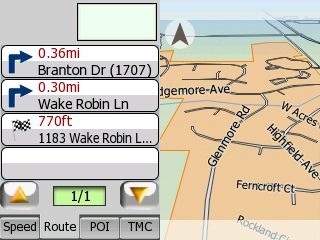
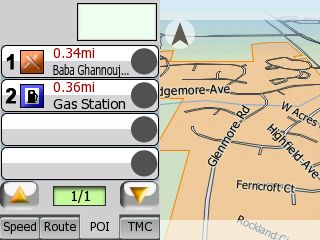
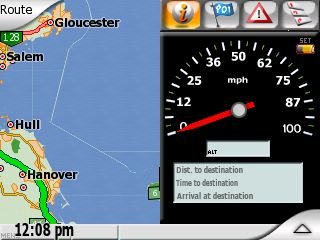
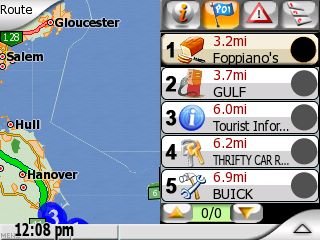
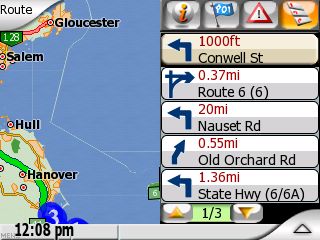
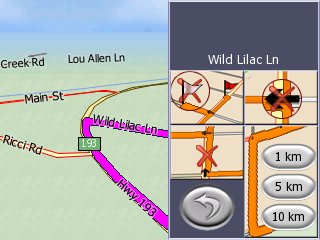
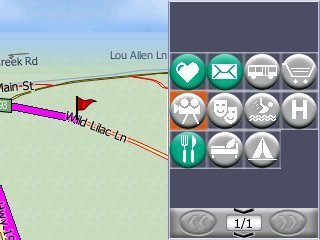
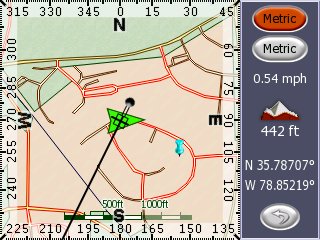
This skin has the “split screen” view. Just click on the current street you are on (lower bar in navigation mode) and split screen will be shown. The split screen has four tabs for the speedometer, POI’s, TMC, and route turn list. Click again on the current street to close the split screen. I also modified this skin so that when in navigation mode and you click the next-street, it re-plays the voice direction.

I also accidentally discovered, that if you use this skin in mio 3.2, it is the same as the smartblue skin!
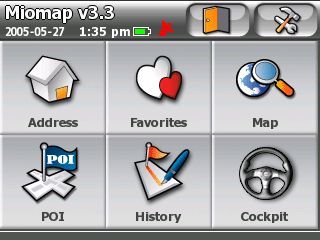
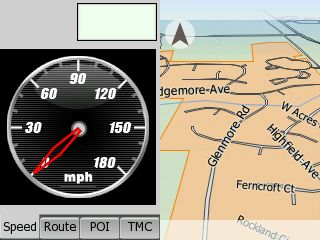
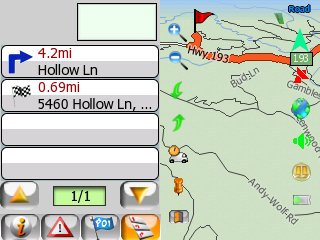
olivercpmain.jpgolivercpspeed.jpg

olivercproute.jpg olivercppoi.jpg

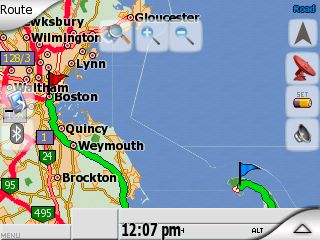
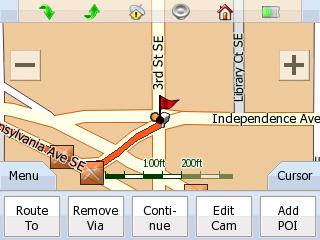
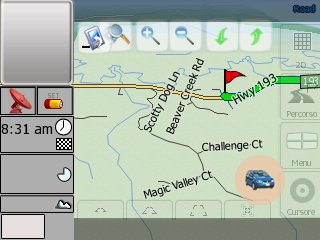
In addition to the awesome split screen, there are also some added features in Map screen. See that there are two new icons: binocular and calculator. These two icons are only shown up when you have a route planned. Click on the binocular icon fits the route on the screen. Click on the calculator icon switch the route options on the fly with distance and time to destination shown. You can also do fast fly-over without modifying the SYS.TXT .
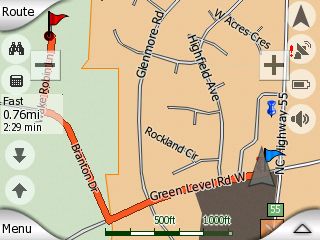
olivercpmap.jpg

You can download the modified skin for C230 here. There are two files inside the zip file: DATA.ZIP and PANNEAUX.TTF. Make a backup of your current DATA.ZIP file. Put these two downloaded files in \My Flash Disk\MioMap\MioMap if you haven’t unlocked your C230. Put these two files in \My Flash Disk\MioMap\MioMap2 if you have unlocked your C230.

Updated OliverCP skin with map to cockpit, cockpit to map buttons. Download here .

Riks v1.0 Skin

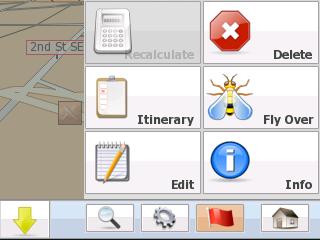
Here is another skin that I modified to run on Mio C230. You can download the file here. Note that this file Riks1.zip is the DATA.ZIP. Please don’t unzip it. Just rename it to DATA.ZIP and copy it to the corresponding location(Make a backup of the original, of course.). What’s interesting about this skin is the cockpit mode is very similar to map mode. The information that used to occupy the left side of the cockpit view is now on the bottom. You have a wider view while in cockpit mode. There are also icons for you to switch between map mode and cockpit mode easily. To activate the split screen in cockpit mode, touch the top edge of the screen. There is a minimize button on the main screen. If you minimize MioMap, you need to use the explorer (FileMan CE) to run MioMap.exe in \My Flash Disk\MioMap\MioMap2 to switch back to MioMap again. Clicking on the icon on desktop won’t get you back to MioMap. I wouldn’t recommend using the minimize button until I test it more.
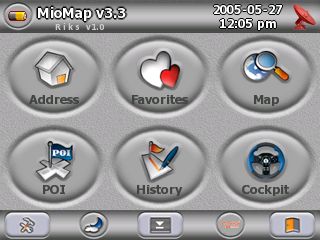
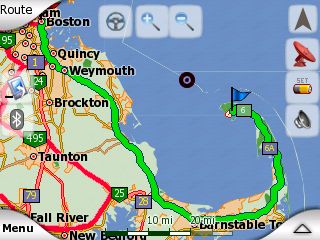
rikshome.jpgriksmap.jpg

rikscockpit.jpgriksspeed.jpg

rikspoi.jpgriksdir.jpg

Updated riks1 without minimize button. Download here .

Quicksilver Reborn v1.3 Skin

I have heard of this skin for a long time and it seems very popular. It has a very clean interface. All the icons are professionally made. It DOES NOT support split screen unfortunately. You can download the file here. Note that this file Quicksilverreborn1.3.zip is the DATA.ZIP. Please don’t unzip it. Just rename it to DATA.ZIP and copy it to the corresponding location(Make a backup of the original, of course.). To enable the car icon, just click on the arrow in the cockpit view. BTW, the display icon on the main screen is to minimize MioMap. As in the Riks skin, don’t use it for now.
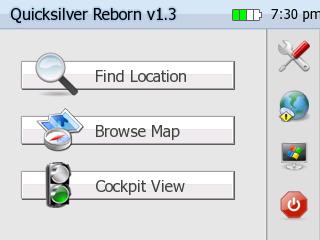
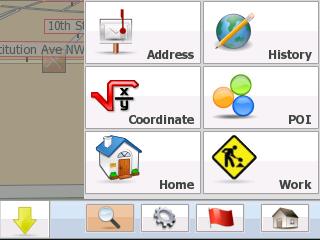
quicksilverhome.jpgquicksilver2.jpg

quicksilver3.jpgquicksilver4.jpg

quicksilver5.jpgquicksilver6.jpg

quicksilver7.jpg

Updated Quicksilver skin without minimize button. Download here .

Sznyt 2.3 Skin

Quicksilver13 has contributed some skins. The first one is called Sznyt 2.3. This is not your ordinary skin. I was overwhelmed at first. The learning curve is a bit steep. You definitely need to spend some time to figure out what each icon does.
spanel.jpgpoimap.jpg

scockpit.jpgsroute.jpg

spoimang.jpg

There is a compass screen which might be useful for geocaching.
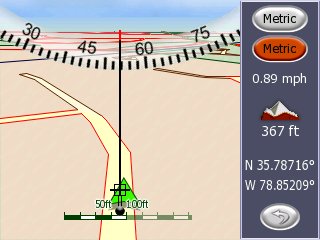
s0006.jpgs0008.jpg

You can download the file here. Change the file name to DATA.zip . [Updated: 6/2/2008] A reader has reported the original link is broken. Please check this topic in the forum for the new download location.

http://kombitz.com/forum/index.php?topic=4.0

Registration required.

Nuovo (BreMa) Skin

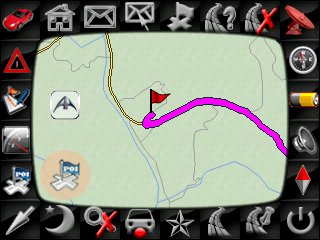
The second skin contributed by Quicksilver13 is called Nuovo. It’s based upon the Riks skin. The original one doesn’t work with my C230. I copied over the original config directory and it’s working now.
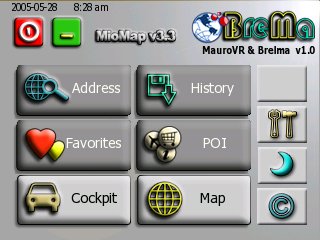
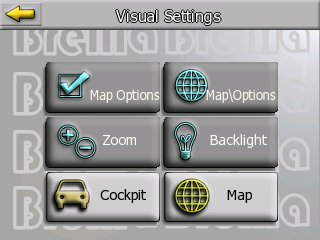
nu-2.jpgnu-3.jpg

nu-7.jpgnu-8.jpg

nu-5.jpgnu-4.jpg

You can download the skin here.

Joedoum Skin

This is actually the first skin contributed by Quicksilver13. I totally forgot about it when I posted the changes yesterday. :-)

j0007.jpgj0010.jpg

j0012.jpgj0013.jpg

j0020.jpgj0023.jpg

j0032.jpgj0033.jpg

You can download the skin here.


Find deals on Amazon.com

Mio C230 Mio GPS Garmin GPS TomTom GPS GPS and Navigation


Discuss this post in the forum.

Share and Enjoy:
  • Digg
  • Sphinn
  • del.icio.us
  • Facebook
  • Mixx
  • Google
  • Furl
  • Live
  • Reddit
  • Slashdot
  • StumbleUpon
  • Technorati
  • YahooMyWeb
  • NewsVine

Random Posts

238 Responses to 'MioMap 3.3 Skins for Mio C230'

Subscribe to comments with RSS

  1. choppy181 said,

    on January 9th, 2008 at 7:32 pm

    amida

    can i use this in release 3.1 with route management

  2. amida168 said,

    on January 9th, 2008 at 7:38 pm

    Yes, you can use this one with release 3.1. I think you can even use it without unlocking your Mio C230, but I have not tested myself.

  3. choppy181 said,

    on January 10th, 2008 at 6:43 am

    amida should i replace the data.zip file in MioMap\MioMap2 and add the two new files or do i just add the 2 new files above

    thanks for all your help.

  4. amida168 said,

    on January 10th, 2008 at 9:46 am

    Choppy181,

    You should backup the DATA.ZIP file in MioMap\MioMap2 and copy the two new files over.

  5. BenNoach said,

    on January 10th, 2008 at 10:18 am

    I put this up and it is very nice. I can’t find the split screen? also what is the lock icon for?

    Thanks for you’re time and effort. This 230 is a better GPS than my Garmin now.

  6. amida168 said,

    on January 10th, 2008 at 10:31 am

    BenNoach,

    You can activate the split screen by click on the street name area in cockpit mode. Please read Olivercp’s description one more time.

  7. BenNoach said,

    on January 10th, 2008 at 12:11 pm

    I found it. I press on the greyed bar on the bottom of the Cockpit. Pressing the street brings up the route bar.

    Now it says some of the map files are outdated?

    I have a lock icon on the screen. It does not seem to do anything?

    Thanks

  8. Mike FFI said,

    on January 10th, 2008 at 3:11 pm

    Does anyone know how to manipulate the POI mode? What I would really like to happen is for the list to include the POIs along or near the route (or current road if no route is set) to display in distance order in the POI list. What seems to happen is the closest restaurant shows up in (1) and the closest gas station shows up in (2). Also, it would be nice clicking on the item in the list zoomed in on the POI in the map with INFO open.

    While I have my wish hat on, I really like the big zoom in and zoom out buttons, but I miss the elevation buttons that go away when you turn off the built in buttons. Any chance of adding that in somewhere?

    BTW the Lock Icon appears to do something similar to the “Follow” button in the other skin.

    Thanks for sharing… I will be sharing my mods to the rules.ini file soon.

  9. BenNoach said,

    on January 10th, 2008 at 4:10 pm

    I think my flash gets lost at times (4 gig Turbo K-Data). I have to format it for it to show up.

    The old maps error issue goes away if I don’t try to put some of them on the SD card. I have had the map files go zero length on the SD card.

    Yes I think you are right the lock is follow me, perhaps map is locked don’t follow?

    Where would one find docs on theses improvements like the GPS manual config etc?

    Also — this is a nit pick, can we in North America have our continent on the GPS data page?

    I love the new icons.

  10. amida168 said,

    on January 10th, 2008 at 4:21 pm

    Mike FFI and BenNoach,

    I didn’t make the skin, I only modified it to work with C230. If you have questions about tweaking the skin further, your best bet is to go to http://www.mionav.com and ask your questions. Sorry about that.

  11. amida168 said,

    on January 10th, 2008 at 4:57 pm

    Another skin is posted. Please scroll up and take a look of the Riks v1.0 skin.

  12. Mike FFI said,

    on January 10th, 2008 at 9:31 pm

    I just uploaded a Skin chooser based on the Route selection dialog posted by C230.

    If you are not using that desktop it may take some work to plug it in to your environment.

    Let me know if it works for you.

    http://rapidshare.com/files/82856881/SkinChooser_FFI_1.zip.html

  13. CD said,

    on January 10th, 2008 at 11:20 pm

    I love that first skin! I set 3 of the 5 cockpit mode boxes to my liking. The other two, speed and elevation, appear fixed. Is there any way to adjust them? For my daily travels, time seem more important than elevation. (Elevation serves me more on the trail with a topo map.)

  14. BenNoach said,

    on January 11th, 2008 at 10:44 am

    I love the work that is being done on this c230. I showed it too a fellow I work with and bought one.

    I know you don’t create the skins , but I would really like to have the gps settings screen show North America or the moon or something else.

  15. gatolives said,

    on January 11th, 2008 at 12:41 pm

    Ben,

    Follow the link below for information on how to change your GPS Data Screen…

    link

    Hope it helps!

    Gato

  16. amida168 said,

    on January 11th, 2008 at 1:19 pm

    Mike FFI,

    Thanks for sharing. I am busy with testing a new way of unlocking Mio C230 now. I’ll give it a try when I get a chance.

  17. amida168 said,

    on January 11th, 2008 at 1:19 pm

    Gatolives,

    That’s great find. I knew it’s some picture files but didn’t get a chance to find out the info. Thanks.

  18. Ken Williams said,

    on January 11th, 2008 at 3:49 pm

    The speedo show 0-100 MPH, but I was going ~54 and it was showing ~25!

    Great work on this BTW!!!

  19. amida168 said,

    on January 11th, 2008 at 5:21 pm

    Ken,

    What skin do you refer to? Thanks.

  20. Nick said,

    on January 11th, 2008 at 6:35 pm

    I haven’t looked very much into it, but has anyone gotten the TMC (Traffic) working?

  21. amida168 said,

    on January 11th, 2008 at 9:10 pm

    Nick,

    Most of us use C230 which doesn’t support TMC by default.

  22. amida168 said,

    on January 11th, 2008 at 9:11 pm

    Another skin posted: QuicksilverReborn 1.3

  23. Nick said,

    on January 11th, 2008 at 10:14 pm

    Amida168,

    Gotcha, the Oliver GUI enabled a new menu that I was unfamiliar with on my C230. When you check the status of the satellites there’s a button for TMC. I was unaware if it was working or not. The settings show that I have a Trial TMC subscription until 2008-04-06. With a little searching around, I found that only Europe has the TMC attachment for the C230 if I’m not mistaken. Anyways, I’m not going to lose any sleep over TMC :)

  24. Dana Hartsock said,

    on January 11th, 2008 at 11:58 pm

    Question about modifying the pocket_pc.ini file.

    I find that on my C230, purchased in December, the pocket_pc.ini file already has an [MIOC230] section… among others. The only difference in the [MIOC230] section between the edited version you have posted and mine, is one extra line in my file:

    interface_load_timezone_filemode=1

    Do you think there is a difference between production runs of the C230 to explain this?

    My file dated 8/7/2007 5:16PM

    47KB

  25. amida168 said,

    on January 12th, 2008 at 7:47 am

    Dana,

    The pocket_pc.ini file for your original DATA.ZIP should have the necessary information. Otherwise, MioMap won’t run properly.

    All the skins you download from my site have the information modified already so you don’t have to do it. I showed you how I did it so that if you find other skins you like elsewhere, you can try to modify it yourself.

    I do think there is a difference between production runs of the C230. My readers have reported some problems with some applications which I never experience.

  26. Ken W. said,

    on January 12th, 2008 at 9:24 am

    I was referring to RIKS v1.0

    I have been playing with the speedometer.ini and have come up with the following which places the arrow in the right location to start, and I have been testing the results at speed, which I am going to do again this AM to verify my latest tweak…

    angle_range=5500

    speed_range=100

    angle_offset=1500

    What do ya think?

  27. Ken W. said,

    on January 12th, 2008 at 9:26 am

    BTW, So far, I’ve found out that if you increase the angle range, you have to increase the angle offset to compensate…

  28. amida168 said,

    on January 12th, 2008 at 9:40 am

    Ken,

    If you look at screenshots of recent Riks skin, the speedometer has changed to something more like the one in olivercp skin. If we can get the more recent version of Riks skin to work, then you don’t have to worry about it.

  29. CD said,

    on January 12th, 2008 at 11:43 pm

    A couple quick question

    1. With the olivercp skin… has anyone figured out where to set the info that is found in the cockpit mode boxes. I found where you can set three in the settings. I figure the other two must be in the code but I cannot find out where.

    2. Since olivercp added the quicksilver zoom buttons to the olivercp skin, is it possible to add the buttons from the Riks skin that let you go straight from map mode to cockpit mode (as vice versa)

    3. (And maybe the toughest) In the split screen route tab, is there a way to change when it ‘erases’ a street from the itinerary?

    Allow me this example: Let’s say I am on A Street and my next maneuvers are a right on B street then a right on C Street and then a right on D Street.

    On the MAP side, it will say A street on the bottom (my location.) On the top of the map it will say B Street (my next maneuver.)

    On the SPLIT SCREEN side, it will have a “right turn” arrow and a distance on top (distance and direction to the B Street maneuver) Then on the first ‘line’ it will say “C Street/XX Miles”… the next line “D Street/XX Miles”. These lines, when tapped, will allow me to avoid either the maneuver or the street entirely. Pretty cool!

    But what if, while I am still on A Street, a see a huge wreck in the distance? Since both A and B streets have “passed” the point where I can access them, I would have to go into settings, route, itinerary, etc. to “back up” to the street I am on to re-calculate my route. Seems a little contrary to what that screen was seeking to accomplish. So I ask, can it be changed back 2 maneuvers keep your current location as the top line, followed by all subsequent maneuvers?

  30. Ken W. said,

    on January 13th, 2008 at 2:57 pm

    Update: The values I told you in my previous post seem to be right on! I’ve tested it. Also be aware that I am using the latest version [unless there's another version then RIKS 1.0!]?

  31. op said,

    on January 13th, 2008 at 3:56 pm

    1. With the olivercp skin… has anyone figured out where to set the info that is found in the cockpit mode boxes. I found where you can set three in the settings. I figure the other two must be in the code but I cannot find out where.

    2. Since olivercp added the quicksilver zoom buttons to the olivercp skin, is it possible to add the buttons from the Riks skin that let you go straight from map mode to cockpit mode (as vice versa)

    i would like to have this in the next olivercp version too. ill see is i can add #2 myself . ill post with any luck. does any one know what program i could use to open the .spr’s ??

  32. op said,

    on January 14th, 2008 at 6:43 am

    Sorry i misspoke i mean the bmp. Some of the bmp i cant seem to open.

  33. amida168 said,

    on January 14th, 2008 at 10:12 am

    CD,

    1. I wondered about that too. One thing I forgot to mention is that one skin author recommended deleting iGo.db before testing a new skin. You can try to rename your original iGo.db file and see if it fixes that.

    2. I think it’s possible, but I don’t know how yet.

    3. Don’t know this either.

    I like the new icons you made. Great jobs! I am thinking to change some of the Apple icons with yours to avoid Apple’s lawyers. :-)

  34. amida168 said,

    on January 14th, 2008 at 10:14 am

    Ken,

    WAY TO GO! I’ll modify the riks skin and change the link to the new download. Thank you!

  35. amida168 said,

    on January 14th, 2008 at 10:17 am

    OP,

    Some of the bmp files are compressed. You can download the utility here to see it.

    http://www.fredlynx.info/util.php?Clef=6&Child=6&NbPage=1&Page=1.

  36. amida168 said,

    on January 14th, 2008 at 3:41 pm

    Everyone,

    If you have questions about OliverCP or riks, you can ask them here.

    http://www.gpspassion.com/forumsen/topic.asp?TOPIC_ID=104797

    Both of them read the thread from time to time.

  37. CD said,

    on January 14th, 2008 at 9:07 pm

    Amida,

    Thanks. Use away! I was just having a little fun. Most are just copy/paste/color/resize from nice things I found online. (I’d give a kidney to figure out how to save a bitmap with a transparent background right about now.)

    c230 put the icons, zipped, on his blog. But, I’ve made several more since then that I am using. I found a new camera for snapshot, made a file cabinet icon for the file manager, and had a buddy colorize the buttons for calculator.

  38. jrplumber1 said,

    on January 15th, 2008 at 6:28 pm

    I have cleaned up the code in “Quick Silver ” to get rid of all the minimize stuff and fixed the Clock position on the main screen. let me know if interested in it.

  39. CD said,

    on January 15th, 2008 at 7:10 pm

    jrplumber1,

    That’s a big YES!

  40. amida168 said,

    on January 15th, 2008 at 7:33 pm

    I second it! Please upload it to http://www.mediafire.com. Thanks.

  41. jrplumber1 said,

    on January 15th, 2008 at 8:32 pm

    here is Quick Silver - http://www.mediafire.com/?c01ndnddt9j

    And here is riks - http://www.mediafire.com/?fzbzminjsnd

    updated one with correct speedometer settings. http://www.mediafire.com/?c3mfmpwmmwg

  42. CD said,

    on January 15th, 2008 at 11:26 pm

    Sweet! Thank you!

    Any way you can do the feat I listed above?

  43. CD said,

    on January 15th, 2008 at 11:37 pm

    Nice, jrplumber1!

    I noticed you changed “QuickSilver Reborn 1.3″ to “Mio C230″. Did you make any other changes?

  44. jrplumber1 said,

    on January 16th, 2008 at 8:01 am

    I got rid of any reference to anything the c230 couldnt do or didnt have ,

    Ill give that adventurous feat a try!! Might be a little over my head!

  45. contact303 said,

    on January 16th, 2008 at 9:10 am

    hope iam not missing anything here but i dont see a need to play with the skins

    I do wanna have a different symbol for the car so i make my own

    Questio n:

    Where will I find the symbol in Mio that represents the car

    By defaulst as its now its the green arrow but i cant find it anywhere

    Cheers

  46. c230 said,

    on January 16th, 2008 at 9:14 am

    JrPlumber1,

    Did you happen to notice if and how the GPS power issue is handled? I’d like to be able to handle that that in my menu for those choosing not to change skins.

    Dan, ameridan, c230

  47. willy lucien said,

    on January 16th, 2008 at 9:24 am

    I have lhe mio c230. I cannot write my following address:844 brisley cir hampton ga 30228

  48. robb1 said,

    on January 16th, 2008 at 9:56 am

    Willy Lucien,

    I can’t get your address in either. Looking at the gps map of your area and clicking on where brisley cir is the gps says UN NAMED Road. I suspect your subdivision is new. All the streets around there show up as un-named road. Apparently this map information has not been updated.

    What you can try is locate where your address is on the gps map and tap the screen, make a POI there and you can use that to navigate there, or maybe set it as your HOME location. I have not tried this but I think it will do until maps are updated. When you navigate to the poi it will say un-named street but it still should get you there. I think this is all you can do until the maps are updated concerning your area.

    You might also want to report this to http://www.teleatlas.com

  49. jrplumber1 said,

    on January 16th, 2008 at 12:46 pm

    Did you happen to notice if and how the GPS power issue is handled? I’d like to be able to handle that that in my menu for those choosing not to change skins.

    Dan, ameridan, c230

    All I can find is variables pointing at a script and the script reads”

    prevstate

    gps_stop

    gps_start

    ” thats all I know.

    I just follow where they point and rem out lines or move x,y cordinates. Thats about all Ive been able to figure out.

    J

  50. amida168 said,

    on January 16th, 2008 at 12:53 pm

    Everyone,

    I have got the GPS power button figured out. I’ll write it up when I get a chance. Please don’t waste your time on that issue.

  51. CD said,

    on January 16th, 2008 at 2:34 pm

    jrplumber1,

    olivercp has added the map-to-route-to-map buttons to his skin. He said he may be able to do it for Quicksilver.

  52. amida168 said,

    on January 16th, 2008 at 2:45 pm

    I posted how to add the GPS power button here.

    http://computerbits.wordpress.com/2008/01/09/miomap-33-datazip-tweaks/

  53. Wayne Jonson said,

    on January 16th, 2008 at 2:48 pm

    Did anyone ever get Iguidance working? Any details? Any pics? Mine errors out. Thanks.

  54. CD said,

    on January 16th, 2008 at 2:59 pm

    Amida,

    Is that so the GPS power button can be added to Riks and olivercp? I notice that Quicksilver already has it

  55. amida168 said,

    on January 16th, 2008 at 3:10 pm

    CD,

    I think so, but I have not tested it myself. The one I tried on is the factory one.

  56. amida168 said,

    on January 16th, 2008 at 3:11 pm

    Wayne,

    Have you looked at

    http://www.gpspassion.com/forumsen/topic.asp?TOPIC_ID=92906

  57. amida168 said,

    on January 16th, 2008 at 3:31 pm

    jrplumber1,

    Thanks for your sharing. I checked the modified riks skin you contributed and found that it’s based upon the original one with incorrect speedometer settings. I have changed that. Here is the file.

    http://www.mediafire.com/?c3mfmpwmmwg

  58. amida168 said,

    on January 16th, 2008 at 3:37 pm

    Contact303,

    Only Quicksilver skin supports the car icon. The car icon is at mio\320_240\ directory.

  59. Wayne Jonson said,

    on January 16th, 2008 at 3:54 pm

    The C230 is different in that it recognizes as a removable storage. I simply installed it on my PDA, and then just transferred the card after adding the extra dll files. It supposed to insert the registry items on first startup, but it just errors out. Has anyone got the C230 to connect to activesync? Thanks.

  60. robb1 said,

    on January 16th, 2008 at 4:19 pm

    Amida168,

    Do the OliverPC, Riks v1.0, and Quicksilver Reborn v1.3 Skins that your download links point to contain all the updates, tweaks, changes etc. that are mentioned in the replies regarding these skins?

  61. amida168 said,

    on January 16th, 2008 at 4:36 pm

    Robb1,

    I just updated the post, so if you look at the bottom of each section, you will see an updated link.

  62. Wayne Jonson said,

    on January 16th, 2008 at 4:38 pm

    The exact message is

    IguidanceQVGA.exe

    Cannot find iguidancequva or one of its components. Make sure the path and filename are correct and that all the required libraries are available.

  63. robb1 said,

    on January 16th, 2008 at 7:50 pm

    Thanks Amida168. I think I like the RIKS skin the best.

  64. contact303 said,

    on January 17th, 2008 at 4:25 am

    Thanks Amida

    but whats the name of the bitmap ?

    For some reason my xp doesnt display all the bitmaps so i dont know which is the arrow ! (i want to change for the car)

  65. amida168 said,

    on January 17th, 2008 at 11:49 am

    Contact303,

    For Quicksilver skin, the car’s bitmap is mio\car_big.bmp and mio\car_little.bmp. Note that the car is on top of the arrow. It does not replace the arrow. You cannot just get the car icon by adding/editing the bitmap files. There are some scripts in the DATA.ZIP that handle the car icon.

    Some of the bitmaps are compressed. There is a utility I mentioned in comment #35. You can decompress the bitmap files using it.

  66. amida168 said,

    on January 17th, 2008 at 1:56 pm

    I found out how to add the switch view button (cockpit to map, map to cockpit). Please see this post.

    http://computerbits.wordpress.com/2008/01/09/miomap-33-datazip-tweaks/

  67. CD said,

    on January 17th, 2008 at 2:44 pm

    I tried to make the car a different color. I failed as I cannot create a .bmp with a transparent background.

    Amida,

    Nice job! I tried adding those to quicksilver, thinking if it worked, I would change the x and y to put it where I wanted and then re-do the icons to match the QS theme.

    I got a brick.

    Guess I’ll stick to icons and leave code the those who can. :)

  68. OP said,

    on January 17th, 2008 at 4:41 pm

    Great updates guys..I love the Olivercp Skin . I’ve added the gps button and cockpit switch. But I would like to move the zoom_out_trans.bmp too just below the zoom_in_trans.bmp. Cant find the X,Y settings anywhere..

  69. OP said,

    on January 17th, 2008 at 5:03 pm

    OK I found it. FYI.. its in browse_320_240.ui.

    i change it too

    BUTTON xxx x=249 y=83 bmp=”zoom_out_trans.bmp” alpha=20 onClick=’START_STOP_ZOOM 1 1′ onRelease=’START_STOP_ZOOM 1 0′ onMouseLeave=’START_STOP_ZOOM 1 0′

    BUTTON xxx x=249 y=50 bmp=”zoom_in_trans.bmp” alpha=20 onClick=’START_STOP_ZOOM 0 1′ onRelease=’START_STOP_ZOOM 0 0′ onMouseLeave=’START_STOP_ZOOM 0 0′

    thanks to all

  70. CD said,

    on January 17th, 2008 at 8:45 pm

    Amida,

    Can you get those buttons into the cleaned-up QuickSilver under the ‘+’ on the map screen (and the same place on the route screen even though there is no ‘+’.)

    If you can do that, I can try to make an icon that stays with the QS theme and put it in there.

  71. CD said,

    on January 17th, 2008 at 9:04 pm

    Here are the icons:

    http://www.mediafire.com/?0jxyvbgjnby

  72. CD said,

    on January 17th, 2008 at 10:41 pm

    Nevermind… olivercp added them.

    http://rapidshare.com/files/84664519/data-qsr-mod-ocp.zip.html

  73. CD said,

    on January 17th, 2008 at 10:52 pm

    Amida,

    olivercp added the route view to map view buttons, but on the build that had the minimize button. Do you know how to combine the two so you would have the buttons but on the version with no minimize button and the centered clock?

  74. CD said,

    on January 17th, 2008 at 10:56 pm

    Also, my QS theme icons work, but the x value is off. Ideas?

  75. CD said,

    on January 17th, 2008 at 11:25 pm

    Please disregard post #71. I had to re-do the icons for night and day backgrounds. The new ones are here:

    http://www.mediafire.com/?3f7mtn9bw1i

  76. CD said,

    on January 18th, 2008 at 8:35 am

    In response to post #74.

    olivercp told me when they were and I fixed them. Here is the modified data.zip file:

    http://www.mediafire.com/?2ji0nc4myyx

    However, it is still the build with the minimize button.

    jrplumber1 or Amida, can you post the files that were amended to center the clock and remove the minimize button? I will attempt to add them and make it a complete package.

  77. olivercp said,

    on January 18th, 2008 at 9:33 am

    If you want to remove the minimize button, it’s in the main_menu_320_240.ui file in the mio\320_240\ui folder.

    Find the image minimize.bmp and comment out the tag that contains the minimize.bmp image.

  78. CD said,

    on January 18th, 2008 at 10:55 am

    What if I were to replace the whole main_menu_320_240.ui file from jrplumber1’s fix? Would that do it? Or did you make changes to that for your button add on?

  79. CD said,

    on January 18th, 2008 at 11:10 am

    I swapped the whole main_menu_320_240.ui from jrplumber1’s fix.

    Here’s what that means:

    1. olivercp’s buttons to switch directly from map-to-route views are there.

    2. CD’s QuickSilver theme icons (and placements) are there

    3. jrplumber1 fix to eliminate the minimize button and center the clock on the main menu are there.

    4. CD changed the Globe Picture on the GPS page, and moved the the “Accuracy, Elevation and Speed” boxes slightly left so that elevations over 1000ft would not bleed over the left side of the box.

    If no one can tell me a potential problem with having replaced the complete main_menu_320_240.ui file from a different build to olivercp’s, then I will post the data.zip that includes all of this.

  80. amida168 said,

    on January 18th, 2008 at 11:38 am

    CD,

    Thanks for all your work. I tested the skin you posted earlier about adding the map-to-cockpit cockpit-to-map buttons. There is a problem with the way you added the buttons. I noticed sometimes the buttons are still visible when you are in settings or route planning.

  81. amida168 said,

    on January 18th, 2008 at 11:39 am

    CD,

    Thanks for all your work. I tested the skin you posted earlier about adding the map-to-cockpit cockpit-to-map buttons. There is a problem with the way you added the buttons. I noticed sometimes the buttons are still visible when you are in settings or route planning.

    Here is the screenshot.

    http://computerbits.files.wordpress.com/2008/01/qs-button-pop.jpg

  82. CD said,

    on January 18th, 2008 at 12:21 pm

    I noticed that, too. It happens in both night and day. But it’s only with the map icon on the route screen, not vice versa. All I did was make an icon and plop it into the folder to replace the former one. Do you have any ideas?

  83. c230 said,

    on January 18th, 2008 at 2:06 pm

    Thought I’d bring this to the skin blog readers attention in case you missed it.

    Haplo has published 770 POI icons and a few custom car icons for the new skins at http://www.gpspassion.com/forumsen/topic.asp?TOPIC_ID=87762&whichpage=130

  84. olivercp said,

    on January 18th, 2008 at 2:07 pm

    @Amida168,

    To fix the issue of the “switch to map mode” button still appearing when the left corner menu is opened, modify the navigate_320_240.ui file in the mio\320_240\ui folder and move the location of the button:

    ” ”

    to the ui_navigate_static_left layer. Put it just before the tag.

  85. amida168 said,

    on January 18th, 2008 at 2:46 pm

    @c230,

    Thanks for the link. I haven’t got a chance to change the POI icons yet, but I’ll keep it in mind.

    @olivercp,

    Thank you for the tip. I’ll let CD handle it since he is the one who’s interested in modifying quicksilver.

  86. CD said,

    on January 18th, 2008 at 2:58 pm

    @olivercp….

    I have the file opened, but I’m not sure what you mean to do. Do you mean move:

    ; Button to switch to mapbrowse mode - 2008-01-17 By Oliver C.P.

    to right after:

  87. CD said,

    on January 18th, 2008 at 3:03 pm

    That didn’t post correctly

    Do you mean move…

    “; Button to switch to mapbrowse mode - 2008-01-17 By Oliver C.P.

    to right after…

    “”

  88. CD said,

    on January 18th, 2008 at 3:04 pm

    That did not post correctly, either. I’m lost as to what I am supposed to do.

  89. olivercp said,

    on January 18th, 2008 at 3:15 pm

    @Amida168,

    The less than and greater signs messes up my post. Whatever I put between greater and less signs gets removed. Here is my re-post:

    To fix the issue of the “switch to map mode” button still appearing when the left corner menu is opened, modify the navigate_320_240.ui file in the mio\320_240\ui folder and move the location of the button:

    ” BUTTON btn_2d3d_off x=272 y=125 z=2 bmp=”$map.bmp” alpha=20 onclick=’NEXTSTATE ST_BROWSEMAP’ ”

    to the ui_navigate_static_left layer. Put it just before the /layer tag.

  90. CD said,

    on January 18th, 2008 at 3:27 pm

    Got it! It worked, thanks!

    Did you see a problem with me replacing the whole

    main_menu_320_240.ui

    from your build with that from jrplumber1? He had removed the minimize button and centered the clock.

  91. olivercp said,

    on January 18th, 2008 at 3:39 pm

    I have not seen the main_menu_320_240.ui version of jrplumber1 so I can’t tell if it will work or not. As the saying goes, the test of the pudding is in the eating. Just go try and test it.

  92. CD said,

    on January 18th, 2008 at 5:53 pm

    I think this is it.

    This Quicksilver has:

    1. Exit Door (Original)

    2. Easy Route Option (Original)

    3. Track Log Export Button (Original)

    4. GPS Power Off Button (Original)

    5. Main Screen - Minimize Button removed Clock Centered (jrplumber1)

    6. Route-Map Switch Buttons Added (olivercp)

    7. New Route-Map Switch Button Icons, correctly placed and transparent when menu is engaged (CD)

    8. Updated GPS Screen: New globe graphic, Accuracy-Elevation-Speed boxes moved slightly left so that elevations over 1000ft do not bleed of left side (CD)

    9. Updated Loading Screen (CD)

    Please look it over, check the code, examine the functions, etc. I’ve never done anything like this, I could easily screw it up.

    http://www.mediafire.com/?9jjxzjkkj2y

  93. c230 said,

    on January 19th, 2008 at 11:16 am

    Mike FFI,

    I just got around to trying out your Skin Changer mod to my menu. Nice Job! Makes it easy to try out new skins as you said, and without even hooking up the Mio to your PC. I substituted the “C230 skin” I published yesterday (which is really Amida’s roundup of tweaks all packaged up) for the third no-name skin with Exit door.

    Thanks for sharing - now we can swap skins, desktops, clock screens, and system settings. :D :D

  94. amida168 said,

    on January 19th, 2008 at 4:04 pm

    CD,

    That’s great! Can we call this QuickSilver Reborn 1.4? I tested it and didn’t find anything wrong.

    C230,

    I have tested a lot of skins lately. At one time, my MioMap didn’t save the route any more. I then tried switching iGo.db file and editing SYS.TXT. I didn’t know exactly what did I do to get the save route ability back. So, if you are trying out different skins, you might run into the same situation. Just a heads up for everyone.

  95. opop said,

    on January 19th, 2008 at 4:42 pm

    Maybe some one can help me with this. Im trying to put a icon on the cockpit view that would go right to my poi. Like when you click the gps icon it takes you to the gps screen.

    I am a truck driver and like to check for truckstops while driving . that way i dont have to try to click the screen 4 times. can someone point me in the right direction.

    thanks.

  96. opop said,

    on January 19th, 2008 at 4:49 pm

    how about

    i have not tried it yet.

  97. CD said,

    on January 19th, 2008 at 5:28 pm

    Amida-

    You can call it whatever you’d like.;) I didn’t really do anything. olivercp was the one who added the buttons, told me where the x and y coordinates were to line up the icons and told me where to put the line to keep the icons transparent. I just followed his directions and hoped! I did make the icons and adjust the GPS screen boxes and globe graphic, but that’s a pretty minor contribution.

    Now if we could get the calulator function added, it would be perfect! Outside of my skill set, I’m afraid.

  98. c230 said,

    on January 19th, 2008 at 6:02 pm

    I propose we name the skin Quicksilver Reborn CD to save confusion and to honor the authors and the “packager”. I was most hesitant to try out new skins, so I was blown away when this popped up on my Mio.

    Mike FFI - Your add-on to my menu is a keeper!!!

  99. CD said,

    on January 19th, 2008 at 10:23 pm

    Thanks for the kind words… but I could hardly call it my skin. It would be more accurate to call it olivercp’s skin, but that would get confusing. And the name ‘QuickSilver in which CD added some icons and graphics’ seems a wee bit long.:)

  100. c230 said,

    on January 19th, 2008 at 10:34 pm

    Well, if you read the loading page, the skin started as Quicksilver, but then someone else released it as Quicksilver reborn, and now it’s been Reborn again. Unless that author is working with you, his next release version 1.4 may look nothing like yours…

    I need another coffee, but I stand by my suggestion. I really like the final result but we’ll let Amida make the call. :)

  101. CD said,

    on January 19th, 2008 at 11:02 pm

    I’m flattered in any regard. When I first got the Mio and saw all of this cool stuff, I thought I was going to be a techno-mooch… taking yet having nothing to offer in return. It’s nice to be able to give a little back.

  102. amida168 said,

    on January 20th, 2008 at 10:08 am

    From my understanding, someone other than the original author modified QuickSilver Reborn v1.1 and named it v1.3 . So, I thought it’s OK to name it v1.4. Anyway, I’ll just say it’s an enhanced version.

  103. amida168 said,

    on January 20th, 2008 at 10:19 am

    Opop,

    I know how to get to POI screen, but I don’t know how to get to MY POI screen directly. To get to POI screen, you can add the following 2 lines to <layer ui_navigate_static_left> section of mio\320_240\ui\navigate_320_240.ui

    <BUTTON btn_poi x=249 y=59 z=2 bmp=”$poi.bmp” alpha=20 onrelease=’setmarker vFindStateMarker, nextstate ST_POI_SEARCH_LEVEL_1′ >

    <SPRITE btn_poi_spr x=249 y=59 z=1 bmp=”$circle.spr” alpha=20 fontsize=12 color=#808080 >

    Note that there is no poi.bmp in the default skin, you’ll have to add a 30×30 bitmap of your choice to mio\common\daylight and mio\common\night .

  104. amida168 said,

    on January 20th, 2008 at 10:25 am

    Everyone,

    If you have < or > in your comment, replace < with & lt ; (without space in between) and replace > with & gt ; (without space in between).

  105. opop said,

    on January 20th, 2008 at 7:10 pm

    thank you I tried the code but i get a error on load “ffui error code 8″

    here are the icon im using

    http://www.mediafire.com/?8ihdmenizwz

  106. amida168 said,

    on January 20th, 2008 at 10:36 pm

    Opop,

    DATA.ZIP is very sensitive to editing errors. If you copy and paste the code, sometimes extra line break is introduce in the file.

  107. amida168 said,

    on January 21st, 2008 at 11:31 am

    Opop,

    I tried to use you icons and it works fine. Here is the file.

    http://www.mediafire.com/?6h3zlmmydmd

  108. robb1 said,

    on January 21st, 2008 at 12:35 pm

    I think version numbers in the filenames would be easier to keep things in order. There have been so many revisions that without a number its hard to keep track.

  109. opop said,

    on January 21st, 2008 at 1:16 pm

    Works great thank you . I don’t know what i was doing wrong.

    OP

  110. CD said,

    on January 21st, 2008 at 4:47 pm

    While were talking skins, here’s some color schemes that I found around the web. I did not create nor modify any of these… merely found them. I tested them all, and they appear to work for the c230.

    NOTE Regarding Bozi: The Bozi Scheme (daytime scheme)in this DL is from the Mio c220. I have access to a c220 as well. The Bozi that comes with the c230 is not the same as the one from the c220. The c220’s was 12KB, while that of the c230 was only 3KB. (No doubt to save space) In my opinion, the c220 Bozi is much better. You decide for yourself. Just know that the Bozi herein is NOT the one that came on your c230.

    http://www.mediafire.com/?aatyilxv403

  111. Dana Hartsock said,

    on January 22nd, 2008 at 1:38 am

    In the olivercp skin is the Route Overview button on the map a toggle?

    I thought when the first version of olivercp was made available here the Route Overview toggled from route overview back to map view with successive presses of the button. Is my memory incorrect.

    Today I put the newest version of the olivercp on my mio and now the Route Overview button takes me to the overview but I cannot toggle back with the button. Instead I have to press the Follow/Lock button.

  112. Mike FFI said,

    on January 22nd, 2008 at 9:50 am

    Love all this work on the skins, and love the ability to customize my Mio.

    Two issues:

    First, I found a problem with the new quick silver reborn skin. There is an option to display the Altitude on the bottom left of the screen. Unfortunately this fields seems to be set once and never updated. I confirmed that when I went to the GPS screen that the Mio has a value that does appear to update appropriately.

    Second, I noted that most of the new skins also have a problem in that when installed, Samantha refuses to give instructions about entering a “ROUNDABOUT” (or “Rotary” as we call them here in New England).

    /(^|\s)?roundabout\b/i/–<” roe-ter-e ”

    When I noticed that I could no longer hear my “rotary” announcements I thought it was introduced by my update to rules.ini, but after backing my changes out, Samantha remains taciturn when faced with ROUNDABOUTS. I found that I could get my “rotary” announcements back by installing the original DATA.zip with exit door.

    I suspect that this has something to do with the use of the Mio 3.2 guidance.dat file to reduce the Mio’s “chattiness”. It appears to have gone too far in the case of ROUNDABOUTS.

    Does anybody have any way of determining how we might bridge this apparent incompatibility?

    mike

  113. CD said,

    on January 22nd, 2008 at 1:00 pm

    The toggle button in the newest olivercp skin goes from map view to cockpit view. I am not sure what you mean by “Route Overview.” Are you talking about the cockpit view, or the itinerary?

  114. CD said,

    on January 22nd, 2008 at 1:33 pm

    Quote:

    “Thought I’d bring this to the skin blog readers attention in case you missed it.

    Haplo has published 770 POI icons and a few custom car icons for the new skins at http://www.gpspassion.com/forumsen/topic.asp?TOPIC_ID=87762&whichpage=130

    Can this be used with the c230? How would you make the association?

  115. c230 said,

    on January 22nd, 2008 at 4:11 pm

    I gathered that you could substitute a Corvette, or a Solstice or a Formula 500 car in place of the generic hatchback car icon.

    The POIs were kind of a bonus.

  116. CD said,

    on January 22nd, 2008 at 5:38 pm

    That’s what I mean… can you have the c230 show you all of these instead of the generic POIs, or were these designed for another GPS?

  117. Dana Hartsock said,

    on January 22nd, 2008 at 8:13 pm

    CD,

    By route overview button, I was referring to the binocular button on the left side of the display. If I press it, it shows a map overview of the entire route. But pressing it again does not take me back to the normal route navigation map. I can’t remember if this was always that way, my memory says it used to toggle between the two views, but I would not bet money on it.

  118. CD said,

    on January 22nd, 2008 at 9:34 pm

    Thanks… now I’m on board…

    In my olivercp skin, thats exactly what happened. Touching it once put the entire route on screen… a second touch… NADA!

    While I have never tried to explore how the button was linked, it seems very consistent with the original Mio software.

    With the original Mio software, if you were on the route screen and hit “info”, you would see a large button that says “Fit To Screen”. Hitting this does the same thing as the binoculars. Similarly, there isn’t a way to ‘go back’ once you have hit it. I think the binoculars was on on-screen version of the “Fit To Screen” function.

  119. amida168 said,

    on January 22nd, 2008 at 10:43 pm

    Mike FF1,

    Dan(C230) has found a solution, but he posted in the wrong thread. Here is what he said:

    Amida,

    I’m happy to report that Mike FFI was apparently on the right track regarding his proposed solution to proper TTS behavior to the former C220 skins you’ve published. Rather than replace just the guidance.dat file though, I replaced the entire config folder from my C230 skin into CD’s enhanced Quicksilver Reborn skin (which was another former C220 skin that didn’t announce roundabouts properly) and all seems well now. Perhaps you’ll consider doing the same for your skins and republish.

    This was probably the best way to insure we’ll get consistent behavior between the skins as well.

  120. amida168 said,

    on January 23rd, 2008 at 2:34 pm

    Dana,

    Care to share your modified OliverCP skin?

  121. c230 said,

    on January 23rd, 2008 at 5:45 pm

    I shouldn’t send comments from my little iPaq - can’t even tell what page I’m on. I’m using the PC this time though. :)

    For anyone interested in car icons to use in place of the arrow, here’s a whole bunch more: http://forum.pocketnavigation.de/tid1062428-sid.htm

    Or you could have the Starship Enterprise show you the way home.

  122. CD said,

    on January 23rd, 2008 at 9:31 pm

    Here’s the problem with those icons. They’re .png. The Mio uses .bmp. So you cannot use those icons, directly. And if you import them into an editor to create a .bmp, it fills in the background… so you have an icon with a white/black square around it. That has been my dilema for two weeks, now.

    Anyone have a solution?

  123. Dana Hartsock said,

    on January 23rd, 2008 at 10:37 pm

    Amida,

    I certainly can share my modified olivercp skin. There is really not much different. I added the GPS power button, with the button places next to the Time Sync button. I moved the + zoom button to below the - zoom. And moved the Switch View button to just below the Speaker button. Other than that I used someone’s Earth bitmap for the GPS display by day, and a moon bitmap for night.

    I’m not a registered user of any file sharing sites so I’m not sure how I would make it available.

    Dana

  124. amida168 said,

    on January 23rd, 2008 at 10:54 pm

    Dana,

    Why don’t you try http://www.mediafire.com? You don’t have to register to upload. Thanks.

  125. Tim Rude said,

    on January 23rd, 2008 at 11:40 pm

    Here’s the problem with those icons. They’re .png. The Mio uses .bmp. So you cannot use those icons, directly. And if you import them into an editor to create a .bmp, it fills in the background… so you have an icon with a white/black square around it. That has been my dilema for two weeks, now.

    Anyone have a solution?

    Doing a Google search, I found a program called Paint Express that lets you edit bitmaps and apply an alpha channel (opacity) to specific pixels (such as the background). It’s not freeware, but the trial version gives you 60 uses to try it. I just stayed in the program until I was done working on the bitmaps I wanted to edit (you can work on multiple files at a time) so I only used up one of the 60 uses. :)

    It’s a rather basic bitmap editor (similar features to Windows Paint) but the addition of the alpha channel capabilities makes it possible to create graphics that work properly with the circular icons.

    Here’s a link to some alternative icons I created with Paint Express for use with the “Switch View Button (Cockpit Map)” data.zip tweak that Amida168 posted here. These icons are more consistent with the stock (monochrome) icons.

    Tim Rude

  126. amida168 said,

    on January 24th, 2008 at 9:51 am

    Tim,

    Thanks for sharing. I used Firework before to create bitmap with transparent background, but it’s not free either. I once came across a program to convert png file to icon files and you can even put it in batch mode to do multiple files at once. I have not found one to do the png->bitmap conversion yet.

  127. CD said,

    on January 25th, 2008 at 10:07 am

    Tim Rude,

    That worked! Thanks!!!!!! I can’t believe it!

    For the record, I dragged in a transparent background .png, so i don’t know how it would work with a picture that already had a background, but this is a HUGH step in the right direction.

    Thanks, again!!!

  128. Leonardo said,

    on January 27th, 2008 at 5:00 pm

    Hi Amida,

    First of all, amazing work you have been done with all 230 stuff. I am from Brazil and I just bought my C230 last week during a USA trip.

    This post is to tell you that I discover a “bug” in quicksilver skin (by the way…very nice skin). The bug is located in the settings, specific in language options. Once there, you have the option “Set Date & Time Format”. Among other parameters, you can set Time Zone. So after you change the time zone and you leave this screen, the value set does not remain saved.

    I accidentally discoverd it because when I was in US (still using the original skin that came with the GPS and before read these tips) I set the time zone to Pacific Time. Then, after reading the skins tips here, I changed to quicksilver skin. At that time, I didn’t realize the bug because it was not necessary to change the time zone. But when I arrived here in Brasil, I went to this option to ajust the time zone. As the adjustment didn’t remain after I left the screen, I returned to original skin to test it and I was abble to change the time zone.

    So it looks like the quicksilver skin is not saving this parameter. This shouldn’t be a problem for those who not travel a lot and don’t have to frequently change the time zone, but for me it’s a very important parameter. I will really appreciate if you can fix this bug.

    Thanks a lot,

    Leonardo.

  129. amida168 said,

    on January 28th, 2008 at 8:24 pm

    Leonardo,

    Thanks for the compliments. Have you tried to copy the config folder from the factory’s DATA.ZIP to the Quicksilver’s config folder? Maybe that would fix the issue.

  130. benblue said,

    on January 29th, 2008 at 9:20 am

    One tweak I would really like to see is suppressing the auto pop-up of the Route To/Via/POI/Cam menu at the bottom of the map whenever I touch the screen. I frequently drag the map around to view details or select a button and that menu constantly popping up gets very annoying. I would be perfectly happy to have it only activated by pressing the bottom right tab. Any idea how to do this?

  131. benblue said,

    on January 30th, 2008 at 9:20 am

    I’ve made an adjustment in the location of the map/cockpit switch button in the olivercp that includes it. Thought someone else might be interested. The new location is directly below the speaker icon and lines up on the right with the other button icons. It also fixes the misalignment between the icons themselves and the circle background. You just need to modify the x and y coordinates in the data.zip\mio\320_240\map_layers_320_240.ui file as follows:

    One other tip I just figured out is if you press the battery icon on the map you go directly to the main settings menu. Pretty handy.

  132. benblue said,

    on January 30th, 2008 at 9:22 am

    Sorry, apparently some characters in the code I tried to post caused it to be ommitted. Here are the sections that need to be changed in map_layers_320_240.ui:

    BUTTON btn_2d3d_on x=286 y=160

    BUTTON btn_2d3d_off x=286 y=160

    SPRITE btn_2d3d x=286 y=160

  133. CD said,

    on January 30th, 2008 at 10:39 am

    I have ‘released’ the latest version of my work here: Please check it out.

    http://www.gpspassion.com/forumsen/topic.asp?TOPIC_ID=106103

  134. amida168 said,

    on January 30th, 2008 at 11:04 am

    Benblue,

    Thanks for your contribution. I myself have some problems hitting those buttons.

  135. amida168 said,

    on January 30th, 2008 at 11:06 am

    CD,

    That’s one awesome package you got. Nice job! BTW, does your skin have the problem saving time zone information like Leonardo described in comment #128.

  136. CD said,

    on January 30th, 2008 at 1:48 pm

    It may be. I did what he said, and changed the time zone. But when I backed out, the time was unchanged. So I went back in and, sure enough, the time zone was what it had been before I changed it.

    However, when I went in to the GPS page and selected Time Sync, I could adjust the time from GPS to PNA, effectively changing the “zone.” When I backed out, the setting remained.

    So what is it? Is the time zone dependent on the GPS signal? I am not sure. Also, I know that there is something written in c230’s unlock script making GMT-5 Eastern US the default parameter… but as this is in the mio software, they should have nothing to do with each other.

  137. amida168 said,

    on January 30th, 2008 at 2:05 pm

    I don’t think it’s related to the unlock script. If it does, then all the skins would have the same problem. However, only the QuickSilver has this problem. The other skins are fine. I have checked the code, but I didn’t find anything strange.

  138. CD said,

    on January 31st, 2008 at 3:02 pm

    I looked, too. But I know nothing about code, so I’m note sure if I’m the guy to look.

    If I was good at that, we’d have the calculator and binocular functions of the olivercp skin in quicksilver!

  139. intersys said,

    on February 2nd, 2008 at 6:06 pm

    I’m using OliverCP skin on my 230 with Miomap 3.3. Works and looks great except for Speedcams. When I enable Speedcams I get a FFUI Error Unknow object identifier[sc_display_speedcam_eula]. I hit ok - and go to Options Radars = its all in French. Any ideas how to get Speedcam working in English?

    Thanks

  140. xtc said,

    on February 4th, 2008 at 5:57 am

    I there any other Skins for this C310 (same as C230 ?)Please Please Please

  141. contact303 said,

    on February 4th, 2008 at 1:10 pm

    Amida

    although i am happpy with the maps i cant help trying So i tried to change the map by swappin the data.zip but everytime i start the GPS i get this same error again on GEODBINIT at start up i get fatal error ?

    Same error i used to get when i played with addiing the second page games.ini …

    What is different in the data.zip i use ?

  142. contact303 said,

    on February 4th, 2008 at 1:12 pm

    well silly me

    map = Skin

    :O)