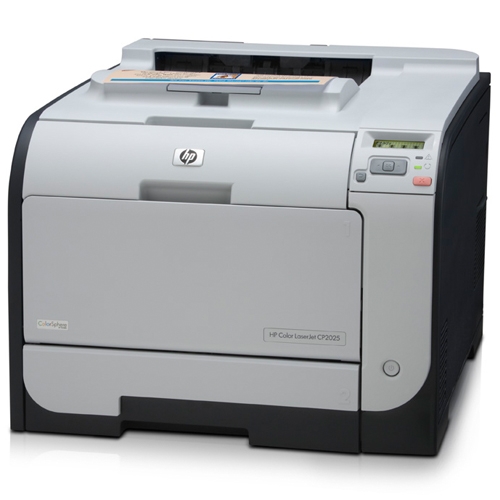
We recently got a few HP Color LaserJet CP2025dn printers. I first set one up and set a password for it. When I moved the printer to a different network and tried to set up the network again using the LCD panel, I found that I was unable to do it. There was a message displayed on the panel.
If you’re thinking about purchasing a new GPU, we’d greatly appreciate it if you used our Amazon Associate links. The price you pay will be exactly the same, but Amazon provides us with a small commission for each purchase. It’s a simple way to support our site and helps us keep creating useful content for you. Recommended GPUs: RTX 5090, RTX 5080, and RTX 5070. #ad
Menu access is disabled
I then realized that whenever you set a password for the printer, the LCD panel access is locked. You can only configure the printer through the web server on the printer. However, since the network was different, I could not access the web server on it. My only option was to reset the printer and configure it from scratch. To reset the CP2025dn, do the following:
- Turn the printer off.
- Hold down the right arrow and the X button while turning on the printer.
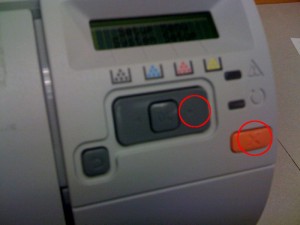
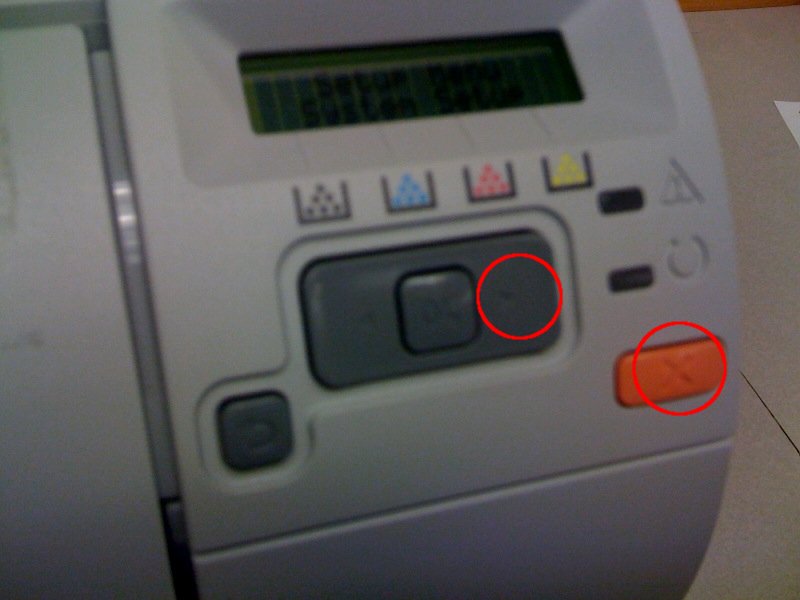
That was it. After resetting the printer, I was able to configure it with the new network setting.
Thank you very much! I could not find how to reset the printer settings..
thanks works also with the HP CP1515n
Thanks a lot! Very useful!
Thanks !!!! Thank you very very much !!!!!!! You are the King !!!!!!
Grazie! You are Master and Commander
Does anyone know how to disable CIFs on these HP cp2025dn printers?
This also worked for the HP LaserJet 400 M401n printer.
THANKS!
thanks its works hp color laserjet 1515n
Thanks a lot it was felpful
merci its works for my hp cp2020
Hello. I lost my password information for my CP2025dn. Does this “reset procedure” also allow you to create a new password without having to know the old password so that once again you can make changes to printer settings with the web server?