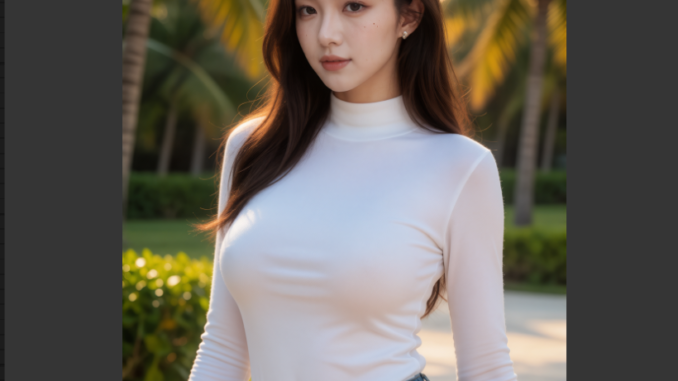
MiniMax H3 is an impressive video generation model, but its large model size can make local generation time-consuming, especially when running it through a quantized GGUF workflow in ComfyUI. Turbo LoRA provides a practical way to reduce the number of sampling steps required for H3 generation, making local video generation significantly faster while retaining much of the model’s visual quality. Community Turbo releases have brought H3 generation down to just a handful of sampling steps, with 6–8 steps often serving as a useful balance between speed and quality.
If you’re thinking about purchasing a new GPU, we’d greatly appreciate it if you used our Amazon Associate links. The price you pay will be exactly the same, but Amazon provides us with a small commission for each purchase. It’s a simple way to support our site and helps us keep creating useful content for you. Recommended GPUs: RTX 5090, RTX 5080, and RTX 5070. #ad
In this guide, I’ll show you how to use Turbo LoRA with a MiniMax H3 GGUF workflow in ComfyUI, including the required models, LoRA setup, workflow configuration, and recommended sampling settings. The workflow is mostly the same as the one covered in the previous article. For detailed setup instructions and the basic workflow, please refer to the previous article first, then return here for the Turbo LoRA specific steps.
MiniMax H3 Turbo LoRA Model
The only new model needed for this workflow is the Turbo LoRA model. You can find them here. I downloaded the one for reference to video model.
Installation
- If you haven’t used MiniMax H3 before, update your ComfyUI to the latest version. (Run update\update_comfyui.bat for Windows).
- Download the json file, and open it using ComfyUI.
- Use ComfyUI Manager to install missing nodes.
- Restart ComfyUI.
Node

This is the only new node. You select the Turbo LoRA here.
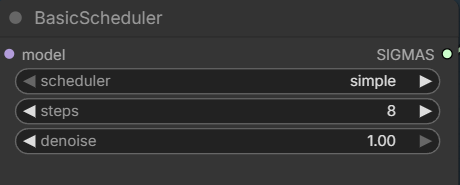
Set the step here. You can try 4 ~ 8 steps. For quality, use 6 ~ 8 steps.
Examples
The following examples are using a RTX 5090 GPU and the resolution is 480 x 864. The length of the video is 5 seconds. The generation time is just for the inference steps, the model loading time and VAE decoding time are not included.
In my own test, the difference was significant:
| Configuration | Steps | Generation Time |
|---|---|---|
| MiniMax H3 | 20 | 3:23 |
| MiniMax H3 + Turbo LoRA | 8 | 1:21 |
The Turbo LoRA workflow completed the generation in 1 minute 21 seconds, compared with 3 minutes 23 seconds for the 20-step workflow. That’s a savings of 2 minutes and 2 seconds per generation, making the Turbo LoRA workflow approximately 2.5× faster in this test.
This becomes especially useful when generating multiple variations. For example, generating 10 clips would take approximately 13 minutes 30 seconds at 8 steps compared with 33 minutes 50 seconds at 20 steps, assuming similar generation conditions.
The trade-off is that fewer sampling steps can affect visual quality and motion consistency. For that reason, 8 steps is a good practical balance rather than simply pushing the step count as low as possible. For my workflow, the 8-step configuration offers the best balance between speed and quality. The roughly 40% reduction in generation time makes it much easier to iterate on prompts, test different reference images, and regenerate clips without waiting several minutes for every attempt.
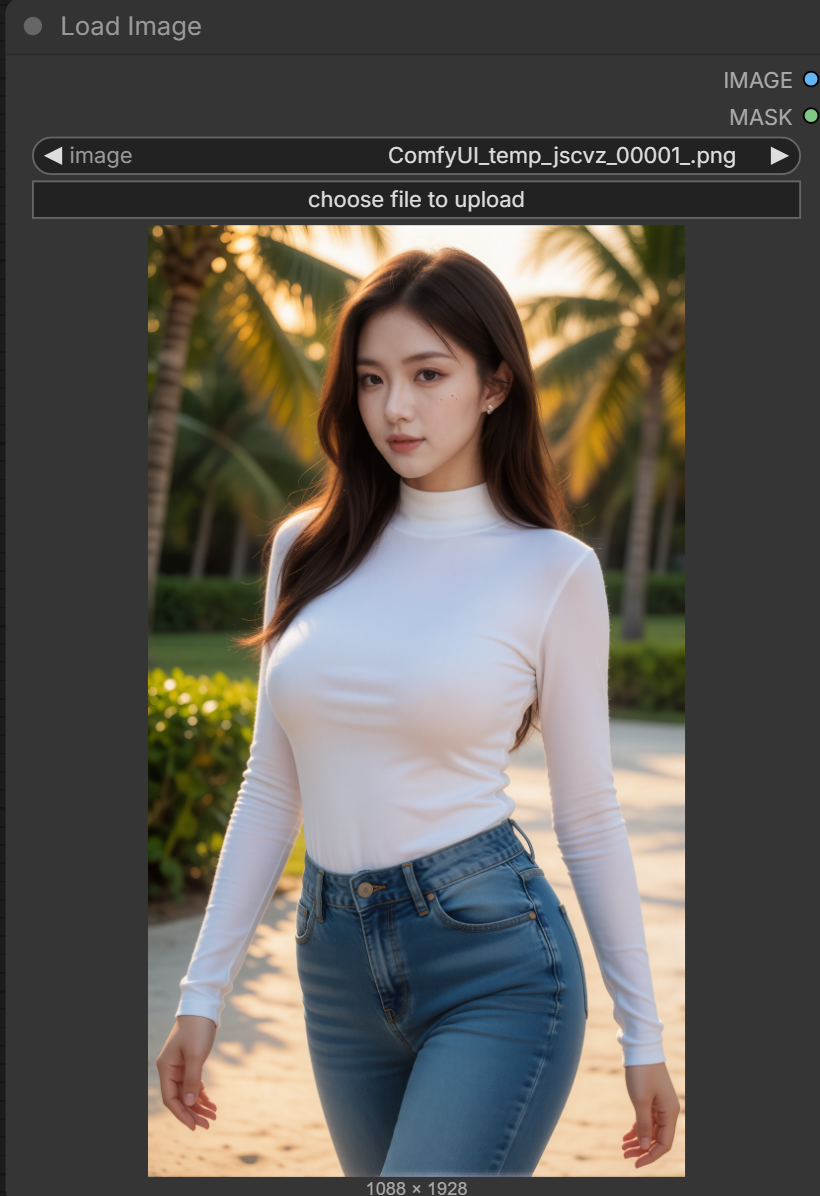
Input image:
Prompt:
For the target video, at 0.00 seconds into the target video, <Picture 1> (from [Shot 1]) is fully referenced.
integrated_multimodal_description: [Shot 1] Live-action, candid smartphone video, a full-body shot of an adult Asian woman walking casually toward the camera along a pedestrian walkway. She walks at a relaxed, natural pace with a fluid gait and subtle natural sway of her body. Her arms swing naturally with her steps and her posture remains relaxed. She briefly glances toward the camera, then looks ahead again while continuing to walk. The camera tracks backward with her at a steady pace, maintaining the full-body composition with small natural handheld movements. The scene remains continuous throughout the shot, with the subject, clothing, environment, and overall composition consistent with <Picture 1>.
overall_soundscape: Natural outdoor ambience with light footsteps, subtle movement of clothing, and quiet background activity from the surrounding environment.
non_diegetic_music: N/A
Output:
20 steps without the Tubo LoRA
8 steps with Turbo LoRA:
Conclusion
Turbo LoRA makes a big difference when running MiniMax H3 locally. Instead of relying on a large number of sampling steps, the distilled Turbo models can produce usable results in a much shorter time, making H3 considerably more practical for iterative video generation in ComfyUI.
Once everything is configured correctly, Turbo LoRA is one of the easiest ways to make MiniMax H3 more practical for local experimentation. The faster generation cycle means you can test prompts, camera movements, and different reference images much more quickly without giving up the advantages of running H3 locally.
Leave a Reply