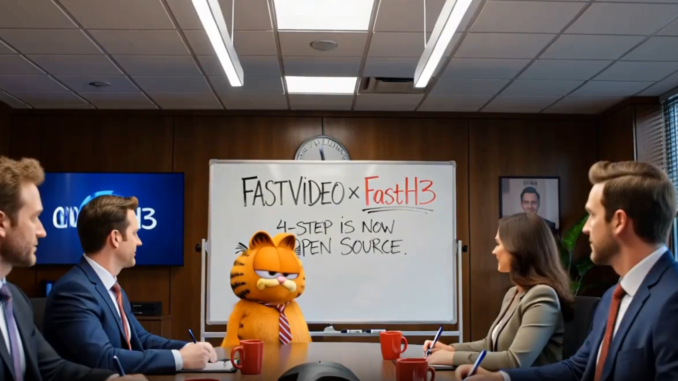
If you have been following open-source AI video generation, you probably already know about MiniMax H3. It is one of the more interesting open-weight video models because it can generate both video and audio, and it supports several different video-generation workflows.
If you’re thinking about purchasing a new GPU, we’d greatly appreciate it if you used our Amazon Associate links. The price you pay will be exactly the same, but Amazon provides us with a small commission for each purchase. It’s a simple way to support our site and helps us keep creating useful content for you. Recommended GPUs: RTX 5090, RTX 5080, and RTX 5070. #ad
The biggest problem with H3, however, is speed.
MiniMax H3 is a large model, and generating a video locally can take a significant amount of time. That is where FastH3 Preview v1 comes in.
Hao AI Lab, working with Nuva Lab and the NVIDIA FastGen team, has released FastH3, an accelerated version of MiniMax H3 that uses few-step distillation and sparse attention to dramatically reduce inference time.
According to the team, FastH3 can generate a 15-second 768p video in less than 13 seconds on eight NVIDIA B200 GPUs, with up to a 14× speedup on a single NVIDIA Blackwell GPU compared with the original H3 inference setup.
Even more interestingly, the first release is open-weight, including the model weights and a pre-extracted LoRA.
FastH3 Preview v1 official announcement
What Is FastH3?
FastH3 is not a completely new video model.
Instead, it is a distilled version of the MiniMax H3 base transformer. The FastVideo team takes the original H3 model and trains a much faster student model that can produce similar results using only a small number of transformer evaluations.
The recommended FastH3 Preview v1 checkpoint uses four DiT calls.
For comparison, the original H3 generation process requires substantially more transformer evaluations. Reducing this to only four calls is the main reason FastH3 can be so much faster.
FastH3 also reuses several components from H3, including:
- H3’s text encoder
- Video VAE
- Audio VAE
- Tokenizers
- Schedulers
- Base transformer architecture
So this is essentially an acceleration recipe built around MiniMax H3 rather than an entirely separate architecture.
Up to 14× Faster
The headline number from Hao AI Lab is a 14× speedup on a single NVIDIA Blackwell GPU.
The team also reports that FastH3 can generate a 15-second, 768p video in less than 13 seconds when running across eight B200 GPUs.
That is particularly impressive because FastH3 is not generating silent video. It supports native video and audio generation, just like H3.
In other words, the goal isn’t simply to make the video portion faster by removing audio generation. FastH3 is designed to accelerate the complete text-to-video-and-audio workflow.
There is an important distinction here, though.
The 14× figure comes from the FastH3 team’s benchmark configuration and should not be interpreted as “your RTX 5090 will generate H3 14× faster.”
The actual speedup will depend heavily on the GPU, resolution, duration, attention backend, memory configuration, and other inference settings.
Still, reducing the model to four transformer calls is a very significant change.
How Does FastH3 Get This Much Faster?
There are two major ideas behind FastH3:
- Few-step distillation
- Video Sparse Attention
Four-Step Distillation
The original H3 model requires many denoising steps to generate a video.
FastH3 uses DMD2-based distillation to teach a smaller number of inference steps to approximate the behavior of the original model.
The recommended Preview v1 checkpoint uses only four transformer calls.
This is similar to what we have seen with other accelerated image and video models: instead of running the original model for dozens of steps, a distilled model learns to produce a useful result in only a handful of steps.
The advantage is obvious.
If one generation requires 50 model evaluations and another requires only four, the amount of computation can be dramatically reduced.
Of course, fewer steps can also make preserving the quality of the original model more difficult. That is why distillation quality is just as important as the raw step count.
Video Sparse Attention
The second major optimization is Video Sparse Attention, or VSA.
The recommended FastH3 Preview v1 checkpoint uses VSA with 90% sparsity and a tile size of 64.
Instead of calculating full attention across all tokens, sparse attention avoids a large portion of those calculations.
This is particularly useful for video because the number of tokens becomes very large once you combine spatial and temporal information.
The FastH3 release therefore combines two different optimization strategies:
fewer transformer evaluations + much less attention computation
That combination is responsible for much of the speed improvement.
One important detail is that the recommended checkpoint requires the FastVideo VSA-H3 backend and kernel to achieve the reported performance. Dense attention is not simply a drop-in replacement if you want the same speed characteristics.
FastH3 Still Generates Audio
One of the things I find most interesting about MiniMax H3 is its native audio generation.
FastH3 keeps that capability.
The Preview v1 models currently support text-to-video-and-audio (T2VA) generation, meaning you can provide a text prompt and receive synchronized video and audio.
This is different from the common workflow where video and audio are generated separately.
For example, an H3 prompt can describe the visual scene as well as the soundscape, dialogue, environmental sounds, and music.
That makes FastH3 particularly interesting for people who want to generate complete short video clips rather than just silent video.
FastH3 Supports Different Resolutions and Aspect Ratios
Another important detail is that FastH3 is not locked to a single benchmark resolution.
The team trained and validated the model using multiple aspect ratios, including:
- Square
- Portrait
- Landscape
- Ultrawide
FastVideo also supports custom heights and widths in multiples of 32.
This is important for local AI video workflows because most people are not generating everything at the same resolution.
For example, a portrait video for social media has very different dimensions from a 16:9 YouTube video.
The FastH3 checkpoint is designed to handle these different formats rather than being tied to one fixed resolution.
What Is Included in FastH3 Preview v1?
The recommended release is the 4-step VSA / Data-Free checkpoint.
The “data-free” part is interesting because the model was trained from prompts without requiring target videos.
Hao AI Lab provides both the full model weights and a pre-extracted LoRA for the recommended checkpoint.
The release also includes other checkpoints and ablations for experimentation, including versions using dense attention and synthetic training data.
For most users, however, the VSA / Data-Free checkpoint is the one the developers recommend starting with.
FastH3 Preview v1 models on Hugging Face
What About FL2VA and Ref2VA?
This is probably the most important limitation of the current release for people already experimenting with H3 workflows.
FastH3 Preview v1 currently supports T2VA only.
That means the current release is for:
Text → Video + Audio
It does not yet provide the distilled versions of the H3 workflows that use image or video references.
The FastVideo team is working on both:
- FL2VA — first/last-frame to video and audio
- Ref2VA — reference-to-video and audio
The team says these checkpoints are in development and expected in the following weeks.
This distinction is important because the original H3 architecture can support these workflows, but simply applying the T2VA FastH3 checkpoint to them does not work.
FL2VA requires a student trained with first/last-frame conditioning, while Ref2VA uses a separate reference transformer and therefore requires its own distilled checkpoint.
For people using H3 primarily for reference-based video generation, the current FastH3 release is therefore more of a preview of what is coming rather than a direct replacement for their existing workflow.
FastH3 and Local AI Hardware
The current performance numbers are heavily focused on NVIDIA Blackwell hardware.
The official announcement specifically highlights B200 GPUs and reports up to 14× speedup on a single Blackwell GPU.
However, the project is not intended to remain limited to data-center hardware.
The FastVideo team says it is working on optimizations for local AI hardware, including:
- NVIDIA RTX GPUs
- NVIDIA DGX Spark
- Apple Silicon with MLX
They also mention future work on NVFP4 and GPU memory reduction.
This is probably the part that will be most interesting to local AI users.
A model that is extremely fast on B200 GPUs is impressive, but it becomes much more useful to the broader community if the same acceleration techniques can eventually be optimized for consumer GPUs.
What About the RTX 5090?
This is where I would keep expectations realistic.
The RTX 5090 is a Blackwell GPU, but the 14× number from the announcement should not be interpreted as a benchmark for the RTX 5090.
The current FastH3 announcement does not claim that an RTX 5090 can generate a 15-second 768p video in 13 seconds.
The team specifically lists RTX optimization as future work.
That said, the underlying approach is very promising for consumer hardware.
The RTX 5090 has significantly more compute and memory bandwidth than previous consumer GPUs, and reducing H3 from a large number of transformer evaluations to four could potentially make a substantial difference.
I would therefore be much more interested in the upcoming RTX-optimized FastH3 releases than in trying to extrapolate the B200 benchmark directly to the 5090.
FastH3 vs. Regular MiniMax H3
So, should you replace your existing H3 workflow with FastH3?
Right now, I would say not necessarily.
FastH3 has a huge advantage in inference speed, but the current Preview v1 release has a much narrower workflow scope.
| Feature | MiniMax H3 | FastH3 Preview v1 |
|---|---|---|
| Text-to-video | Yes | Yes |
| Native audio | Yes | Yes |
| Text-to-video + audio | Yes | Yes |
| First/last-frame video | Yes | Not yet |
| Reference-to-video | Yes | Not yet |
| Few-step inference | No | Yes, 4 steps |
| Sparse attention | No | Yes |
| Open weights | Yes | Yes |
| RTX optimization | Existing implementations | Coming |
| Apple Silicon optimization | Not the primary focus | Planned |
The biggest difference is therefore simple:
H3 gives you more workflows. FastH3 gives you much faster T2VA generation.
For pure text-to-video-and-audio generation, FastH3 is much more interesting.
For reference-based workflows, I would wait for the FL2VA and Ref2VA checkpoints.
Why This Release Matters
There have been many attempts to make AI video generation faster.
FastH3 is particularly interesting because it is not simply an optimized inference implementation of H3. The team is actually releasing a distilled model together with the inference and training components needed to reproduce and further develop the acceleration approach.
That means the community can experiment with the technique instead of treating it as a closed optimization.
The FastVideo team says the project is fully open source, with training code and recipes planned for release.
This could be important for the future development of H3.
Instead of everyone simply trying to optimize the original H3 model independently, researchers and developers can build on the FastH3 approach and potentially create even faster versions.
Quality Is Still the Big Question
Speed is impressive, but speed alone doesn’t make a video model useful.
The difficult part is maintaining the quality of the original H3 model while reducing the number of inference steps so dramatically.
The FastH3 team says it used more than 1,000 B200 training hours, along with real-world multi-shot data and synchronized visual/audio distributions, to preserve quality.
The official validation examples show that the model can produce a variety of scenes, including multi-shot sequences, dialogue, music, environmental audio, and complex camera movement.
However, FastH3 Preview v1 is still a preview release.
I would not assume that four-step generation will match the original H3 model in every situation.
High-motion scenes, complicated interactions, fine details, and difficult camera movements are the kinds of areas where few-step distillation can potentially show differences.
For that reason, I think it is better to view FastH3 Preview v1 as a very promising acceleration release rather than the final optimized version of H3.
Final Thoughts
FastH3 Preview v1 is one of the more interesting developments for MiniMax H3 since the original model was released.
The basic idea is simple but powerful: take MiniMax H3, distill it down to four transformer calls, combine that with 90% sparse attention, and release the resulting model to the community.
The result is a reported up to 14× speedup on a single NVIDIA Blackwell GPU, while retaining H3’s ability to generate video and synchronized audio.
For now, there is one major limitation: the Preview v1 release is T2VA only. If you rely on FL2VA or Ref2VA, you will need to wait for the corresponding distilled checkpoints.
I am particularly interested in seeing how FastH3 performs once the team releases its RTX optimizations. That will be much more relevant to local AI users running consumer GPUs than the current B200 benchmarks.
And if the upcoming FL2VA and Ref2VA versions can achieve similar acceleration while maintaining the quality and consistency of the original H3 model, FastH3 could become a much bigger deal for local video generation.
For now, though, the four-step T2VA model is already a very impressive preview of what accelerated H3 generation could look like.
FastH3 Preview v1 — Official Hao AI Lab announcement
Leave a Reply