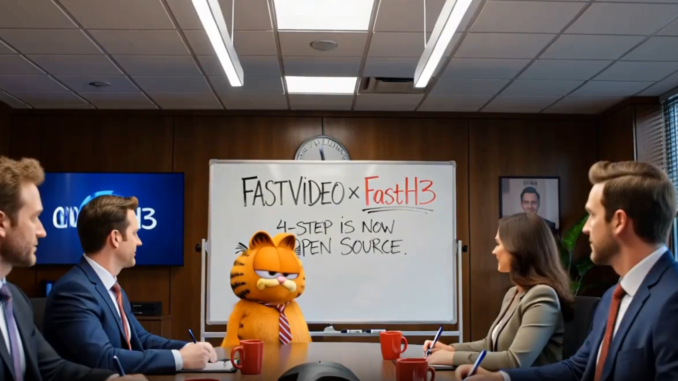
If you have been using MiniMax H3 for AI video generation, there is a new open-weight model worth checking out.
If you’re thinking about purchasing a new GPU, we’d greatly appreciate it if you used our Amazon Associate links. The price you pay will be exactly the same, but Amazon provides us with a small commission for each purchase. It’s a simple way to support our site and helps us keep creating useful content for you. Recommended GPUs: RTX 5090, RTX 5080, and RTX 5070. #ad
FastH3 V2, released by the FastVideo team, is an 8-step distilled version of MiniMax H3 designed to make H3 video generation substantially faster. Unlike a conventional LoRA that you add on top of the original model, FastH3 V2 is a dedicated distilled checkpoint using DMD2 together with FastVideo’s Video Sparse Attention (VSA).
The result is an open-weight MiniMax H3 model that can generate synchronized video and audio with only eight transformer forward passes.
FastH3 V2 was released on September 15, 2026, and ComfyUI workflows are already available for both text-to-video and image-to-video generation.
What Is FastH3 V2?
FastH3 V2 comes from the FastVideo project, which focuses on accelerating video generation through model distillation and efficient attention implementations.
The new checkpoint is specifically described by the FastVideo team as an eight-forward, data-free DMD2 checkpoint distilled from MiniMax H3. It was trained with 80% Video Sparse Attention (VSA).
That gives FastH3 V2 two important sources of acceleration:
- 8-step distillation reduces the number of diffusion steps.
- Video Sparse Attention reduces the amount of attention computation required during generation.
The distinction is important. FastH3 V2 isn’t simply the original MiniMax H3 running with a faster sampler. It is a separately distilled model designed specifically for fast inference.
FastH3 V2 vs. MiniMax H3
The original MiniMax H3 is a large video generation model capable of producing synchronized video and audio. Its quality is impressive, but generating video with a large diffusion transformer can be time-consuming.
FastH3 V2 takes a different approach: sacrifice some of the computational work while trying to preserve enough of the original model’s behavior to produce useful video.
The official model card says that FastH3 V2 generates synchronized video and audio using eight transformer forwards. It also notes that the checkpoint uses a trained scheduler shift of 10, rather than the base model’s shift of 12.
That last detail matters when setting up the model manually. If you get poor results, don’t immediately assume that the model itself is the problem. Using the wrong scheduler configuration can affect the output significantly.
Video Sparse Attention
One of the interesting parts of FastH3 V2 is VSA, or Video Sparse Attention.
Video transformers have an enormous attention workload because they need to process information across spatial and temporal tokens. As video resolution and duration increase, this becomes increasingly expensive.
VSA attempts to avoid calculating full attention everywhere. Instead, it identifies the portions of the sequence that are most important and focuses computation there.
The underlying FastVideo research describes VSA as a hardware-efficient sparse attention mechanism designed to reduce the cost of video diffusion. In experiments with Wan-2.1, the researchers reported substantial reductions in attention computation and end-to-end generation time while maintaining comparable quality.
For FastH3 V2, the model was trained with VSA-H3 at 80% sparsity. This means the attention implementation isn’t just an optional optimization that was added after training. It is part of how this particular checkpoint was designed.
FastH3 V2 in ComfyUI
This is probably the most interesting part for ComfyUI users.
The FastVideo release already has ComfyUI workflows for both:
- Text-to-video
- Image-to-video
The FastH3 V2 release thread also provides links to the corresponding ComfyUI workflow templates and the Comfy-compatible model files.
The official ComfyUI model repository currently contains the FastH3 V2 diffusion model and the required VAE files.
Basic setup
For a standard ComfyUI installation, you will need the FastH3 V2 model along with the supporting MiniMax H3 components required by the workflow.
The current ecosystem includes:
- FastH3 V2 diffusion model
- MiniMax H3 Video VAE
- Audio components for video-and-audio generation
- Qwen3-VL text encoder
- The appropriate VSA/attention implementation
If you are using the official workflow, I strongly recommend starting with that workflow rather than trying to build the graph from scratch.
There are several model components involved, and FastH3 V2 has a few settings that differ from the original H3 workflow.
The Important Setting: 8 Steps
FastH3 V2 is an 8-step model.
That means you should not treat it like the original MiniMax H3 model and simply increase the number of sampling steps to improve quality.
The official checkpoint was specifically distilled for eight transformer forwards.
The community has already started testing different step counts. Early reports suggest that going below the intended step count can produce significantly worse results, so I would start with the official eight-step configuration before experimenting.
Another important setting is the video scheduler shift.
FastVideo specifically states that FastH3 V2 uses a shift of 10, rather than the base H3 model’s shift of 12.
So if your output looks unexpectedly poor, check these settings before changing everything else.
What About GGUF?
There is already a GGUF conversion of FastH3 V2 for users who need a more memory-efficient version.
The current GGUF repository provides several quantized versions, including a Q4_K_M model. The Q4_K_M file is around 19.8 GB, compared with roughly 35B parameters for the original transformer.
For ComfyUI, the GGUF model goes into:
ComfyUI/models/diffusion_models/
You will also need the ComfyUI-GGUF custom node to load the model.
The GGUF conversion does not contain all of the supporting H3 components. You still need the appropriate text encoder and VAE files.
For users with limited VRAM, this makes the quantized versions particularly interesting.
How Fast Is FastH3 V2?
This is where things get interesting.
The whole point of FastH3 V2 is to dramatically reduce the cost of H3 generation.
But I would be careful about quoting a single “X times faster” number.
Generation speed depends heavily on:
- GPU
- VRAM
- resolution
- video length
- attention backend
- quantization
- CPU/GPU offloading
- ComfyUI implementation
- whether audio is being generated
- whether the model is warmed up
The FastVideo team’s official setup is currently documented around high-end multi-GPU hardware, while the ComfyUI community is testing the model on consumer GPUs as well.
That makes real-world RTX 5090 testing particularly useful because it tells us much more than a theoretical benchmark.
FastH3 V2 vs. H3 Turbo
This is probably the comparison that matters most to existing H3 users.
If you already have an H3 Turbo workflow that produces good results in only a few steps, is FastH3 V2 actually better?
There isn’t a simple answer yet.
Early community testing is mixed. Some users report very large speed improvements, while others report noticeable quality losses compared with their preferred H3 Turbo workflow. There are also reports that lower step counts produce poor results and that the official eight-step configuration is important.
This makes FastH3 V2 less of a straightforward replacement and more of another point on the speed-versus-quality curve.
For quick experimentation, drafts, and generating many variations, the speed advantage could be extremely useful.
For a final production clip where fine details and difficult motion matter, the original H3 or another higher-quality workflow may still be preferable.
FastH3 V2 Quality
The official FastVideo model card itself includes an important warning: difficult motion, fine detail, and some audio may remain below the quality of the original MiniMax H3 model.
That is worth emphasizing.
Distillation isn’t magic. The goal is to approximate the behavior of a much more expensive model while using substantially less computation.
You should therefore expect some tradeoffs.
In particular, I would test:
Fine details
Look closely at:
- hair
- fingers
- facial details
- clothing textures
- small objects
- text
- background details
These are often where aggressive acceleration becomes visible first.
Motion
Test difficult movements rather than just simple walking shots.
For example:
- fast hand movements
- dancing
- spinning
- running
- camera movement
- interactions between multiple people
A model can look excellent on a relatively static prompt while struggling when the scene becomes dynamically complex.
Temporal consistency
Watch the entire clip rather than judging a single frame.
Look for:
- identity changes
- clothing changes
- flickering details
- inconsistent hands
- background deformation
- changes in object geometry
These problems are especially important for image-to-video workflows.
Audio
FastH3 V2 supports synchronized video and audio, but the FastVideo documentation specifically warns that some audio scenarios may remain below the original H3 model.
So audio quality deserves its own test rather than assuming that faster video generation automatically means equally good audio.
One Important Limitation: Ref2VA
There is currently an important limitation if you rely heavily on reference-based H3 workflows.
FastVideo states that FL2VA and Ref2VA were not distilled for FastH3 V2.
In other words, FastH3 V2 should not be viewed as a drop-in replacement for every MiniMax H3 workflow.
The current release is primarily about the distilled T2V/audio-video model, with I2V support available through the ComfyUI workflow.
FastVideo has indicated that additional work is coming, and the community release discussion is already tracking a Ref2V version.
Should You Try FastH3 V2?
If you already use MiniMax H3, I think FastH3 V2 is worth testing.
Not because it automatically produces better video, but because it changes the economics of experimenting with H3.
An 8-step model that can produce useful results much faster means you can:
- test more prompts
- generate more variations
- iterate on camera movements
- experiment with characters
- prototype videos before committing to a slower generation
- produce drafts much more quickly
That can be just as important as raw image quality.
For production, however, I would keep the original H3 workflow available. FastH3 V2 should be evaluated on your own prompts and hardware rather than assuming that the advertised speedup comes without a quality tradeoff.
Final Thoughts
FastH3 V2 is an interesting development for MiniMax H3 because it combines aggressive step reduction with sparse attention to make H3 generation much faster.
The tradeoff is important, though. FastH3 V2 is designed primarily for speed, not to improve the image or video quality of the original MiniMax H3 model. If your priority is maximum quality, the original H3 model remains an important reference point. If your priority is generating more variations in less time, the 8-step FastH3 V2 approach is much more interesting.
This is also why the difference between FastH3 V2 and the various H3 Turbo workflows matters. Faster generation is useful, but reducing generation time doesn’t necessarily make a model a better choice when the resulting video loses details, motion quality, or consistency.
For me, this makes FastH3 V2 something worth watching rather than an automatic replacement for the base MiniMax H3 model. The technology behind the acceleration is impressive, and future versions may narrow the quality gap while retaining the speed advantage.
For ComfyUI users who are willing to trade some quality for significantly faster generation, FastH3 V2 is certainly worth experimenting with. For users who prioritize the best possible H3 output, the original model may still be the better fit.
FastH3 V2 Resources and Links
If you want to try FastH3 V2 yourself, these are the main resources you’ll need:
- FastH3 V2 model: FastH3 V2 on Hugging Face — the official 8-step checkpoint and model documentation.
- ComfyUI files: FastH3 V2 ComfyUI repository — ComfyUI-compatible model files and supporting components.
- FastVideo GitHub: FastVideo on GitHub — source code, installation instructions, workflows, and technical documentation.
- GGUF versions: FastH3 V2 GGUF models — quantized versions for users who need to reduce memory requirements.
- Original Reddit discussion: FastH3 V2 Reddit discussion — community testing, early benchmarks, troubleshooting, and discussion around the release.
- Comfy Workflow:
t2v
https://github.com/Comfy-Org/workflow_templates/blob/main/templates/video_fastvideo_fasth3_t2v.json
i2v
https://github.com/Comfy-Org/workflow_templates/blob/main/templates/video_fastvideo_fasth3_i2v.json
Leave a Reply