You have played some simple games on your unlocked Mio C230. Mio C230 is actually powerful enough for more sophisticated games. I have tried ScummVM and it rocks! So what is ScummVM? Here is the quote for ScummVM’s web site.
If you’re thinking about purchasing a new GPU, we’d greatly appreciate it if you used our Amazon Associate links. The price you pay will be exactly the same, but Amazon provides us with a small commission for each purchase. It’s a simple way to support our site and helps us keep creating useful content for you. Recommended GPUs: RTX 5090, RTX 5080, and RTX 5070. #ad
ScummVM is a program which allows you to run certain classic graphical point-and-click adventure games, provided you already have their data files. The clever part about this: ScummVM just replaces the executables shipped with the games, allowing you to play them on systems for which they were never designed!
Some modifications are needed for Mio C230. You’ll need to unlock your Mio C230 in order to run ScummVM. If you haven’t done so, please see one of my unlock releases to unlock your unit first.
- Insert a SD card into Mio C230. Turn it on and connect it to the computer using a USB cable.
- Assuming the storage card (SD card) shows up as G drive. Make a folder called scummvm under it (G:scummvm).
- Download ScummVM 0.9.1 from this site. Note that the latest version 0.11.0 doesn’t work.
- Unzip the zip file from step 3 and copy all the files to the folder G:scummvm .
- Download scummvm.zip file from here. Unzip it and find the two files: scummvm.ini and scummvm64.ico .
- Copy scummvm.ini to G:scummvm . Copy aygshell.dll from your script directory to G:scummvm.
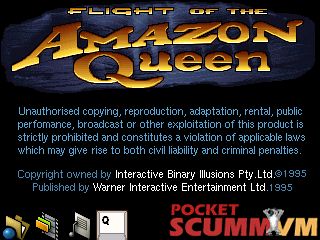
The previous setup is for the program itself. It has no games. There are two freeware games from this site. Unfortunately, Beneath a Steel Sky doesn’t work for C230, because it requires at least a hardware key which C230 doesn’t have. The other freeware game Flight of the Amazon Queen works quite well. Download the zip file, unzip all the files and copy them to a folder on the storage card.
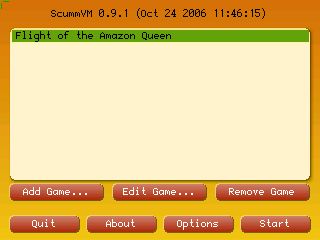
Now you are ready to try the game. Disconnect the USB cable and hard reset your C230 if needed. Use FileManCE to invoke the file PocketSCUMM.exe in the Storage Cardscummvm directory. The first time you run ScummVM, you need to tell it where to find the games. Click on Add Game to add the game you downloaded.
I have included an icon file, if you like you can include this on your desktop. I don’t know where you can find games that works with ScummVM, please don’t ask for them here.
If you like my articles, please consider a small donation. Thanks!

Find deals on Amazon.com
Mio C230
Which FOTAQ file did you d/l from that site? I want to make sure I get the correct one!
I used the one with speech in MP3.
It works ! i have choose the first link (FOTAQ_Talkie.zip).
But i can’t use the virtual keyboard …. (so no save possible).
Dominique,
Do you have a C230? I wonder why you cannot save.
Yes for sure i have a c230.
Shame on me … I did not see the keyboard (because i did not click on the input field to enter the name of the save entry). It’s great for me as it will help me to learn english (text+voice) !
I’ve tried scumm on my c230 also and got it running, but it is very frustrating to play because there is only one key that u can attach a command to (leftmost key). Tapping the second key too many times shuts the game down for me and it’s very hard to invoke a right click by dbl clicking. Also, i wasn’t able to find out how to load the game but maybe i just didnt read hard enough so each time (in Lure of the temptress), i have to kill myself right away and then select the ‘restore game’ option. Hope you had more luck than i did.
The only freeware game I tried that works is Flight of The Amazon Queen. I tried Lure of the Temptress and it’s not working.
is it possible to save your game on Amazon Queen?
Amida,
Oh, forgot to mention that the menu i’m referring to is the scummvm menu, so it should be the same as the one you’re using. You might have forgotten to move lure.dat into your folder to get it running?
Gr1ph0n,
You are right. I didn’t copy lure.dat. I’ll try it next time. Thanks!
P-e-n-n,
Yes, you can save your game on Amazon Queen. Just tap the icon on the lower left corner, you can then Make Entry (save).
I can run it from FileManager, but when trying via icon, it says cannot find PocketSCUMM or its components. Can someone please help me in doing that?
Thanks.
Nirapada,
I forgot to mention that you need aygshell.dll in my original post. You can find it in the script directory, just copy it over to the scummvm directory.
Cool !! Thanks much, it works!! Could you please help me in understanding some things as well ?
Why some executables are runnable only from “explorer–>run” and some are from fileManager ? How would I make a new icon for an executable which runs from this “explorer ->start-> Run” ?
Thanks,
Nirapada
I figured it out myself, thanks anyways.
I got ScummVM and FOTAQ to run just fine. I even got Beneath a Steel Sky to run. Only problem is: in Steel Sky, I can pick up items, view them in my inventory, but I can’t do a darn thing with them. A bit of research showed me that you need to right click to USE an inventory item and I can’t seem to figure out how to do that. I’ve tried mapping it to the pop-up keyboard but it doesn’t seem to work… anyone?!?
Ugh, nevermind. I just realized what you meant by “hardware key”. I thought you meant it used some sort of copy protection, not that there were no keys to push. Too bad, I’ve been dying to play that classic!
I managed to get quite a few games which are working [around 25] with my c230 but when I am trying to add them, I am getting an error “too many matches for directory RESOURCE, Please fix them”. Do you know if there is a way to fix this ?
Thanks much,
No, I do not know the cause of it. You can try to add just some of the games but not all of them.