Updating device drivers is usually the first step in dealing with any hardware-related problems. You can visit the manufacturer’s web site and download the driver manually, or you can let Windows 7 update the driver for you. Here are the steps:
If you’re thinking about purchasing a new GPU, we’d greatly appreciate it if you used our Amazon Associate links. The price you pay will be exactly the same, but Amazon provides us with a small commission for each purchase. It’s a simple way to support our site and helps us keep creating useful content for you. Recommended GPUs: RTX 5090, RTX 5080, and RTX 5070. #ad
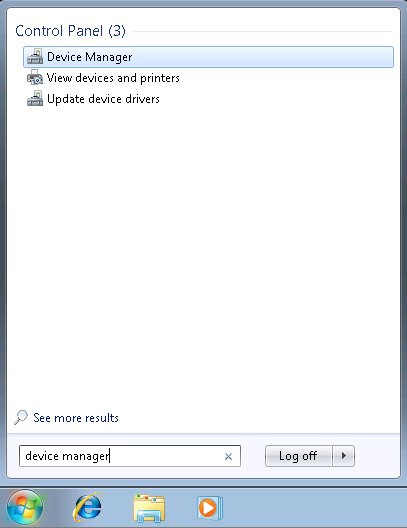
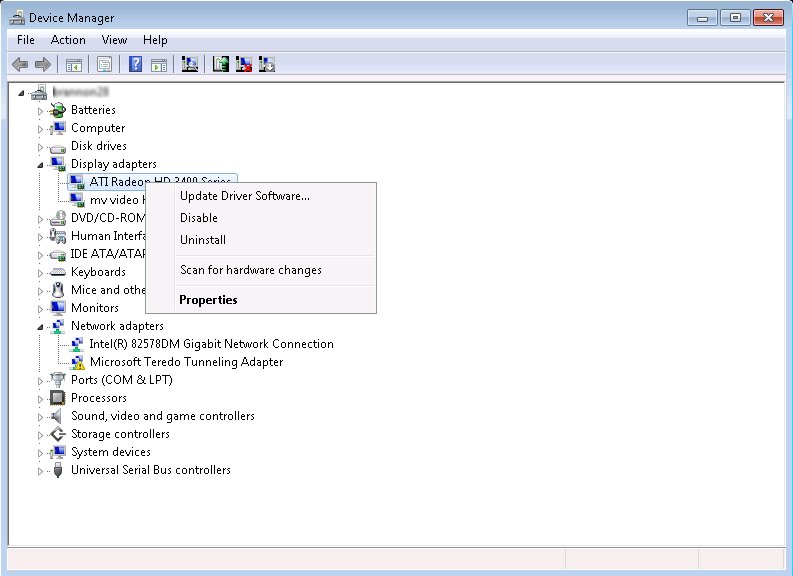
- Click on the Windows logo on the task bar and type in device manager. The Device Manager shows up. Click on it to run.

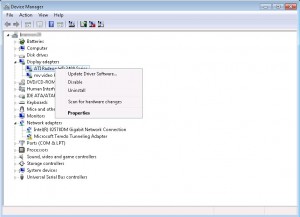
- Right click on the device you are interested in and select Update Driver Software… .
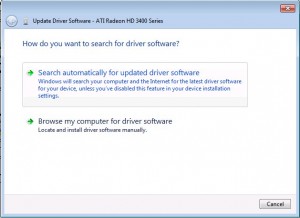
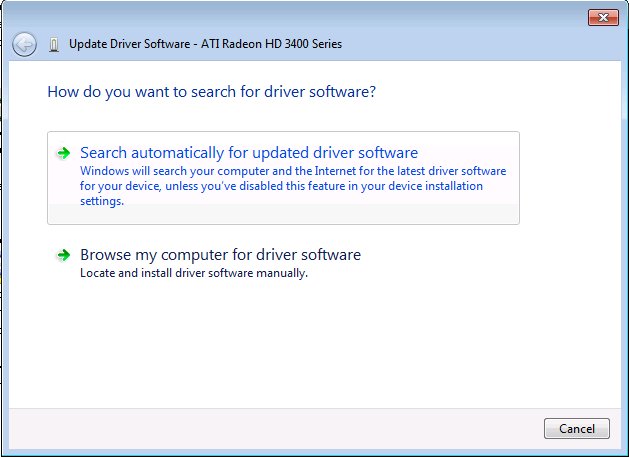
- Click on Search automatically for updated driver software.
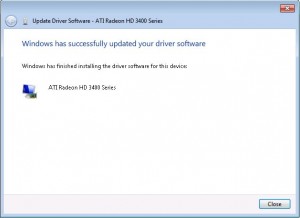
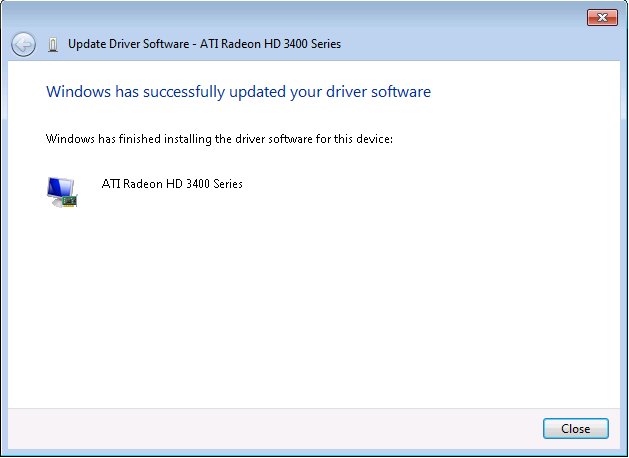
- When it finds an updated driver, the driver is downloaded and installed automatically. You can reboot the computer after the driver is successfully installed.
how if the answer is
The best driver software for your device is already installed
windows has determined the driver software for your device is up to date
Then you have to visit the manufacturer’s web site and try to find the latest driver and install it manually.
I have a Hp dv7 and both the graphics cards are up to date, i went to manufacturers website and installed the latest drivers, please help me… every one else tells me that i need to update but I am updated!
my drivers also up to dated….
when i check the device manager there i c my all drivers are up to dated….
now what i do, Please HELP me….
I have Open GL problem in hp dv6. Drivers are up to date in both device manager method & hp’s support site. Is there any other way?
You can check Intel’s web site if your dv6 uses Intel graphics card, or AMD’s web site if it uses ATI graphics card.
thanks for that solution, finnally I can fix it.. thanks very much
¿cuanta memoria ocupa?
no it does nat support after updatin also
the same problem repeat
very much thanks…..
i am much confused of this error……..
but now its cleared…
thanks a lot
thanx for support,,,i realy love ur guidlines thanx