I started to have a lot of problems with VirtualBox on my Windows 7 box about two weeks ago. Whenever I tried to shut down a virtual machine, it crashed, and the state of the VM could not be saved successfully. The new version of VirtualBox came out around the same time I had the problems, so I upgraded to the new version: 3.1.6.
After upgrading, the problem became worse. I could not start any virtual machines at all. I always got this message:
 My first reaction was to reinstall the application. However, a forum post suggests that the repair option in the setup program might be able to fix the problem. Following the instructions, I re-ran the installation program and clicked on the Repair button and let the setup program to repair it.
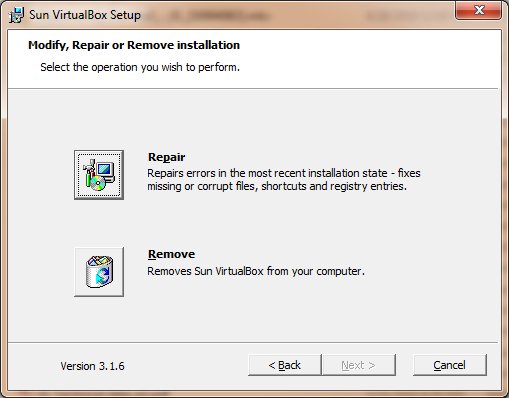 The process ran quickly. I was able to run the virtual machines again after the repairing process ended.
This post may contain affiliated links. When you click on the link and purchase a product, we receive a small commision to keep us running. Thanks.

Thanks for the tip. It was very helpfull.
I did that but it doesnt let me CURSE YOU VIRTUAL BOX NOW I HAVE TO GO BACK TO THE FREAKIN VPC 7