I recently helped a user with a McAfee VirusScan problem. The On-Access Scanner was turned off and when you tried to turn it on, it would not turn on. The user had just restarted the machine, so restarting the machine again was not an option. I tried to restart the services related to VirusScan, but the services were locked and I could not restart them. This is what I did to enable the On-Access Scanner.
- Open VirusScan Console.
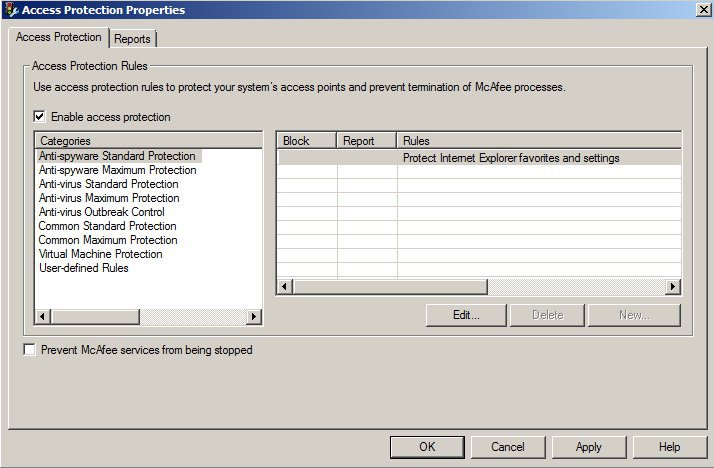
- Click on Access Protection and click on Task -> Properties.
- Uncheck Prevent McAfee services from being stopped and click on OK.
- Open up the services manager. You can do so by pressing Windows key + R, and type services.msc and enter.
- Stop the following services: McAfee Framework Service, McAfee McShield and McAfee Task Manager.
- Start the services mentioned in step 5.
This post may contain affiliated links. When you click on the link and purchase a product, we receive a small commision to keep us running. Thanks.

Leave a Reply